












Live chat moves fast, and customers form impressions almost instantly. In those first moments, how your team communicates matters just as much as resolving the issue. Live chat etiquette shapes the tone, clarity, and empathy behind every message. When done well, conversations feel human and trustworthy. When done poorly, even the right answer can leave a negative impression.
This article outlines 15 practical live chat etiquette tips to help support teams communicate clearly, build trust faster, and deliver consistently positive chat experiences. Let’s explore!
- Customers form lasting impressions within seconds of a live chat opening.
How your team communicates in those first moments matters just as much as actually resolving the issue.
- A one-second acknowledgment can prevent 38% of customers from abandoning the chat.
Tidio data shows that slow replies drive over a third of customers to leave before receiving any help.
- Etiquette and best practices are not the same thing — and confusing them costs you loyalty.
Best practices handle the mechanics of chat, while etiquette is the human layer that makes customers feel genuinely helped.
- Responding within 5 to 10 seconds pushes customer satisfaction as high as 84.7%.
LiveChat data confirms that near-instant acknowledgment dramatically improves how customers rate their overall support experience.
- A fast but confusing answer is more expensive than a slightly slower clear one.
Vague replies trigger follow-up questions and escalations, ultimately costing more time than a precise response would have.
What is live chat etiquette?
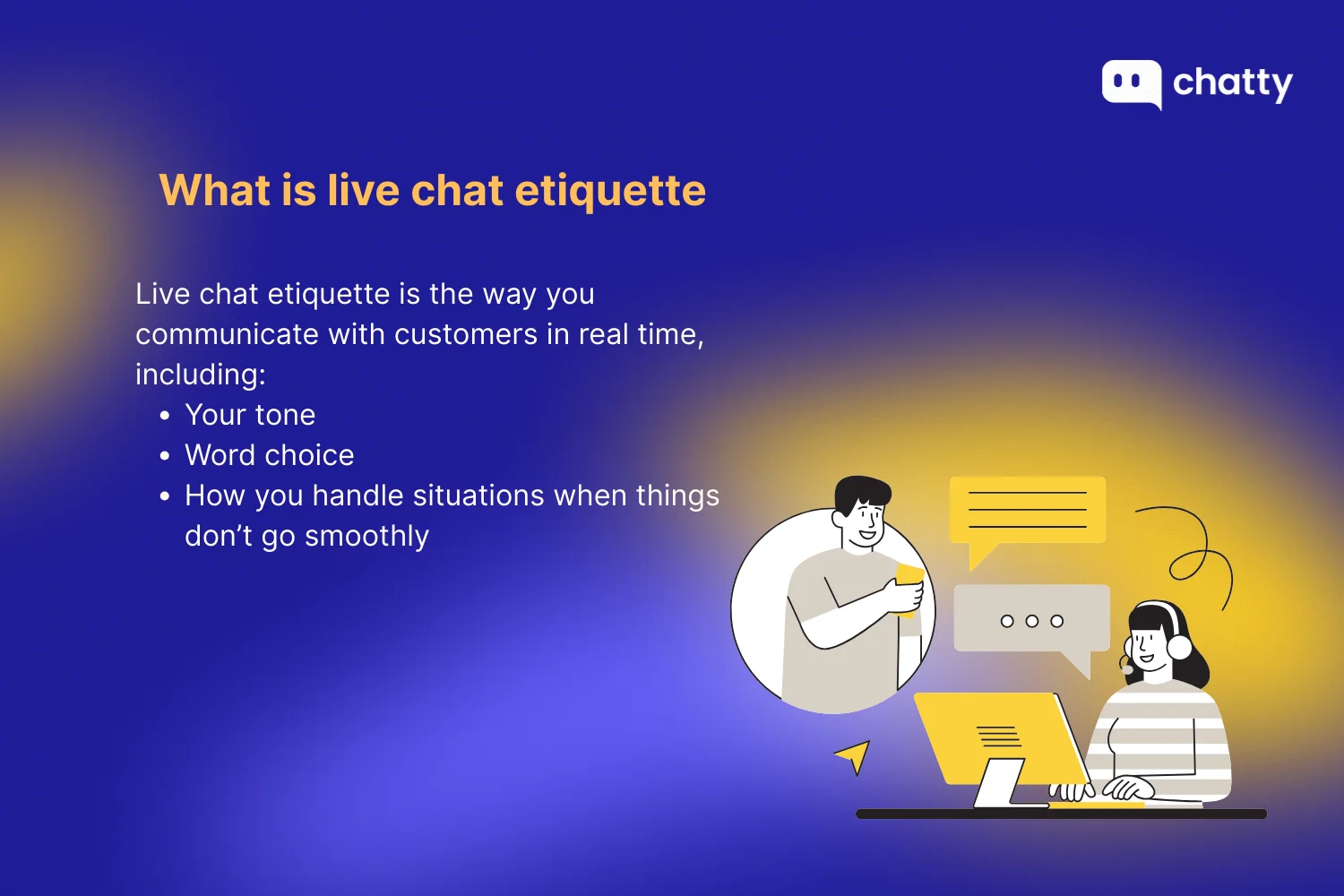
Live chat etiquette is about how you interact with customers in real time. It covers your tone, word choice, and the way you respond when things don’t go smoothly. In simple terms, it’s the difference between sounding like a human who wants to help and a script that just wants to close the chat.
It’s also important to separate etiquette from live chat best practices:
- Best practices focus on the mechanics – response time targets, workflows, ticket routing, and tools. Those things keep chat running efficiently.
- Etiquette is the human layer on top of that system. It’s how you greet someone, explain delays, and respond when a customer is frustrated. Even with perfect tools, poor etiquette can ruin the experience. But strong etiquette can turn a simple chat into a genuinely positive interaction.
15 Live chat etiquette rules for every support team
Good tools keep your chat running. Good etiquette keeps your customers coming back. These 15 live chat etiquette tips will help your team sound more human, build trust faster, and turn everyday chats into loyal customer relationships.
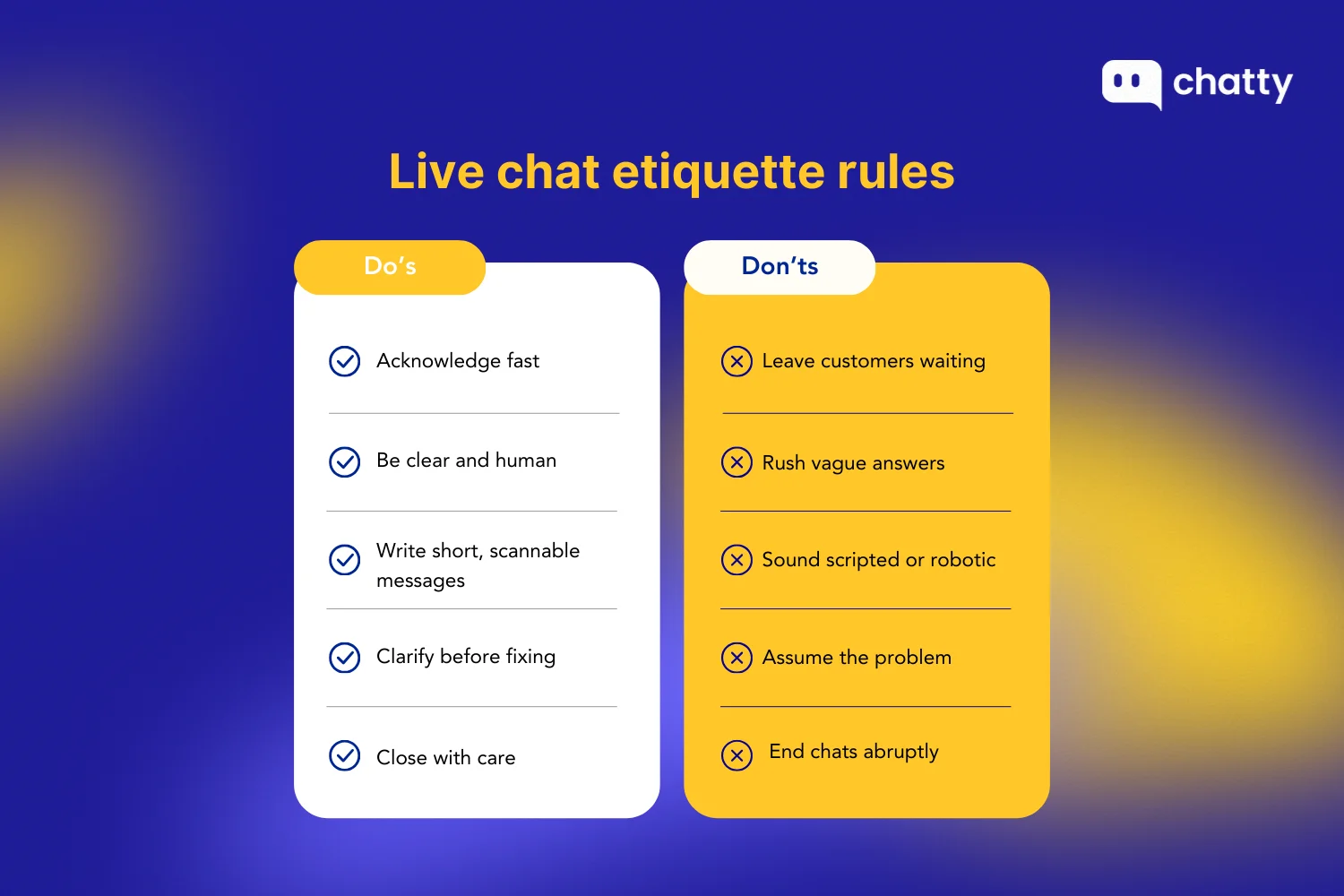
Short on time? Here’s the quick version – 5 do’s and don’ts before we dive deeper.
1. Respond quickly to acknowledge the customer
Customers choose live chat because they want help now. According to LiveChat, customer satisfaction hits 84.7% when companies reply within 5 to 10 seconds. On the flip side, 38% of customers abandon chats entirely when replies are too slow (Tidio).
Your first reply can be a simple acknowledgment. A brief “I’m here” message keeps customers engaged and reassures them that help is on the way.
Therefore, you need to set a team goal to reply within 15 to 30 seconds of a new chat. Focus your first message on acknowledgment, for example:
- Send a warm, brief message as soon as the chat comes in.
- Let the customer know their question is being reviewed.
- Review any pre-chat form data so you already have context.
Good vs. bad example:
❌ (Customer waits over a minute with zero reply, then leaves)
✅ “Hi there! Thanks for reaching out. I’m pulling up your details now – just a moment.”
2. Never sacrifice clarity for speed
Speed matters in live chat. But a fast answer that confuses the customer costs more time in the long run. Vague replies lead to follow-up questions. Incorrect answers lead to escalations. According to SuperOffice, companies that reply within 60 seconds see a 50% increase in conversions, but only when those replies are clear and helpful.
Here’s a common scenario. An agent rushes to respond with “check your settings.” The customer asks, “Which settings?” Now the agent has doubled their own workload. A clear first answer is always faster than a vague one plus three follow-ups.
Your team should read the full customer message before you start typing. Structure multi-step answers so they’re easy to follow. Here are a few ways to balance speed with clarity:
- Use numbered steps for processes.
- Scan your reply before sending; one quick check catches most errors.
- When unsure, ask a follow-up question instead of guessing.
You need to aim for the fastest resolution, not the fastest keystroke.
Good vs. bad example:
❌ “Just go to settings and change it there.”
✅ “Here’s how to update that: go to Settings > Notifications, then toggle off email alerts. Let me know if you need a hand finding it.”
3. Start every chat with a proper greeting
Your opening line sets the tone for everything that follows. A warm, relevant greeting makes customers feel welcome. A flat or generic one makes the interaction feel cold and forgettable.
Your greeting also shapes the rest of the conversation. A customer who feels welcomed is more open, more patient, and more willing to share useful details.
Therefore, you should tailor your opening to each customer and situation. Here are a few examples:
- First-time visitor: “Hi there! Welcome. How can I help you today?”
- Returning customer: “Hey, great to see you again! What can I do for you?”
- Customer who filled in a pre-chat form: “Hi! I see you have a question about . Let me help with that.”
Keep it short, one or two sentences. The best greetings feel like a real person just walked up and said hello.
Good vs. bad example:
❌ “Hello. How may I assist you today?” (Reads like a script)
✅ “Hi! Welcome to [Store Name]. What can I help you with today?”
4. Clearly introduce yourself as the agent
Customers want to know there’s a real person on the other end. PwC records that 71% of consumers still prefer human agents for most support scenarios. That preference only pays off when the customer actually knows they’re talking to a human.
An anonymous chat window creates doubt. A simple name and a short intro remove that uncertainty immediately. Once the customer knows a real person is helping them, they tend to relax, share more details, and stay patient through the process.
So, let’s share your name within the first one or two messages. Keep it natural – a name and a note that you’re ready to help, for instance:
- “I’m Alex from the support team – happy to help!”
- “My name is Sarah. I’ll be helping you with this today.”
- After a transfer: “Hi! I’m Jordan. I’ve got all the details from your earlier chat.”
Use your real first name whenever possible. It signals authenticity.
Good vs. bad example:
❌ “You are now connected with Support Agent #42.”
✅ “Hi, I’m Alex! Let’s get this sorted out for you.”
5. Use a friendly but professional tone
In live chat, tone carries extra weight because body language and voice inflection are absent. A sentence that sounds fine when spoken can feel blunt in text. “That’s not possible” sounds matter-of-fact out loud. In a chat window, it reads like a door slamming shut. The right words keep customers engaged, even when the answer is no.
For these reasons, it is important to default to a warm tone and adjust based on the customer’s mood and situation. Here are some practical ways to stay balanced:
- Stay calm and positive, even when the customer is frustrated.
- Match your energy to the situation; cheerfulness during a complaint feels dismissive.
- Mirror the customer’s level of formality. If they’re casual, it’s okay to be casual too.
- When delivering bad news, lead with understanding before explaining the limitation.
Good vs. bad example:
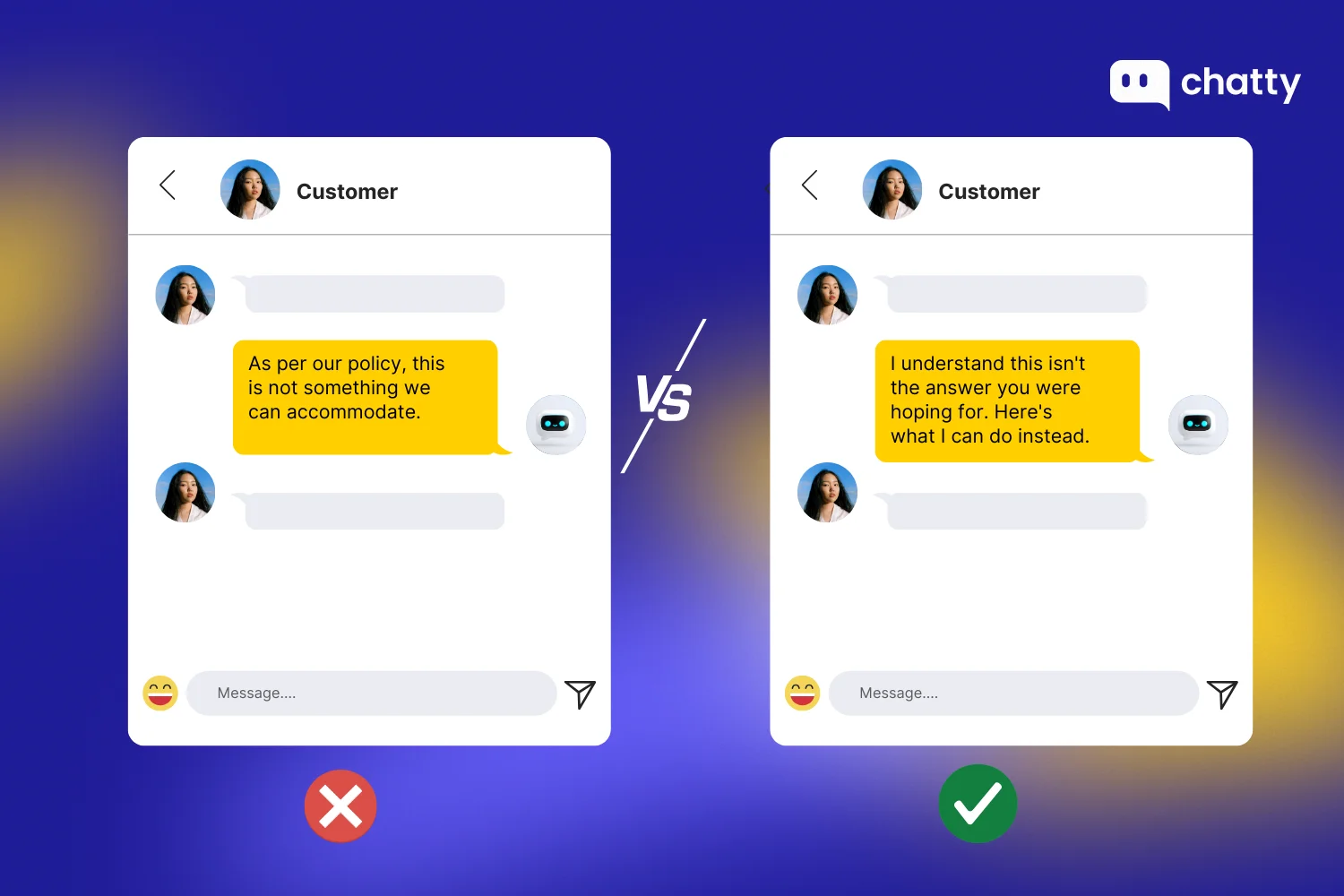
❌ “As per our policy, this is not something we can accommodate.”
✅ “I understand this isn’t the answer you were hoping for. Here’s what I can do instead.”
6. Keep messages short and easy to scan
38% of customers are frustrated with live chat UX due to slow responses or cumbersome design, indicating that excessively long or slow responses are a major issue for customer experience.
This matters even more on mobile. Over half of live chat interactions now happen on smaller screens. A four-paragraph reply that looks fine on a desktop becomes a scroll-fest on a phone.
So, it is vital to structure every reply for quick reading. Keep one idea per message. For processes, use a list. Here are some guidelines:
- Limit each message to two or three short sentences.
- Use numbered steps for instructions, always surface them clearly.
- Send complex answers in multiple messages rather than a single long block.
- Add line breaks between different points to help the eye move through the text.
And here is a good test: if you have to scroll to read your own message, trim it.
Good vs. bad example:
❌ “To fix this, you’ll need to open your account, then click settings, then go to billing, then find the subscription tab, click manage, then cancel and confirm on the pop-up that shows up.”
✅ “Here’s how to cancel:
1. Go to Settings > Billing.
2. Click Manage Subscription.
3. Select Cancel and confirm.”
7. Avoid internal terms and jargon
Your team may use terms like “escalate,” “SKU,” or “back-end” every day, but most customers don’t. When language feels unfamiliar, customers disengage and rarely ask for clarification. This matters more than it seems: 71% of consumers expect personalized interactions. Jargon creates distance. Plain language builds inclusion and trust.
Before sending, scan your message for any terms a customer might find unfamiliar. Replace it with something simpler. Here are some common swaps:
- “Escalate” → “Pass this to a senior team member.”
- “SKU” → “Product code” or “item number”
- “We’ll update the ticket.” → “We’ll keep track of your request and follow up.”
- “Back-end issue” → “A problem on our side”
If a technical term is truly unavoidable, explain it right away.
Good vs. bad example:
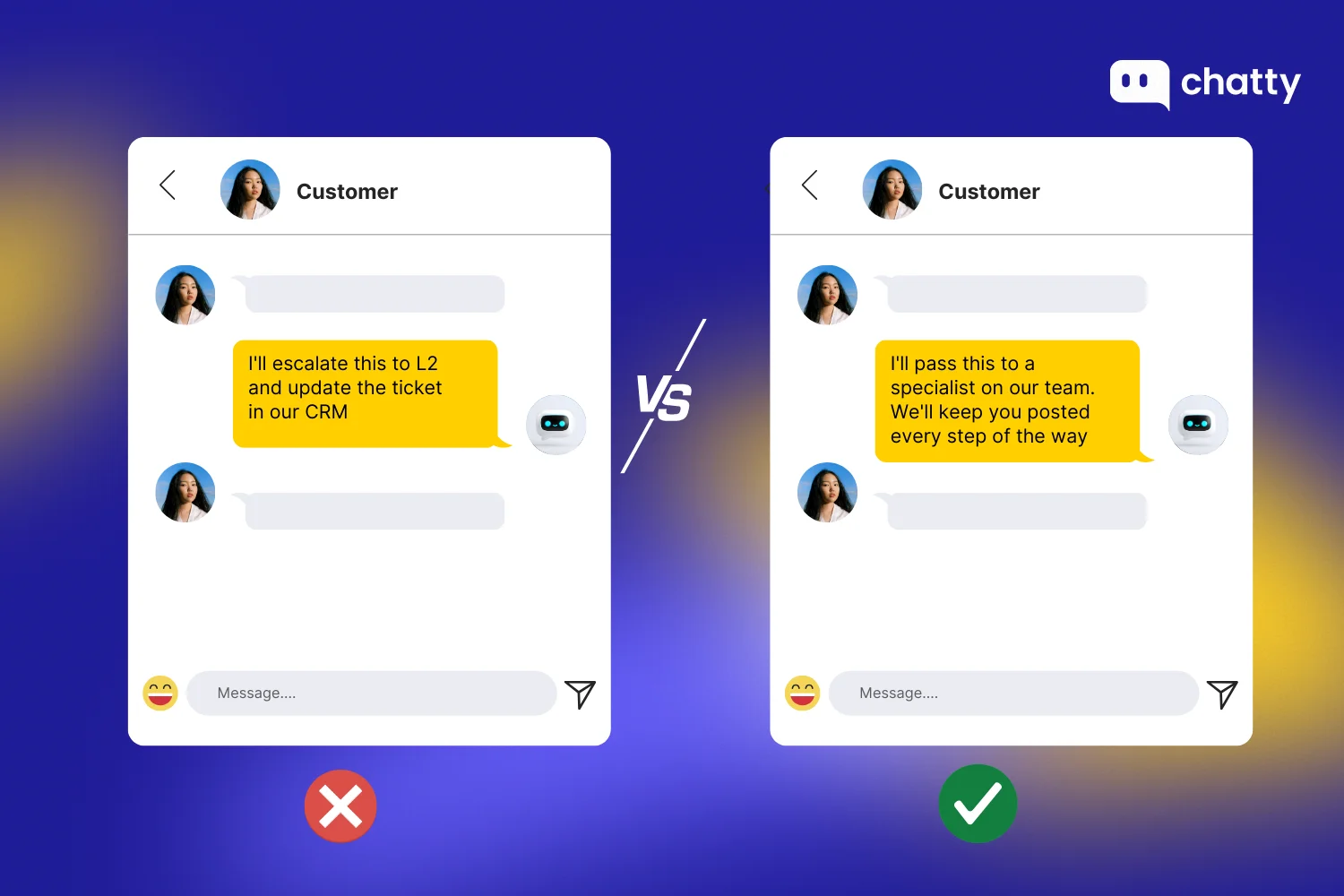
❌ “I’ll escalate this to L2 and update the ticket in our CRM.”
✅ “I’ll pass this to a specialist on our team. We’ll keep you posted every step of the way.”
8. Ask clarifying questions before proposing a solution
Jumping straight to a solution without understanding the problem is one of the fastest ways to lose trust. Data that 67% of customer turn could be avoided if the issue is resolved during the first interaction. Getting it right the first time matters more than getting it fast.
Here’s a common example. A customer says, “My order is wrong.” That could mean the wrong item, quantity, or size. An agent who assumes and sends a generic return link might be solving the wrong problem entirely. One focused question could have prevented that.
Before offering a fix, you should confirm that you understand the issue. Ask specific, targeted questions, such as:
- “Just to confirm, was it the wrong item, or the right item in the wrong size?”
- “Are you seeing this error on mobile, desktop, or both?”
- “When did this start? Was it after a recent update or purchase?”
Choose direct questions over open-ended ones, such as “Can you explain more?” Specific questions show you’re thinking about the problem.
Good vs. bad example:
❌ “Try clearing your cache and let me know.”
✅ “Before I suggest a fix, are you seeing this on all browsers, or just one in particular?”
9. Acknowledge emotions before fixing the issue
When a customer is frustrated, they want to feel heard first. According to Qualtrics, only 34% of customers say they’re consistently treated with empathy. Yet 68% expect brands to show it (Salesforce). That gap is a real opportunity for any support team willing to close it.
Skipping the emotional acknowledgment is one of the most common mistakes in live chat. An agent jumps straight to “Here’s the fix” while the customer is still upset. The solution might be correct, but it lands poorly. A short empathetic statement – even one line – shifts the customer from defensive to cooperative. That single sentence often determines whether the rest of the chat goes smoothly.
Accordingly, before explaining or fixing anything, address how the customer feels. Keep it brief and genuine. Here are a few approaches:
- “I completely understand how frustrating that must be.”
- “I’m sorry you’ve had to deal with this; that’s not the experience we want for you.”
- “That sounds really inconvenient. Let’s get this sorted out right away.”
Match your empathy to the specific situation!
Good vs. bad example:
❌ “Let me reset your account. That should fix it.” (Jumps straight to action)
✅ “I can see how frustrating this has been, especially when you need it working right away. Let me reset your account now.”
10. Be transparent when you need time or don’t have an answer
Honesty builds customer trust. Guessing erodes it. When an agent makes up an answer to fill the silence, customers can usually tell. And once they discover the information was wrong, that trust is gone.
Here’s a finding from Qualtrics XM Institute: only 15% of consumers forgive a “very poor” service experience. But nearly 80% will forgive issues when they rate the service team as “very good.” Transparency separates the two. Customers value honesty about what you know and what you still need to look up.
Thus, when you’re unsure or need more time, say so directly. Be specific about what you’re doing and when the customer can expect an update, for example:
- “Let me find the right answer for you. Give me just a moment.”
- “Great question, let me check with our team to make sure I give you accurate info.”
- “I want to be precise here, so let me take a moment to confirm.”
A correct answer delivered a minute later always beats a wrong guess delivered instantly.
Good vs. bad example:
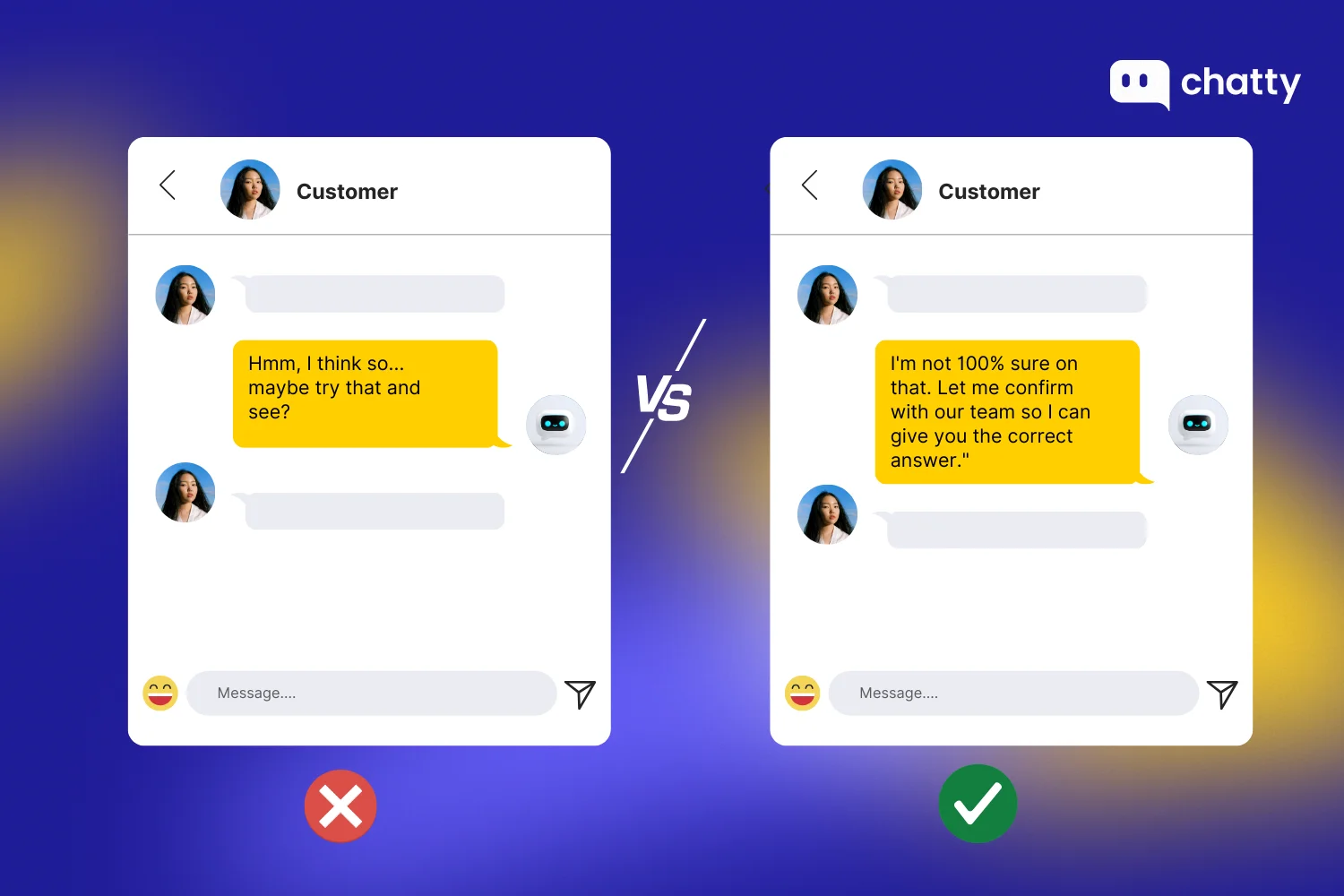
❌ “Hmm, I think so… maybe try that and see?”
✅ “I’m not 100% sure on that. Let me confirm with our team so I can give you the correct answer.”
11. Communicate wait times and silence proactively
Silence in an active chat is uncomfortable. The customer can see only a blank screen while you’re busy researching, checking systems, or consulting a teammate. According to LiveChat, customers forgive a wait when they know how long it’ll be. They only get frustrated when they’re left guessing.
This applies to every pause during an active conversation, beyond the initial response. A 2-minute silence with a heads-up feels like attentive service. That same 2-minute silence, with no context, feels like abandonment. One short message makes the difference.
Any time you need more than 30-60 seconds, send a quick update. Tell the customer what you’re doing and how long it might take. Here are practical examples:
- “I’m checking our system now. This might take a couple of minutes.”
- “Still working on it! I’ll have an update for you shortly.”
- “I need to pull some details from another team. I’ll be right back.”
If the wait exceeds expectations, send another update. Keep the customer informed at every stage.
Good vs. bad example:
❌ (Agent goes silent for 3 minutes while looking up information)
✅ “I’m digging into this now. Give me about 2 minutes, and I’ll have an answer for you.”
12. Use canned responses as a base, not a final answer
Canned responses help agents stay fast and consistent. But 29% of live chat users say they hate scripted replies. And 26% find live chat interactions impersonal overall (Tidio). When a customer receives a template word-for-word, they feel like a ticket number.
Yet over two-thirds of companies still send canned responses unedited (ProProfs). That’s a lot of missed opportunities. A canned reply serves as a good foundation. It becomes a problem when agents send it unchanged, word-for-word.
We suggest you should treat every template as a draft. Before hitting send, personalize it for the customer in front of you. Small changes make a big difference, for instance:
- Add the customer’s name and reference their specific issue.
- Adjust the tone to match the mood of the conversation.
- Remove any part of the template that’s irrelevant to this situation.
- Add one sentence that directly ties to something the customer said.
Good vs. bad example:
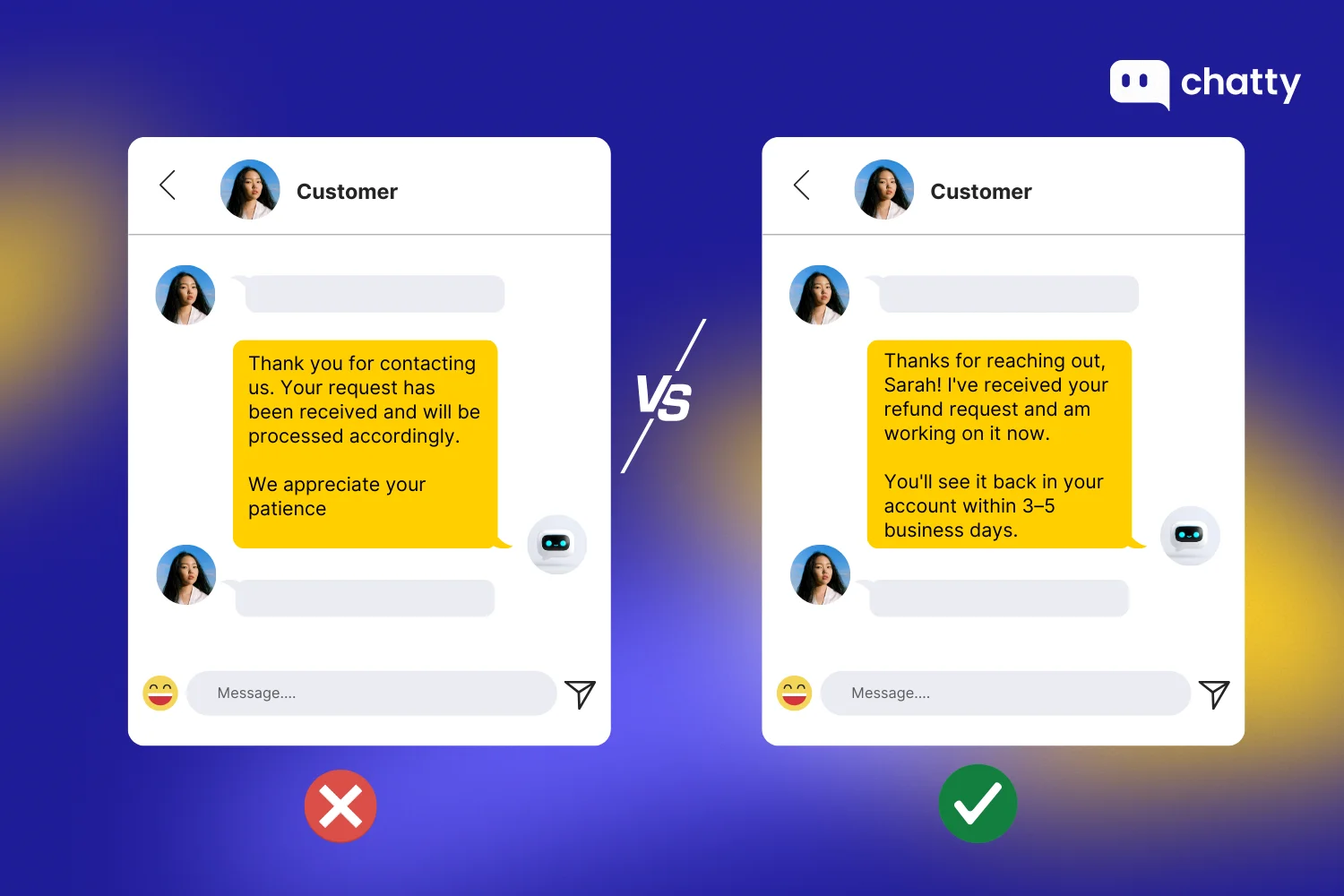
❌ “Thank you for contacting us. Your request has been received and will be processed accordingly. We appreciate your patience.”
✅ “Thanks for reaching out, Sarah! I’ve received your refund request and am working on it now. You’ll see it back in your account within 3–5 business days.”
13. Manage multiple chats without lowering attention
Most live chat agents handle several conversations at once. That’s one of the channel’s biggest strengths – agents can manage 3x as many queries as in phone support (Freshworks). However, multitasking becomes problematic when customers notice a drop in quality.
Here’s what that looks like in reality. The agent mixes up two conversations and asks a customer to repeat something they already explained. 16% of businesses say repeating information is their customers’ top frustration. One sloppy mix-up can undo an otherwise good experience.
Effective multitasking requires structure and good habits. Here are practical ways to keep quality high across every conversation:
- Cap concurrent chats at a manageable number – usually 2 to 4, depending on complexity.
- Use internal notes or tags to track each customer’s context and progress.
- When you need a moment, tell the customer rather than go silent.
- Close resolved chats promptly so you can give full attention to active ones.
A helpful habit: before replying, quickly reread the customer’s last message. It takes two seconds and prevents costly mix-ups.
Good vs. bad example:
❌ “Sorry, can you repeat what the issue was?” (Agent confused two conversations)
✅ “Thanks for your patience, Mark! I’ve reviewed your order #4521 – here’s what I found.”
14. Explain transfers or escalations clearly
Being transferred is one of the most frustrating parts of customer support. Why? Because 70% of customers expect any agent they speak with to have a full context of their situation (Salesforce). When they’re moved to someone new and have to start over, it signals that the company lost track of their issue.
Transfers are especially visible in live chat. The customer watches the transition happen in real time. An unexplained “I’ll transfer you now” comes across as abrupt. A well-explained transfer feels like progress; the customer is being routed to someone even more qualified to help.
Hence, before transferring a chat, take 30 seconds to prepare the customer. Explain what’s happening and set clear expectations, for example:
- Tell them why: “This needs our billing specialist, who can sort it out faster.”
- Set expectations: “They’ll have all your details, so you won’t need to repeat anything.”
- Introduce the next agent: “I’m connecting you with Jamie from our billing team.”
- Pass a summary to the next agent so the customer picks up exactly where they left off.
The key is continuity. When done right, the customer feels like they’re moving forward, with full context preserved.
Good vs. bad example:
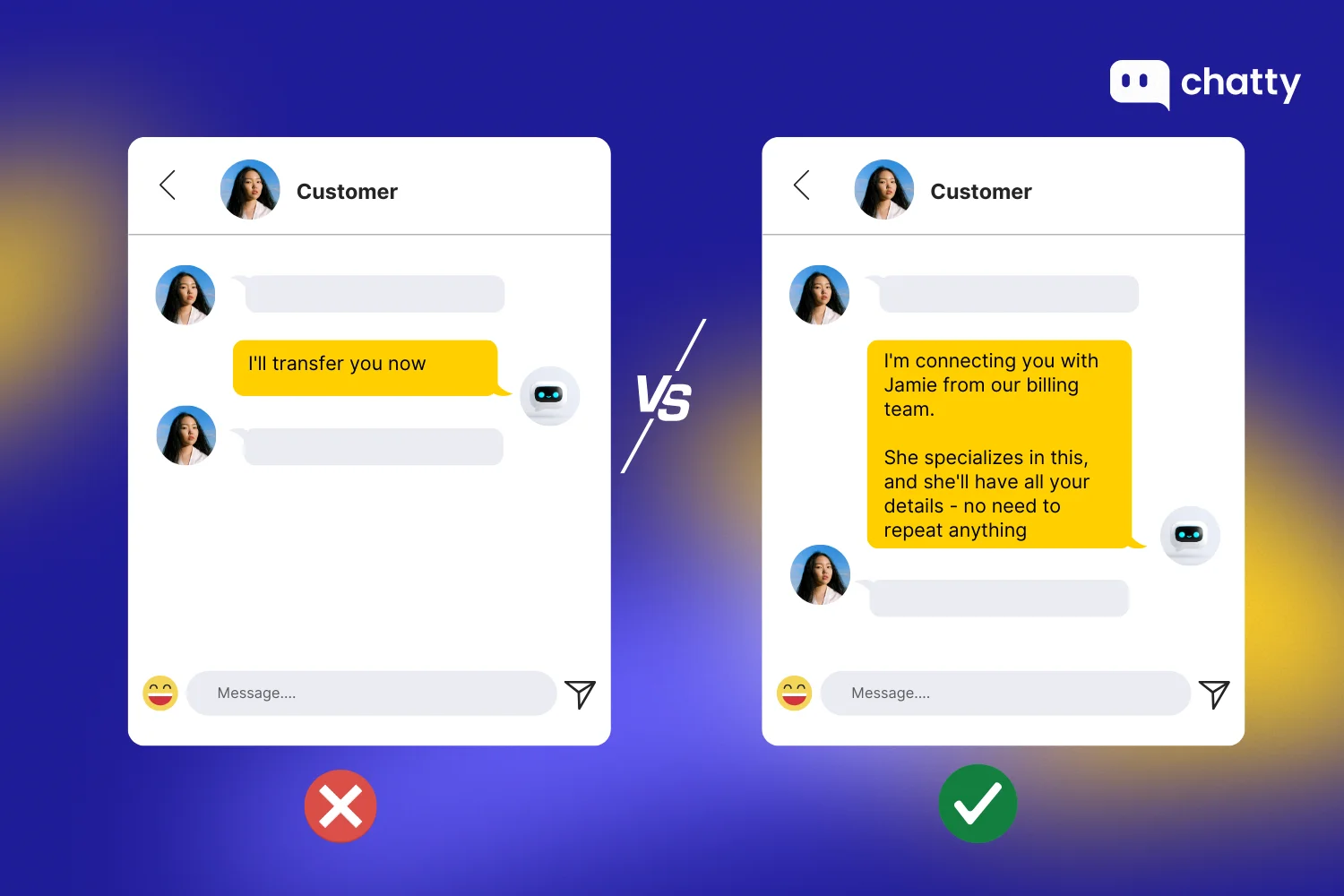
❌ “I’ll transfer you now.” (No context, customer starts over)
✅ “I’m connecting you with Jamie from our billing team. She specializes in this, and she’ll have all your details – no need to repeat anything.”
15. Close the chat with clarity and positive intent
The last message in a chat shapes how the customer remembers the entire interaction. An abrupt ending can undo all the goodwill built during the conversation. By contrast, a strong close is your final chance to reinforce both.
Every chat close should confirm the issue is fully resolved and leave the customer feeling valued. Here’s how:
- Ask before closing: “Is there anything else I can help you with today?”
- Summarize what was done: “I’ve processed your refund, you’ll see it within 3–5 days.”
- End on a warm note: “Thanks for chatting with us! Hope you have a great day.”
- Always wait for the customer to confirm they’re satisfied before closing.
One extra tip: if the interaction was difficult, acknowledge the effort. A simple “Thanks for your patience, I appreciate it” leaves a much stronger last impression.
Good vs. bad example:
❌ (Agent closes the chat immediately after sending the solution – no confirmation, no goodbye)
✅ “Your shipping address is all updated! Is there anything else I can help with? Thanks for chatting – have a wonderful day!”
Let’ see how Chatty helps your teams apply live chat etiquette at scale! (200w)

There are many live chat etiquette tips like the ones above. However, applying them consistently is time-consuming when done manually. Agents must remember rules, check context, and adapt tone while managing multiple chats. This is where Chatty helps turn etiquette guidelines into daily execution, as follows:
- Support fast acknowledgment with context. Customers disengage when agents take too long or ask obvious questions. Chatty uses pre-chat forms and conversation history to surface customer details upfront. As a result, agents can quickly acknowledge and respond in a relevant way.
- Maintain clarity and tone under pressure. Agents often juggle multiple chats. Chatty provides saved responses that include approved wording and tone. Agents can adapt them to the situation, preventing rushed, unclear, or overly scripted responses.
- Preserve continuity across channels and transfers. Etiquette breaks when customers repeat themselves. Chatty unifies live chat, email, and messaging apps into a single inbox. Agents see full history, which supports smooth handovers and respectful transitions.
Ready to put these etiquette tips into action? Try Chatty free today.
Final thought
Live chat etiquette is about consistently showing customers that a real, attentive human is on the other side. The best teams treat every chat as a moment to build trust, not just solve a ticket. When clarity, empathy, and transparency become habits, customer satisfaction follows naturally. Small behavioral changes, applied daily, create an outsized impact.
FAQ
Live chat etiquette differs from general customer support etiquette in speed and delivery:
- Live chat requires fast responses, short scannable messages, and frequent updates to avoid silence. Tone is conversational and human.
- General customer support (email or tickets) allows slower replies, longer explanations, and a more formal structure.
Aim for a first response within 15 to 30 seconds. Data from LiveChat shows that satisfaction peaks at 84.7% when the first reply arrives within 5 to 10 seconds. That initial reply can be a simple acknowledgment; the customer just needs to know someone is there. For follow-up messages during the conversation, keep gaps under 60 seconds. Always send a heads-up if you need more time.
Yes, chatbots can follow live chat etiquette, but only when they're designed and used correctly, as follows:
- They respond instantly. Fast acknowledgment is a core rule of live chat etiquette, and chatbots excel at this.
- They use short, scannable messages. Well-designed bots avoid long explanations and deliver clear, concise replies.
- They stay polite and consistent. Bots never sound impatient or emotional, which helps maintain a professional tone.
- They respect limits. Good etiquette means knowing when to hand off. Chatbots should escalate to a human when questions become complex, emotional, or unclear.
You need to start with real examples. Review actual chat transcripts and highlight both strong and weak moments. Role-play common scenarios, including frustrated customers and complex transfers. Create a quick-reference guide with your team's tone standards and sample responses. Then review chats regularly and give specific, constructive feedback. Etiquette improves with consistent coaching, so make reviews a weekly habit.