













Average handle time is one of the most tracked metrics in customer support, and one of the most misused. Teams often treat it as a performance target, pushing agents to close conversations faster. But speed without resolution just creates callbacks, frustrated customers, and higher total handling time.
This guide takes a different approach. We'll explain what AHT actually measures, why it matters for efficiency and customer experience, and how to reduce it the right way, by removing friction, not by pressuring agents. You'll also find industry benchmarks and answers to common questions about managing AHT across channels and issue types
- Pushing agents to go faster often increases total handle time, not cuts it.
When agents skip steps to close conversations quickly, customers return with the same problem, creating more contacts and driving overall handling time up, not down.
- AHT is a measure of effort spent, not a measure of resolution quality.
A short handle time does not confirm the issue was solved well, and a long one does not mean something went wrong — the metric captures only time, not outcome.
- After-call work is the hidden inflation source in average handle time calculations.
AHT combines talk time, hold time, and after-call work like notes and tagging — if agents skip wrap-up fields, the numbers in your system will not reflect reality.
- Rising AHT is almost always a process or knowledge problem, not an agent speed problem.
Call Centre Helper research confirms that lack of resolution hurts satisfaction more than wait time, so a gradual AHT increase over a week usually signals upstream friction worth investigating.
- Each extra minute of customer wait time drops satisfaction by 8 percent.
A 2024 queue management study found that abandonment rates increase 5% for every 30-second delay, and over 60% of customers will not wait more than two minutes.
Overview of average handle time?
What is average handle time (AHT)?
Average handle time is the total time an agent spends on a customer interaction, from the moment it starts until the customer is ready for the next interaction. It's one of the most common metrics in support operations, but it's often misunderstood.
AHT, in fact, measures handling effort rather than quality. A short handle time doesn't mean the issue was resolved well, and a long one doesn't mean something went wrong. It's a measure of time spent, nothing more.
However, many teams treat lower AHT as inherently better. That's not how it works in practice. When you push agents to close conversations faster, they often skip steps: clarifying the issue, confirming the fix, or addressing related questions. The result? More repeat contacts. Customers come back with the same problem, and total handling time goes up, not down.
So, we can say that AHT is finding the right balance between speed and resolution quality for your specific business and customers.
How do you calculate it?
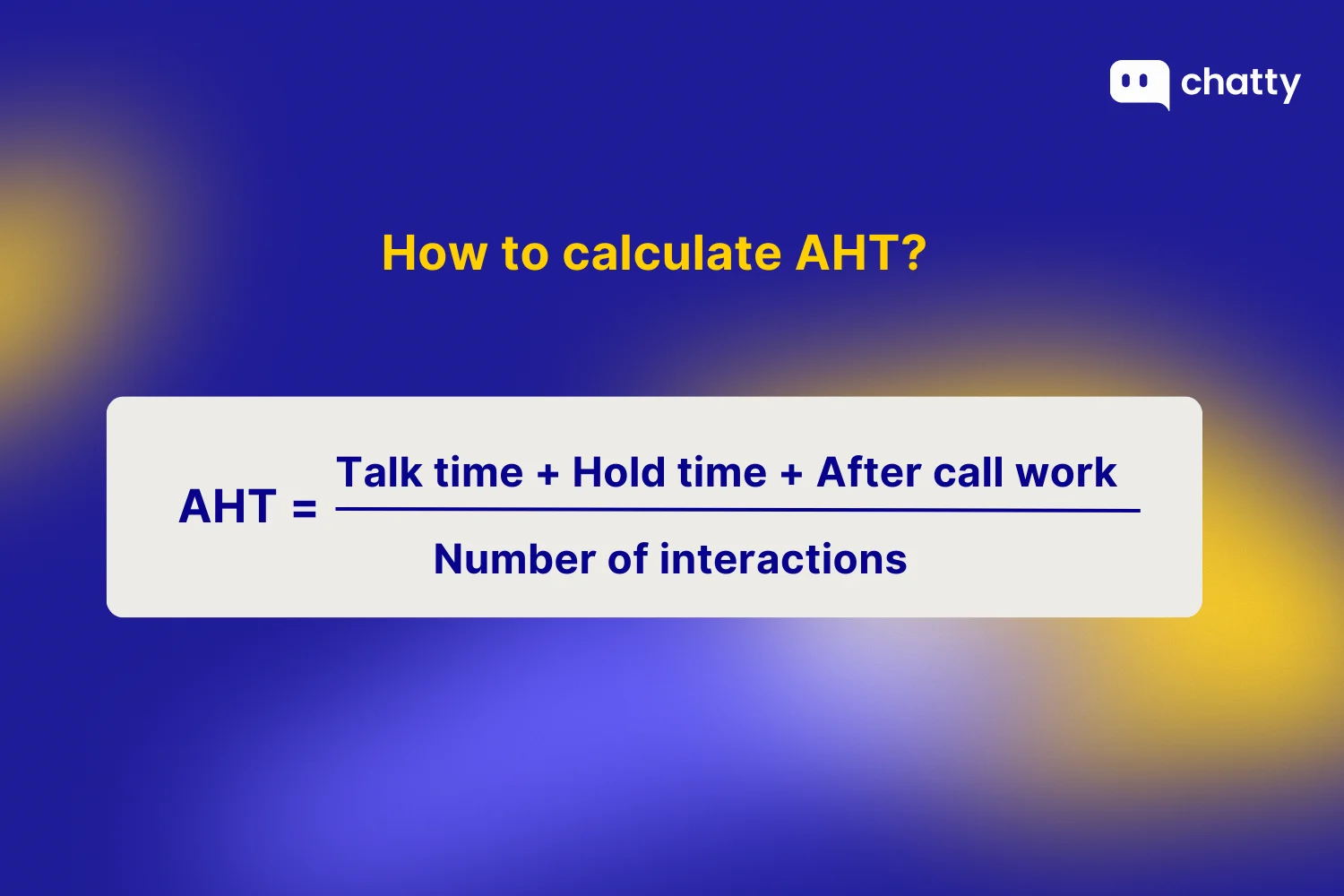
Average handle time is made up of three distinct parts:
- Talk time: the actual conversation with the customer
- Hold time: Any time the customer waits while the agent researches or consults
- After-call work (ACW): Notes, tagging, follow-ups, and system updates after the conversation ends
When you put these pieces together, the formula itself is simple:
In practice, the tricky part isn't the math, it's making sure you're capturing each component consistently. If your system doesn't log hold time separately, or if agents skip wrap-up fields, your AHT numbers won't reflect reality.
That's why it's worth auditing how AHT gets calculated in your tools before using it as a performance benchmark. The metric is only useful if the inputs are accurate.
Why average handle time matters to support teams
Operational efficiency and cost control
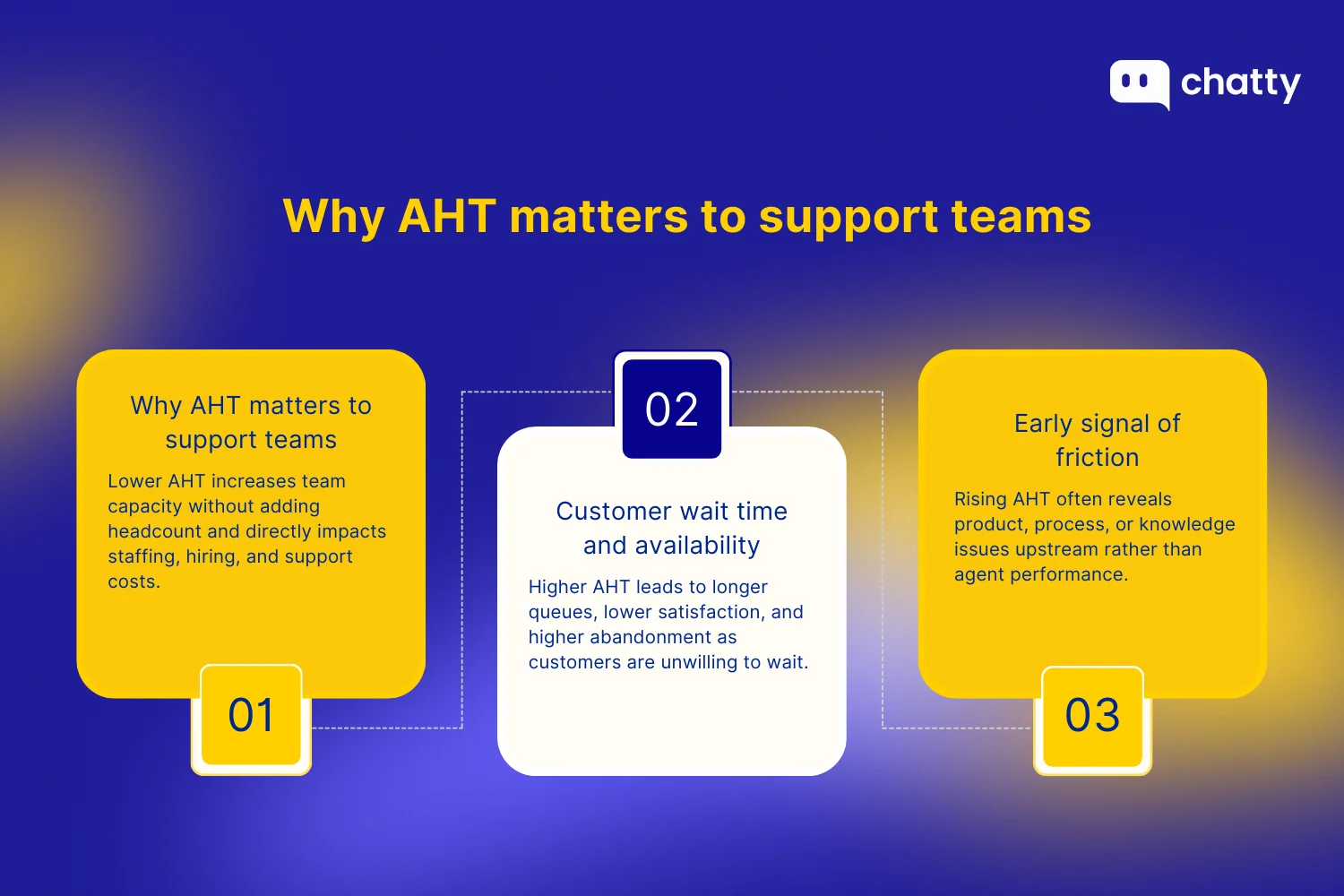
AHT directly affects how many conversations your team can handle. Lower AHT means more capacity without adding headcount.
This matters because labor dominates the budget. McKinsey's 2024 report found that workforce costs account for over 70% of contact center expenses. Call Centre Helper research shows that better workforce management can cut overtime by 15–20%. AHT is the foundation of staffing models, hiring plans, and budget forecasts.
Customer wait time and availability
When AHT rises, queue times rise with it. According to a 2024 queue management study, each extra minute of wait time drops customer satisfaction by 8%, and abandonment rates increase 5% for every 30-second delay.
A Waitwhile survey found over 60% of customers won't wait more than two minutes. Frustrated customers make conversations harder – which pushes AHT higher. Keeping AHT stable breaks this cycle.
Early signal of friction
Rising AHT usually points upstream – confusing product changes, unclear policies, or knowledge gaps. It's rarely about agent speed.
Track trends, not spikes. A gradual increase over a week signals systemic issues worth investigating. Call Centre Helper research confirms that lack of resolution hurts satisfaction more than wait time, so rising AHT often reveals process or knowledge problems. Used this way, AHT becomes a diagnostic tool, not a scorecard.
7 Proven ways to reduce average handle time without hurting quality
1. Apply AI across the support workflow
Most AHT problems start with context switching. Agents jump between tabs to search knowledge bases, copy order numbers, and draft replies from scratch. Each switch breaks focus and adds seconds that compound across hundreds of tickets.
AI solves this by keeping agents in one place. Instead of searching, the system surfaces relevant articles. Instead of typing from scratch, agents edit suggested replies. An NBER study measured this effect: AI assistants increased productivity by 14% on average, with gains up to 35% for newer agents. Google Cloud reports similar results – Agent Assist enables 28% more conversations per agent.
The key is embedding AI into live workflows, going beyond chatbots that only deflect easy queries. Here's how to start:
- Audit where agents spend the most time first. Searching? Writing? Switching tools? This determines which AI capability to prioritize.
- Pick a tool that fits your platform. For Shopify stores handling support across WhatsApp, Instagram, or Facebook, Chatty's AI can auto-resolve up to 90% of routine queries (trained on your product catalog, FAQs, and policies). For enterprise help desks, start with AI add-ons in your existing ticketing system.

- Start narrow. You need to enable AI only for your top 3 issue types. Track resolution rate and CSAT before expanding – accuracy builds trust.
- Scale gradually. Once AI reliably handles routine queries, shift agents to complex cases where human judgment matters.
2. Diagnose AHT by components before changing anything
Before optimizing, you need to know what is actually slow. This step is about measurement. AHT has three parts: talk time, hold time, and after-call work. Each point leads to a different problem.
For example, high hold time in billing usually means slow system lookups. Long wrap-up time in returns often means too many required fields. Each needs a different fix. Generic "speed up" guidance does not help.
Here's how to diagnose properly:
- Export AHT data broken down by talk time, hold time, and after-call work separately.
- Segment by issue type (billing, returns, technical) and channel (phone, chat, email).
- Flag any component running 2x or more above average; that's your first optimization target.
- Wait to message agents until you can tell them exactly which part is slow and why.
3. Redesign workflows to remove step friction
Once you know where time is being lost, redesign the workflow. Most AHT issues come from unnecessary steps, not slow agents.
Extra verification, low-value approvals, and unclear escalation paths add minutes to every interaction. Training agents to move faster through a slow process only goes so far.
You can redesign the workflow by doing this:
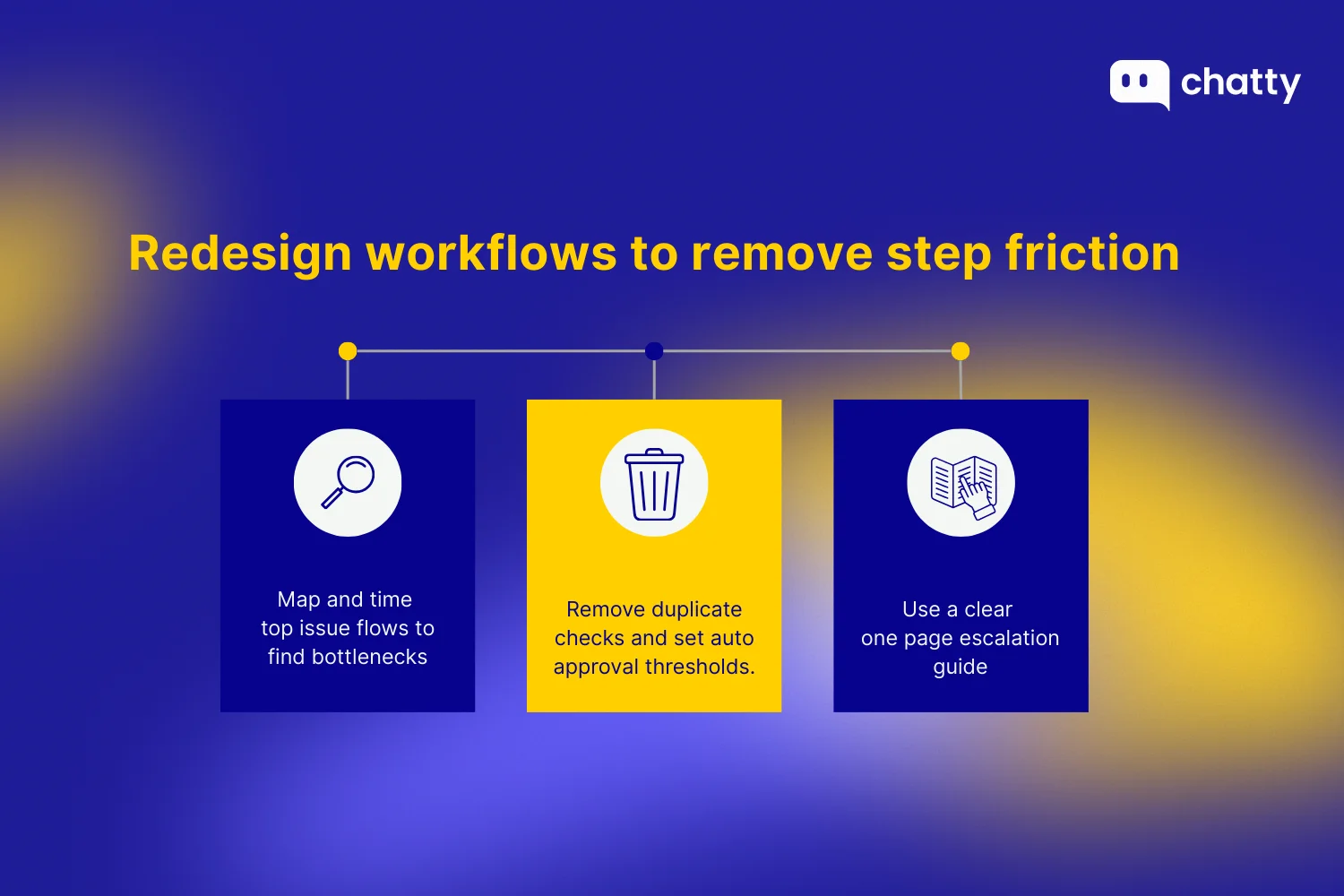
- Map your top 5 issue types step by step and time each stage. Identify steps that take disproportionate time.
- Remove verification steps that duplicate information already captured (e.g., reconfirming the email after login).
- Set approval thresholds: auto-approve refunds under $50, standard exchanges, routine credits. Reserve human review for edge cases.
- Create a one-page escalation guide so agents don't waste time figuring out who handles what.
4. Improve first-pass diagnosis to prevent backtracking
Even with streamlined workflows, agents lose time when they misdiagnose issues early. They start down the wrong path, realize the mistake halfway through, then backtrack by re-asking questions, switching workflows, or transferring altogether.
This happens more than most teams realize. According to SQM Group, the average first contact resolution rate is just 70%. That means 30% of issues require multiple contacts – often because the first interaction missed something.
The fix is building diagnosis into the workflow itself:
- Create a 3-4 question intake framework: What's the issue? When did it start? What have you tried? What outcome do you need?
- Tag issue type within the first 30 seconds of every conversation, before agents start solving.
- Implement skills-based routing so billing issues go to billing-trained agents, not a general queue.
- Review transfers weekly. Each transfer is a missed diagnosis, so track the patterns.
5. Strengthen knowledge so agents find answers fast
Diagnosis gets agents to the right issue. But they still need to find the right answer, and that's where knowledge access becomes critical. When agents lose trust in the knowledge base, they ping colleagues on Slack or escalate to be on the safe side. Both add minutes.
According to ProProfs, a well-maintained knowledge base can improve team productivity by 35%. "Well-maintained" is the key phrase – agents use to describe knowledge bases they trust, and trust comes from accuracy and freshness.
Here's how to make knowledge actually usable:
- Assign an owner to each of your top 20 articles, someone accountable for accuracy.
- Set refresh cycles: policies monthly, product info quarterly, and troubleshooting guides after each release.
- Restructure articles for mid-conversation scanning: answer in the first line, steps in bullets, edge cases at the bottom.
- Track article usage. Low-traffic articles on common issues signal findability problems worth investigating.
6. Reduce after-call work with standardization first, then automation
After the conversation ends, agents still have work to do: notes, tags, follow-ups. This after-call work varies wildly – some agents finish in 30 seconds, others take two minutes. The difference is usually format rather than speed. With a shared structure, everyone works the same way.
The temptation is to jump straight to automation (auto-tagging, AI-generated summaries). But automation works best with consistent inputs. Standardization has to come first.
Here's the sequence that works:
- Define what a good note includes: issue type, root cause, resolution, follow-up needed (yes/no).
- Build templates for your top 10 issue types with pre-filled fields that agents can select.
- Limit free-text notes to exceptions; you should use dropdowns and checkboxes for common scenarios.
- Add auto-tagging and summary generation once 80%+ of notes follow the standard format.
7. Set segmented targets and manage with trends
Finally, how you measure AHT matters as much as how you reduce it. A single target across all issue types creates perverse incentives. Password resets and billing disputes require different handling; holding both to the same standard leads to gaming. Agents rush complex cases or avoid hard queues to hit the number.
The fix is segmentation and trend-based management:
- Group issues by complexity tier: simple (password reset, order status), moderate (returns, billing questions), complex (disputes, technical troubleshooting).
- Set separate AHT targets for each tier and channel. A 3-minute target makes sense for order status, but not for technical troubleshooting.
- Do not rely on averages alone. A typical interaction may be handled quickly, while a small number of difficult cases take much longer and cause most of the delays. Looking at both the usual handle time and the slowest cases helps reveal where time is really being lost.
- Focus coaching on segments with consistently high AHT, not on individuals who had one bad day.
What is a good average handle time? (Industry benchmarks)
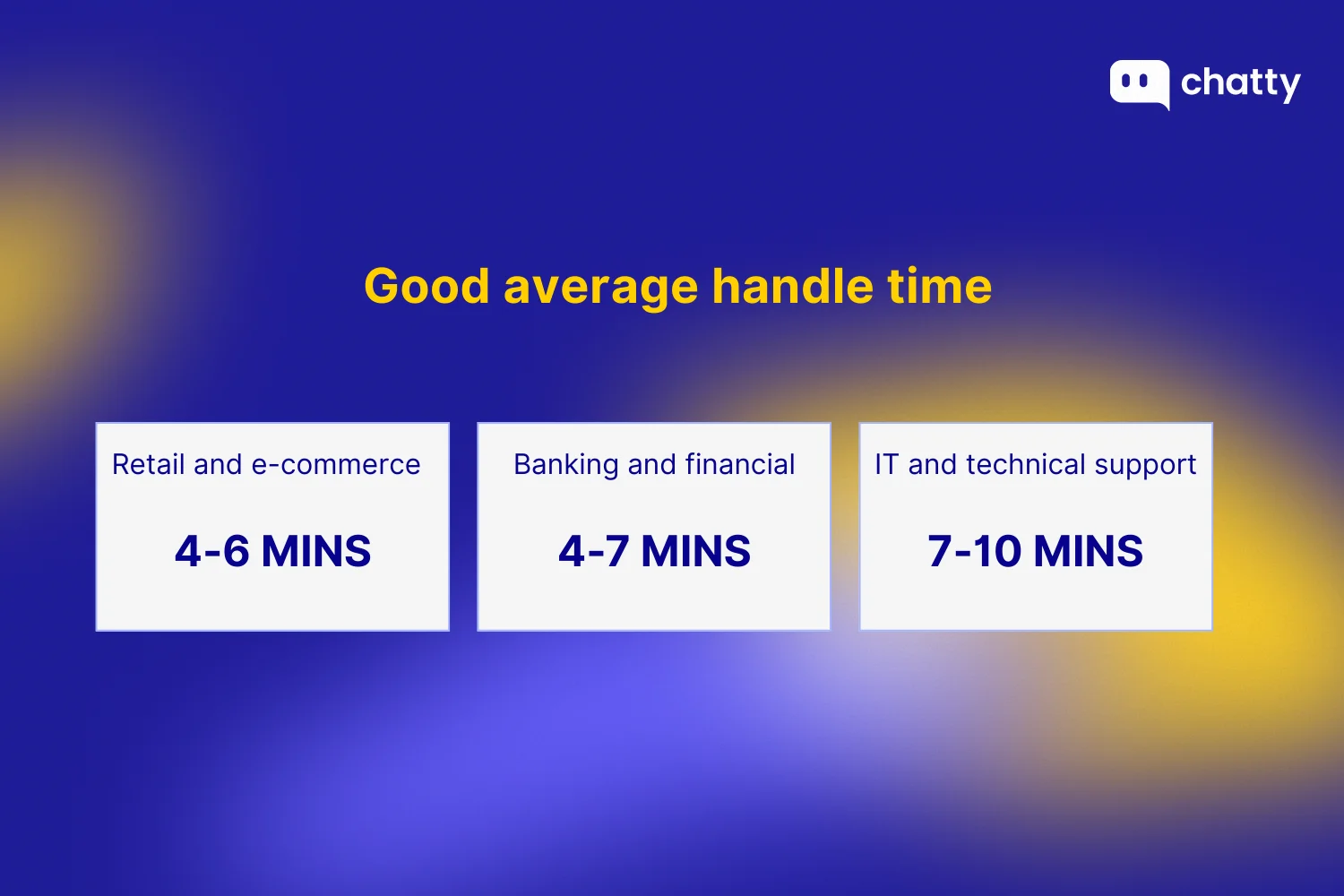
In fact, there's no universal answer. AHT depends on what your team handles, the complexity of the issues, and the level of verification or diagnosis required for each interaction. The ranges below reflect what teams typically see:
Retail and e-commerce
Most teams land between 4 and 6 minutes. The majority of volume comes from order status, returns, and shipping questions – issues with clear answers and well-defined workflows. When processes are tight, agents can resolve these quickly without cutting corners.
AHT rises when product launches create edge cases or when policies change mid-season. It drops when self-service handles the easy stuff and agents focus on exceptions. If your AHT is consistently above this range, it's worth checking whether agents are waiting on system lookups or navigating too many steps.
Banking and financial services
Teams typically see 4 to 7 minutes. Security verification adds time upfront, and compliance requirements mean agents can't skip steps. Account-related issues often require cross-referencing multiple systems, which extends hold time.
Accuracy matters more than speed here. A rushed interaction that leads to a disputed transaction or compliance issue costs far more than an extra minute of verification. A longer AHT is acceptable when it protects the customer and the institution. It becomes a problem when agents are stuck waiting for slow internal tools or when escalation paths are unclear.
IT and technical support
Handle times usually range from 7 to 10 minutes. Troubleshooting drives the length – agents need to diagnose before they can resolve, and that takes back-and-forth. Complex issues may require remote access or handoffs to specialists.
Longer AHT is expected when it leads to first-contact resolution. It becomes a concern when agents repeat diagnostics that should have been captured earlier or escalate issues they could have resolved with could have resolved with better documentation.
Final thought
Average handle time works best as a signal, not a target. It tells you where things feel heavy or slow in the support experience. It is not meant to be a number that agents are pushed to chase.
The right place to start is understanding what is behind the number. Break AHT down by talk time, hold time, and after-call work, then look at it again by issue type. That is how you see where time is actually being lost.
From there, the improvements become clearer. Add AI where it removes friction. Simplify workflows that have grown unnecessarily complex. Strengthen your knowledge so answers are easy to find. Improve early diagnosis so agents do not have to backtrack later. And through all of it, keep resolution quality front and center.
When the work gets easier, and issues are solved the first time, handle time takes care of itself.
FAQs
Not always. Lowering AHT makes sense when you're removing unnecessary steps, improving knowledge access, or reducing wait time on slow systems. In those cases, shorter handle times reflect real efficiency gains. But pushing AHT down without addressing root causes creates problems. Agents rush through verification, skip follow-up questions, or close tickets before the issue is fully resolved. The result is more repeat contacts and higher total handling time per issue. The better question is: where is time being wasted, and where is it being well spent? A billing dispute that takes 8 minutes and resolves completely is more valuable than a 4-minute call that leads to a callback.
Not necessarily. AHT varies by channel, issue type, and customer context. A technical support queue will naturally run longer than a password reset queue. A compliance-heavy financial services team will spend more time on verification than a retail team handling shipping questions.
It varies significantly: - Phone and video support tend to have higher AHT because conversations happen in real time - agents can't handle multiple interactions at once, and customers expect immediate back-and-forth. - Chat sits in the middle, with some concurrency possible but still requiring quick responses. - Email and async channels typically show lower per-interaction handle times, though total resolution time may be longer.