









Most customer success teams handle the same customer moments differently, depending on who picks up the account. One customer success manager (CSM) runs a tight onboarding. Another skips steps. A third improvises every time. The result is inconsistent outcomes and unpredictable retention.
A customer success playbook fixes that. This guide covers what a playbook is, the types your team needs, how to build one step by step, and how to scale without losing flexibility.
- Playbooks turn tribal knowledge into repeatable processes.
Without documentation, your best practices live inside top performers' heads — that works at five accounts but breaks at fifty.
- Start with onboarding and risk prevention playbooks first.
These two cover the highest-impact moments in the customer lifecycle and deliver the fastest return on documentation effort.
- Every playbook needs eight core components.
Trigger, objective, owner, action sequence, timeline, success metrics, exit criteria, and escalation path form the structural foundation that makes playbooks actionable.
- Pilot with 10–20 accounts before full rollout.
Testing reveals unclear steps, missing templates, and miscalibrated triggers that are far cheaper to fix during a pilot than after company-wide deployment.
- Scale execution through tiered automation.
Digital-touch for SMB, hybrid for mid-market, high-touch for enterprise — layer AI on top of each tier to keep playbook execution consistent as your customer base grows.
What is a customer success playbook?
A customer success playbook is a documented set of repeatable actions your team follows at specific customer moments. It defines what happens, when it happens, who does it, and how success is measured.
The structure is simple: when a specific trigger occurs, a specific action sequence follows. A customer signs up, and the onboarding playbook activates. Usage drops, and the risk prevention playbook kicks in. A renewal approaches, and the renewal playbook begins its 90-day countdown. That predictability is what separates a mature CS function from one that relies on individual judgment for every interaction.
Playbook vs. Success Plan vs. SOP
Teams often mix up these three terms. Here's how they differ:
| Playbook | Success plan | SOP | |
|---|---|---|---|
| Scope | One-to-many | One-to-one | Internal |
| Purpose | Repeatable process for a customer moment | Individual customer roadmap | Operational procedure |
| Owner | CS team | CSM + customer | Operations |
| Example | Onboarding sequence for all mid-market accounts | 90-day success roadmap for Acme Corp | How to process a refund in the CRM |
Why playbooks matter
The customer success playbook solves three problems at once:
- Consistency. Every customer gets the same quality of experience, regardless of which CSM handles their account.
- Scalability. As your team grows, playbooks let new CSMs follow proven patterns rather than reinventing their approach each time.
- Faster ramp time. New hires can start executing on day one with a clear set of actions to follow, rather than shadowing senior CSMs for weeks.
Without playbooks, your best practices live inside the heads of your top performers. That works at five accounts. It breaks at fifty.
Types of customer success playbooks your team needs
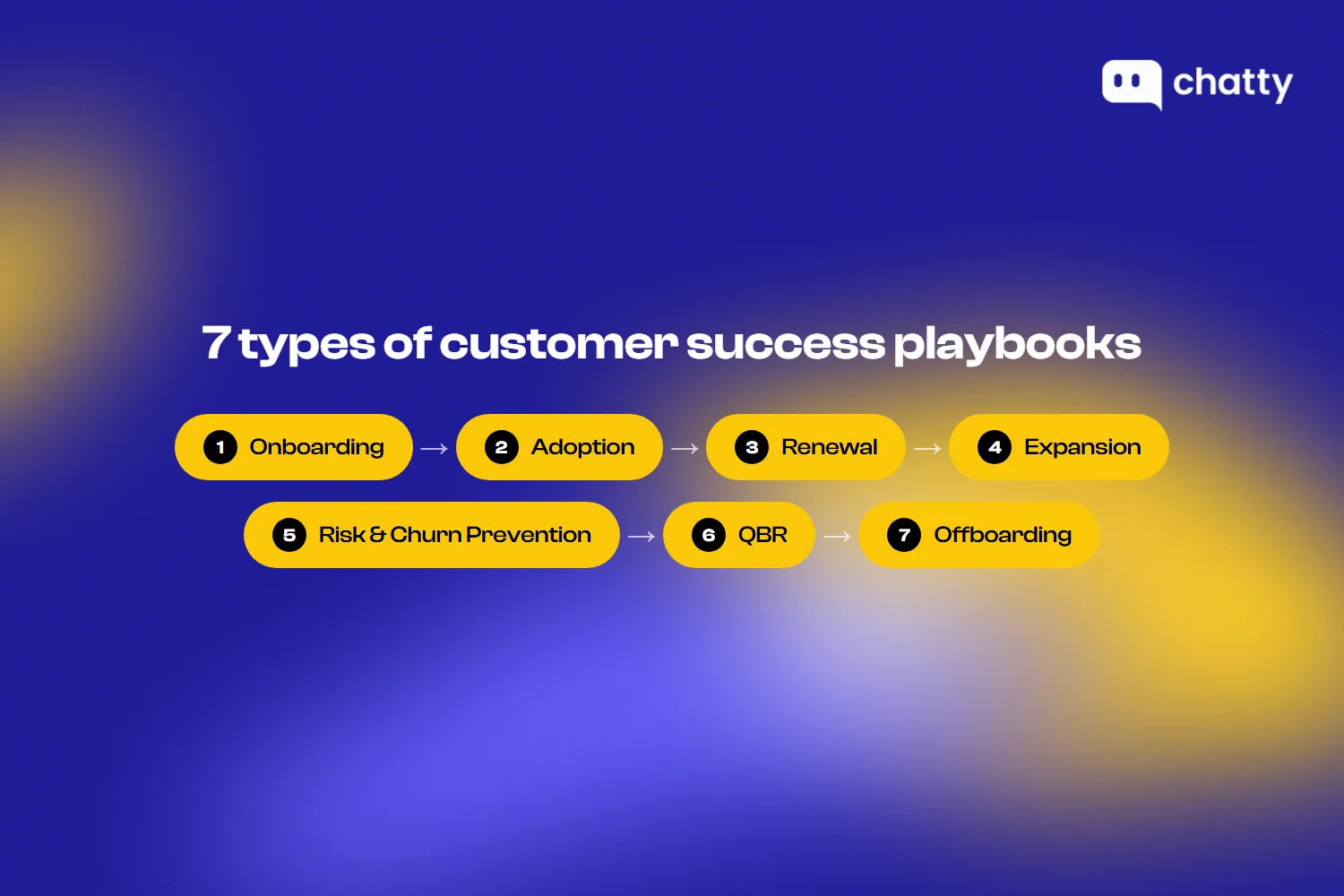
Most teams organize playbooks by lifecycle stage. Here are the seven types that cover the full customer journey:
- Onboarding playbook. This is usually the first playbook a team builds, and for good reason. Recurly reports that over 20% of voluntary churn stems from poor onboarding. A strong onboarding playbook covers the sales-to-CS handoff, 30/60/90-day milestones, activation triggers, and the criteria for what "successfully onboarded" actually means in measurable terms.
- Adoption playbook. After onboarding, adoption playbooks track whether customers are actually using the product. They define usage thresholds that trigger outreach, feature adoption sequences, and training touchpoints. A customer who completed onboarding but only uses one feature still needs attention.
- Renewal playbook. Renewal shouldn't start 30 days before the contract ends. Strong renewal playbooks begin 90 days out with stakeholder mapping, value reinforcement, and risk assessment. They define specific touchpoints at 90, 60, and 30 days before the renewal date so nothing slips through.
- Expansion playbook. When a customer is succeeding, expansion playbooks help CSMs identify upsell and cross-sell opportunities at the right moment. They define triggers like usage hitting capacity limits, team growth, or new use case adoption. They also include champion identification steps and business case templates.
- Risk and churn prevention playbook. These playbooks activate when health scores drop, support tickets spike, or engagement declines. They define re-engagement sequences, escalation paths, and the point at which executive intervention is needed.
- QBR playbook. Quarterly business reviews require preparation, a structured agenda, and follow-up. A QBR playbook standardizes all three, so every review delivers measurable value rather than becoming a feature recap that neither side looks forward to.
- Offboarding playbook. Even when a customer leaves, a structured process captures feedback through exit interviews, sets up win-back triggers for future re-engagement, and identifies referral opportunities before the relationship ends.
Most teams don't need all seven at once. Start with onboarding and risk prevention, then expand based on where your team sees the most inconsistency.
Anatomy of an effective customer success playbook
Every playbook, regardless of type, shares the same structural foundation. Here are the two layers that make one effective:
Core components
A strong playbook includes eight elements:
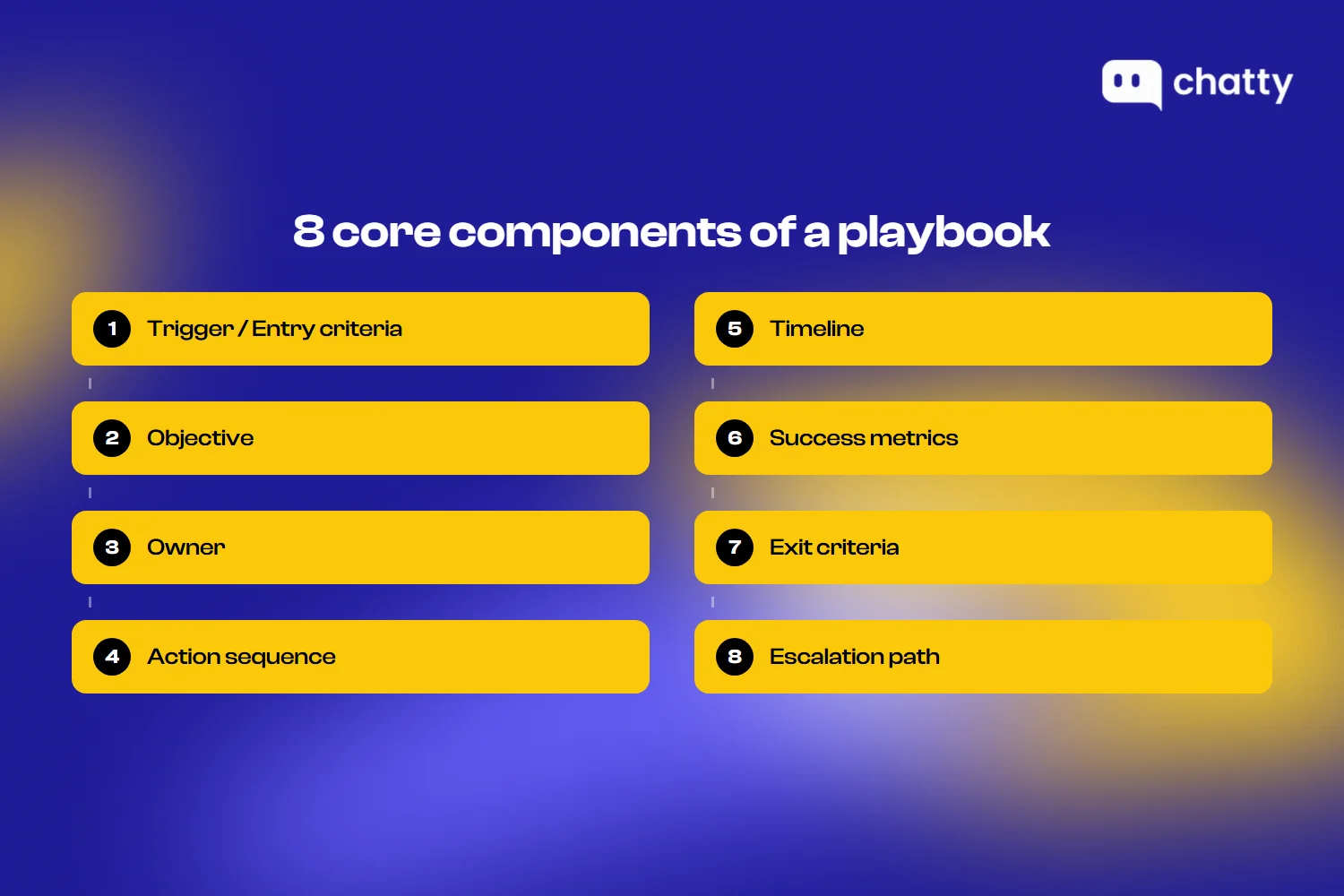
- Trigger / entry criteria. The condition that activates the playbook. This could be a behavioral signal (usage drops 30% week over week), a time-based event (customer reaches day 15 of onboarding), or a system event (support ticket includes "cancel" in the subject line).
- Objective. The desired outcome in specific, measurable terms. "Improve adoption" is too vague. "Customer uses three core features within 30 days" is actionable.
- Owner. The person responsible for each step. Clear ownership prevents tasks from falling through the cracks when multiple team members are involved.
- Action sequence. The step-by-step tasks the owner follows. Each action should be specific enough that a new CSM could execute it without having to guess.
- Timeline. Expected duration from trigger to completion. Timelines keep playbooks from stalling and help managers track progress.
- Success metrics. How you measure whether the playbook achieved its objective? These should connect directly to the objective defined above.
- Exit criteria. The conditions that end the playbook, whether the goal was met or not. Without exit criteria, playbooks run indefinitely, and CSMs lose track.
- Escalation path. What happens when the standard sequence doesn't work? Every playbook should define when and how to escalate to a manager, executive sponsor, or cross-functional team.
Additional considerations
The eight components above form the backbone. Two additional factors determine how well a playbook performs in practice:
- Visual structure: A playbook that lives inside a 20-page document won't get used. The most effective playbooks use clear formats: flowcharts for decision points, checklists for action sequences, and dashboards for tracking progress. If a CSM can't scan the playbook and know what to do next in under 30 seconds, it needs simplification.
- Tier adaptation: A single playbook rarely works for every customer segment. Enterprise accounts may need a high-touch onboarding playbook with weekly calls and executive sponsors. SMB accounts may need a digital-first sequence with automated emails and self-service milestones. The best approach is to build one base playbook, then create tier-specific variations that adjust the level of human involvement.
How to build a customer success playbook (step by step)
Building a playbook your team will actually use takes seven steps:
Step 1: Map your customer journey and identify key moments
Before writing any playbook, you need to know where playbooks will add the most value. Start by mapping your customer journey from signup through renewal.
List every critical touchpoint where your team interacts with customers. Then identify the gaps: which moments depend entirely on the individual CSM's judgment? Where do outcomes vary the most between team members?
Those inconsistencies are your playbook opportunities. Prioritize by looking at two signals:
- Impact on retention. Moments that directly influence whether a customer stays or leaves deserve playbooks first.
- Frequency. Moments that happen often enough to justify a repeatable process yield the highest return on the time you invest in documentation.
Step 2: Define triggers and entry criteria
Every playbook needs a clear starting condition. Without one, CSMs won't know when to activate it.
Triggers fall into three categories:
- Behavioral triggers. Usage drops 30% in a week, a key feature goes unused for 14 days, or login frequency declines below a defined threshold.
- Time-based triggers. A customer reaches day 7 of onboarding, a renewal date is 90 days away, or a QBR is due next month.
- Event triggers. A support ticket mentions cancellation, an NPS response comes back as a detractor, or a key champion leaves the company.
The best triggers are specific and observable. "Customer seems disengaged" is too vague to act on. "Customer hasn't logged in for 10+ business days" gives the CSM a clear signal to start the playbook.
Step 3: Document the action sequence
This is the core of the playbook. For each trigger, document the exact steps a CSM should take, in order.
Three elements make action sequences effective:
- Clear task ownership. Every step should name who does it. If a step involves a handoff to another team, document that transition explicitly so nothing gets lost between departments.
- Communication templates. Provide email templates, call scripts, or message frameworks for each outreach step. CSMs can personalize them, but the baseline saves time and ensures consistency across the team.
- Decision trees for variations. Not every customer follows the same path. Document what happens if the customer doesn't respond, responds negatively, or requests something outside the scope. A simple if/then structure handles most variations without overcomplicating the playbook.
Step 4: Set success metrics and exit criteria
A playbook without metrics is just a checklist. You need to define what success looks like at two levels.
Leading indicators tell you whether the playbook is progressing:
- Engagement signals. Email opens, meeting acceptance rates, and response times show whether the customer is participating.
- Activity completion. The percentage of playbook steps completed within the expected timeline shows whether the CSM is executing.
Lagging indicators tell you whether the playbook achieved its goal:
- Business outcomes. Renewal rate, expansion revenue, churn rate, or time-to-value improvement.
- Operational efficiency. Playbook completion rate, average time to completion, and CSM capacity.
Exit criteria are equally important. A risk prevention playbook might exit when the customer's health score stays above the threshold for 30 consecutive days. An onboarding playbook might exit when the customer completes three core activation milestones. Without clear exit criteria, playbooks stack up and CSMs lose track of what's still active.
Step 5: Test with a pilot segment
Don't roll out a new playbook to your entire customer base at once. Start with a controlled pilot.
Select 10 to 20 accounts that match the playbook's target segment. Run the full cycle and track two things: outcomes (did the playbook achieve its objective?) and usability (could CSMs follow the steps without confusion?).
Then gather feedback from the CSMs who ran the pilot. Their input often reveals gaps the design phase missed: unclear steps, missing templates, or triggers that fire too early or too late. These adjustments are much cheaper to make during a pilot than after a full rollout.
Step 6: Train the team and roll out
A playbook only works if your team uses it. Three factors determine adoption:
- Involvement. CSMs who helped build or pilot the playbook are far more likely to follow it. Involve frontline team members early in the process.
- Accessibility. Playbooks should live where CSMs already work: inside the CS platform, CRM, or shared workspace. If a CSM has to search for the document, they won't use it.
- Feedback loops. Build a process for CSMs to flag when a step doesn't work or a trigger misfires. Monthly or quarterly review cycles keep playbooks current as products and processes evolve.
Step 7: Scale with automation and AI
As your playbook library grows, automation keeps execution consistent across segments. Most teams take a tiered approach:
- Digital-touch. For SMB and high-volume segments, teams automate the entire playbook. Automated email sequences, in-app messages, and self-service milestones run without CSM involvement.
- Hybrid. For mid-market accounts, teams automate routine steps (reminders, data collection, scheduling) while keeping the human touchpoints (calls, strategy sessions, QBRs) for CSMs.
- High-touch. For enterprise accounts, CSMs execute most steps manually. AI assists by drafting communications, surfacing account context, and flagging when triggers fire.
AI adds value across all three tiers. AI copilots can draft personalized outreach based on account data, trigger alerts when a customer's behavior matches a risk pattern, and recommend next-best actions within a playbook sequence. Gainsight reports that over 52% of CS teams now integrate AI into their workflows, reflecting how quickly this shift is happening.
For e-commerce teams specifically, AI chat tools can absorb the routine conversations that pull support and CS staff away from playbook execution. Product questions, order tracking, sizing inquiries, and shipping FAQs are high-volume and repetitive, which makes them ideal for automation.
Decathlon, for example, deployed Chatty as their AI sales chatbot. Chatty learned Decathlon's full catalog of 10,000+ products overnight and began handling routine queries autonomously. The results show what front-line automation can look like in practice:
- 96.6% resolution rate across 2,000+ conversations
- 9% chat-to-sales conversion rate from AI-handled interactions
- €10,964 in AI-attributed revenue generated directly from support conversations

That kind of automation frees CS and support teams to focus on the playbook moments that actually move retention and expansion: QBRs, risk interventions, and onboarding milestones.
The goal is to standardize the repeatable parts while preserving flexibility for the moments that require human judgment.
Common mistakes that make playbooks fail
Most playbook failures trace back to the same six patterns:
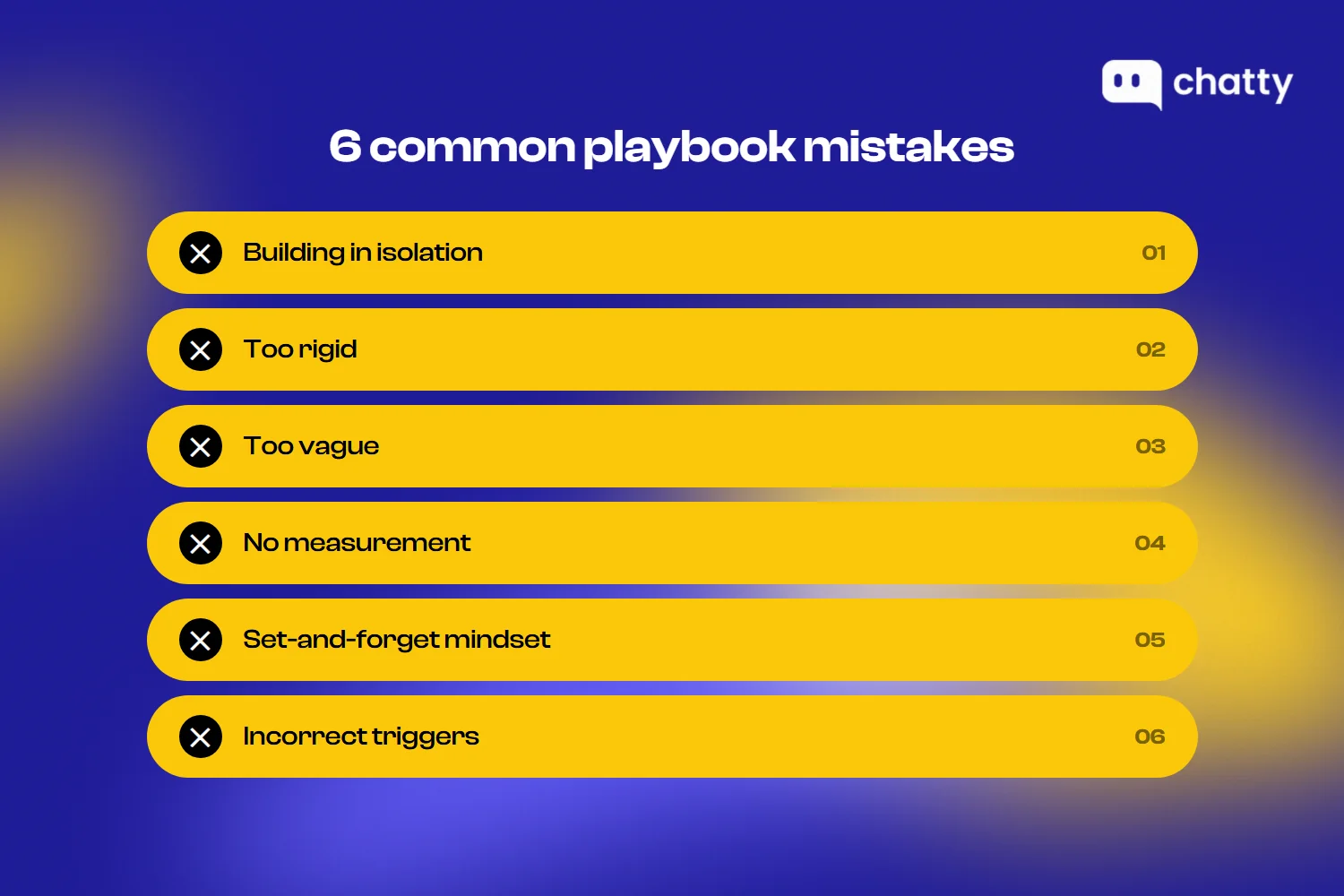
- Building in isolation. When only leadership designs the playbook, CSMs often ignore it because it doesn't reflect how they actually work. The fix is simple: involve frontline team members in the design and pilot phases so the playbook matches real workflows, not theoretical ones.
- Too rigid. A playbook that allows zero deviation frustrates experienced CSMs and can't accommodate customer nuance. Core steps should stay fixed, but CSMs need room to adapt tone, timing, and supplementary actions based on what they know about the account.
- Too vague. "Check in with the customer" isn't an action. It's a suggestion. Every step should be specific enough that a new hire can execute it without having to interpret what it means. Instead, write: "Send the 14-day check-in email using Template B. If no response within 48 hours, follow up with a phone call."
- No measurement. Without metrics, you can't prove the playbook works or identify which steps need improvement. Define success metrics before launch and review them quarterly. If a playbook isn't improving the outcome it was designed for, it needs revision.
- Set-and-forget mindset. Playbooks decay when products change, processes evolve, or team feedback goes unaddressed. Assign an owner for each playbook and schedule regular review cycles. A quarterly check is the minimum. Update immediately after product launches or process changes.
- Incorrect triggers. A trigger that fires too early wastes CSM time on accounts that don't need attention yet. A trigger that fires too late misses the intervention window entirely. Test triggers against historical data before relying on them in production. If 80% of flagged accounts aren't actually at risk, the trigger is miscalibrated.
Final thought
Here's what makes a customer success playbook quietly powerful: the more your team runs it, the smarter it gets. Each cycle reveals which triggers matter most, which sequences move the needle, and where your customers need attention early. Over time, that pattern data turns your CS team into a predictive engine, one that spots opportunities and risks well before they become urgent.
FAQ
A playbook is a repeatable process designed for a specific customer moment. You build it once and apply it across many accounts. A success plan is an individual roadmap created for a single customer, tailored to their specific goals and timeline. Most teams use both: playbooks handle the repeatable patterns, and success plans capture what's unique to each account.
Start with three to five core playbooks, typically onboarding, adoption, renewal, risk prevention, and QBR. Adding more before the first set is running smoothly creates overhead without adding value. Expand your library gradually as the team masters the initial set and identifies new inconsistencies worth documenting.
Review every playbook at least once per quarter. Update immediately after product launches, process changes, or performance issues. The most effective CS teams also build a continuous feedback loop where CSMs can flag problems in real time rather than waiting for the next scheduled review.
Yes. Even teams of one or two people benefit from documenting repeatable processes. Playbooks create consistency when workload is high and decisions are fast. They also make onboarding much faster when you hire your next team member, since the new CSM can start executing proven processes on day one instead of starting from scratch.
Most teams manage playbooks through one of three tool types:
- CS platforms (like Gainsight, Totango, or ChurnZero) with built-in playbook workflows and automation.
- Documentation tools (like Notion, Confluence, or Guru) for storing and sharing playbook content.
- CRM workflow automation (like Salesforce or HubSpot) for triggering playbook actions based on customer data.
The right choice depends on your team size, budget, and the level of automation you need. Smaller teams often start with documentation tools and move to dedicated CS platforms as they scale.
The biggest factor is involvement. CSMs who help build or test a playbook are far more likely to follow it. Beyond that, three things drive adoption: make playbooks easy to access (inside the tools CSMs already use), track completion rates visibly so the team sees progress, and allow flexibility within the framework. A playbook that feels like a rigid script will be abandoned. One that feels like a helpful guide will stick.