











More customers should be good news. But for support teams, growth often brings longer wait times, burned-out agents, and declining satisfaction scores. The paradox is real: the better your business does, the harder it becomes to maintain the service quality that got you there.
This guide covers how to scale customer support without sacrificing what makes it effective. You'll learn when to start scaling, which strategies actually work, and how to avoid the mistakes that derail most teams.
- Scaling is not just hiring more agents.
True scaling means handling more customers with proportionally fewer resources while maintaining or improving service quality across capacity, capability, and quality.
- Act before the warning signs become crises.
Rising response times, dropping first-contact resolution, and agent burnout are signals to scale — waiting until customers complain means you're already behind.
- AI is the scaling foundation, not a nice-to-have.
AI handles unlimited conversations at near-zero marginal cost, freeing human agents to focus on complex problems, angry customers, and high-stakes decisions.
- Match your strategy to your maturity stage.
What works for a 50-customer startup differs from a 5,000-customer operation — use the four-stage maturity framework to identify the right investments for where you are now.
- Subtract before you add.
The best scaling teams eliminate unnecessary tickets, redundant process steps, and tasks that don't need human judgment before investing in more people, tools, or process.
What scaling customer support really means
Scaling customer support is building systems that handle more customers with proportionally fewer resources, while maintaining or improving service quality.
Here's the difference: A team that grows adds one agent for every 200 new customers. A team that scales adds one agent for every 500, with the same service levels.
To achieve this, you need to grow three dimensions together:
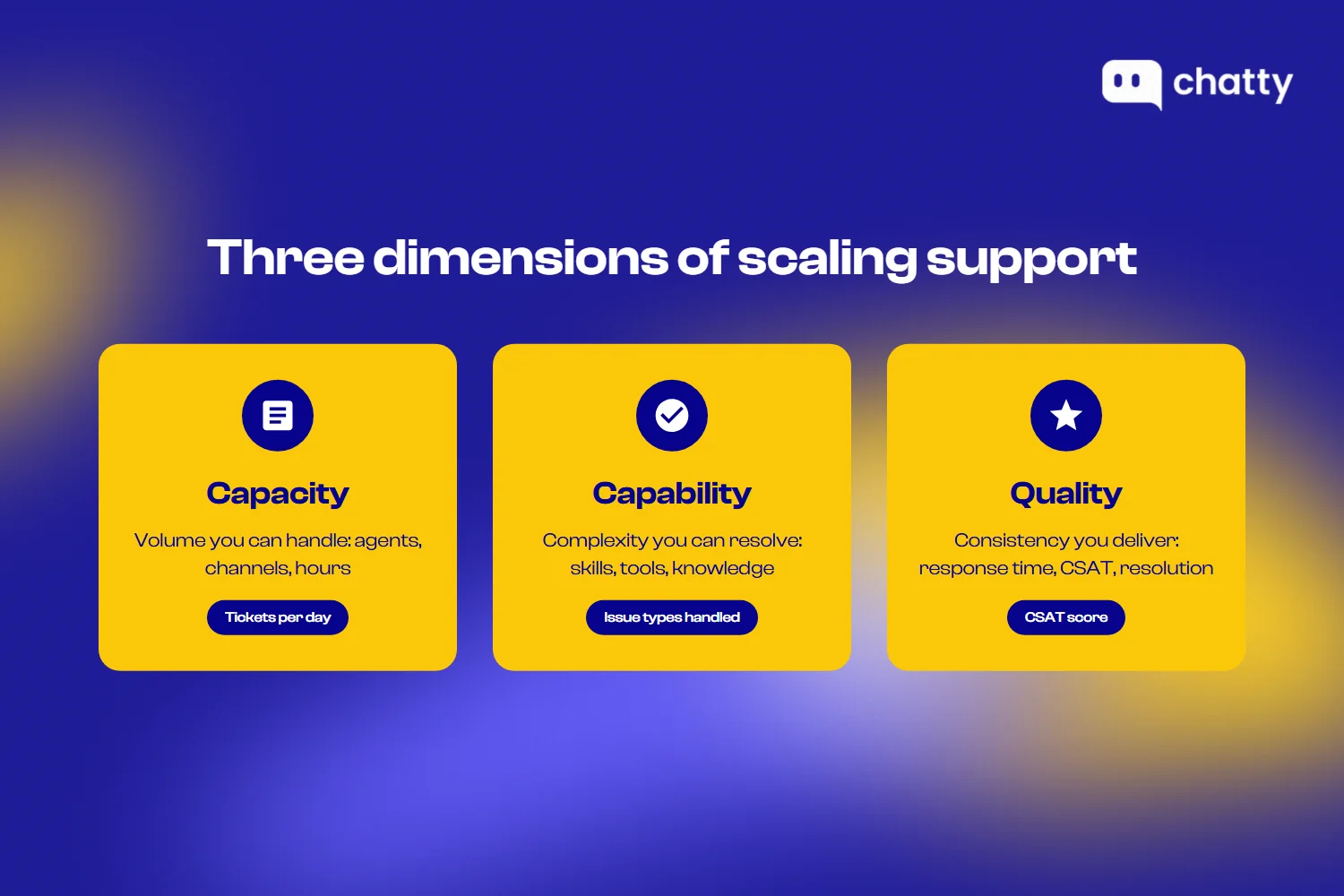
- Capacity. Volume you can handle (agents, channels, hours)
- Capability. Complexity you can resolve (skills, tools, knowledge)
- Quality. Consistency you deliver (response time, CSAT, resolution rate)
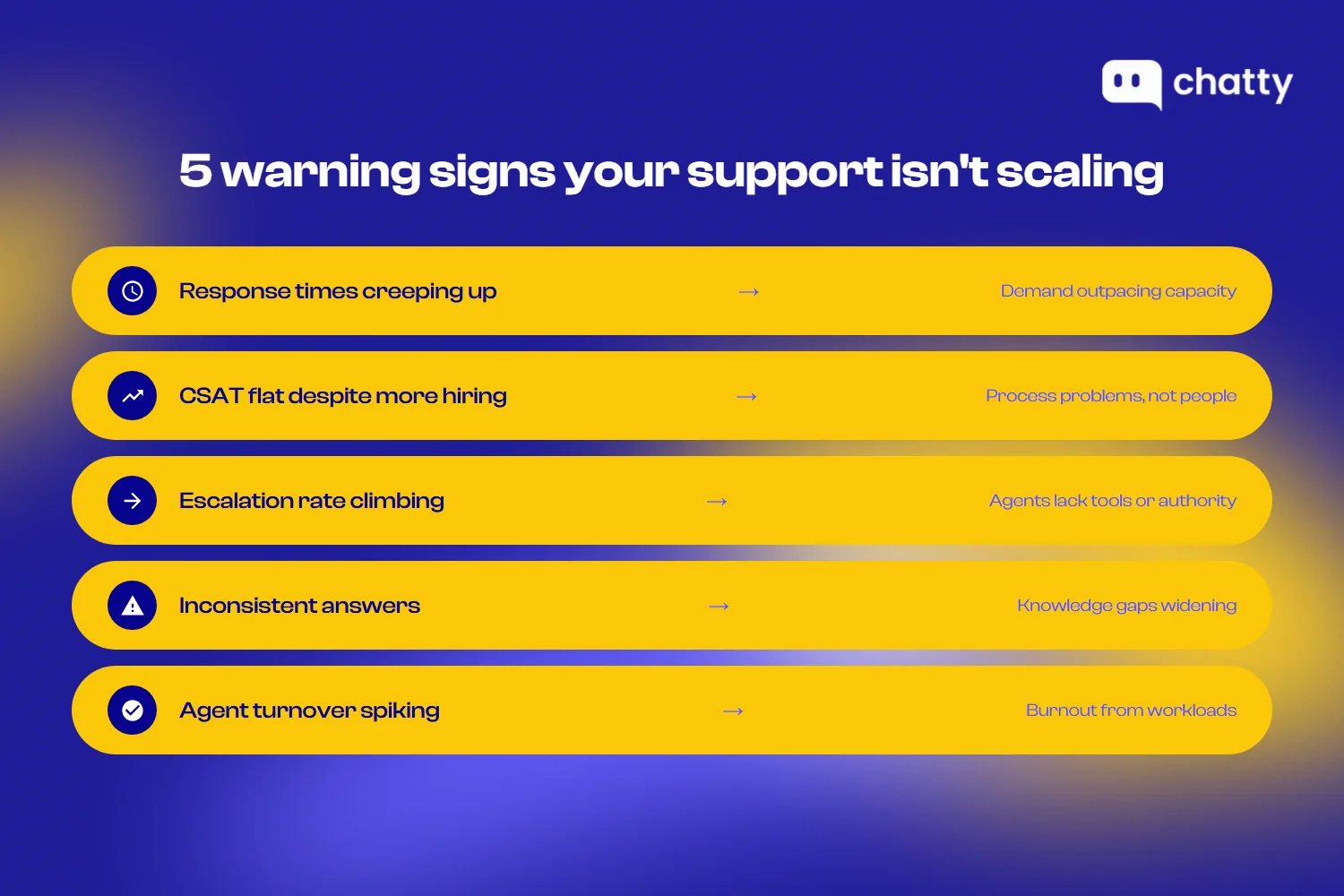
But how do you know if your support isn't scaling properly? Watch for these warning signs:
| Sign | What's happening |
|---|---|
| Response times are creeping up | Demand outpacing capacity |
| CSAT flat despite more hiring | Process problems, not people problems |
| Escalation rate climbing | Agents lack tools or authority |
| Inconsistent answers | Knowledge gaps widening |
| Agent turnover spiking | Burnout from unsustainable workloads |
If you're seeing these signs, the next question is timing: when exactly should you act?
When to scale your customer support team
The right time to scale is before you need to. Waiting until support is visibly broken means customers have already suffered, and catching up is harder than staying ahead. These signals indicate it's time to invest:
Ticket volume outpacing response capacity
The clearest sign is when response times start trending up even as your team works harder. If your average first response time has increased by more than 20% over the past quarter, you're falling behind. Similarly, if CSAT scores are declining even though individual agent performance remains strong, the issue is capacity, not skill.
Track these metrics weekly, not monthly. By the time monthly reports show a problem, you've already had four weeks of degraded service.
First contact resolution rates are dropping
When agents start resolving fewer issues on the first interaction, it often means they're rushing. High volume forces shortcuts. Agents transfer instead of solving. They send partial answers to clear the queue. They skip the follow-up questions that would prevent a repeat contact.
A healthy first-contact resolution rate for most B2B support teams is between 70% and 85%. If yours has dropped more than 10 points from your baseline, something is breaking.
Agent burnout and turnover are increasing
Support agents often absorb scaling issues before they appear in customer metrics. Watch for signs of strain: increased sick days, shorter tenure, declining quality scores, or feedback about unsustainable workloads.
Companies with high agent satisfaction see 59% lower turnover. When agents start leaving faster than you can hire, you've waited too long to scale.
Customer complaints about wait times
Direct complaints are lagging indicators. By the time customers are actively telling you that wait times are unacceptable, many others have already churned silently. Pay attention to the ratio: for every customer who complains, several more simply give up.
Review support tickets and call recordings for phrases like "I've been waiting for days" or "this is my third attempt to reach someone." These signals show up before the NPS drop.
Business growth milestones approaching
Don't wait for problems. If you're launching a major product, entering a new market, or expecting significant customer growth, scale proactively. The rule of thumb: have your support capacity ready 60 to 90 days before the growth hits.
Here's a quick readiness checklist:
- Response times have been stable or improving over the past 90 days
- CSAT at or above your target benchmark
- Agent turnover below industry average (typically 30-40% annually for support)
- First contact resolution rate at or above 70%
- No current hiring backlog
- Documentation updated within the past quarter
- At least one backup is trained for every specialized function
If more than two boxes are unchecked, prioritize scaling investments now.
Once you know it's time to scale, the next step is understanding where you currently stand and where you need to go.
The customer support maturity framework
Scaling looks different depending on where you're starting from. Most teams evolve through four distinct stages:
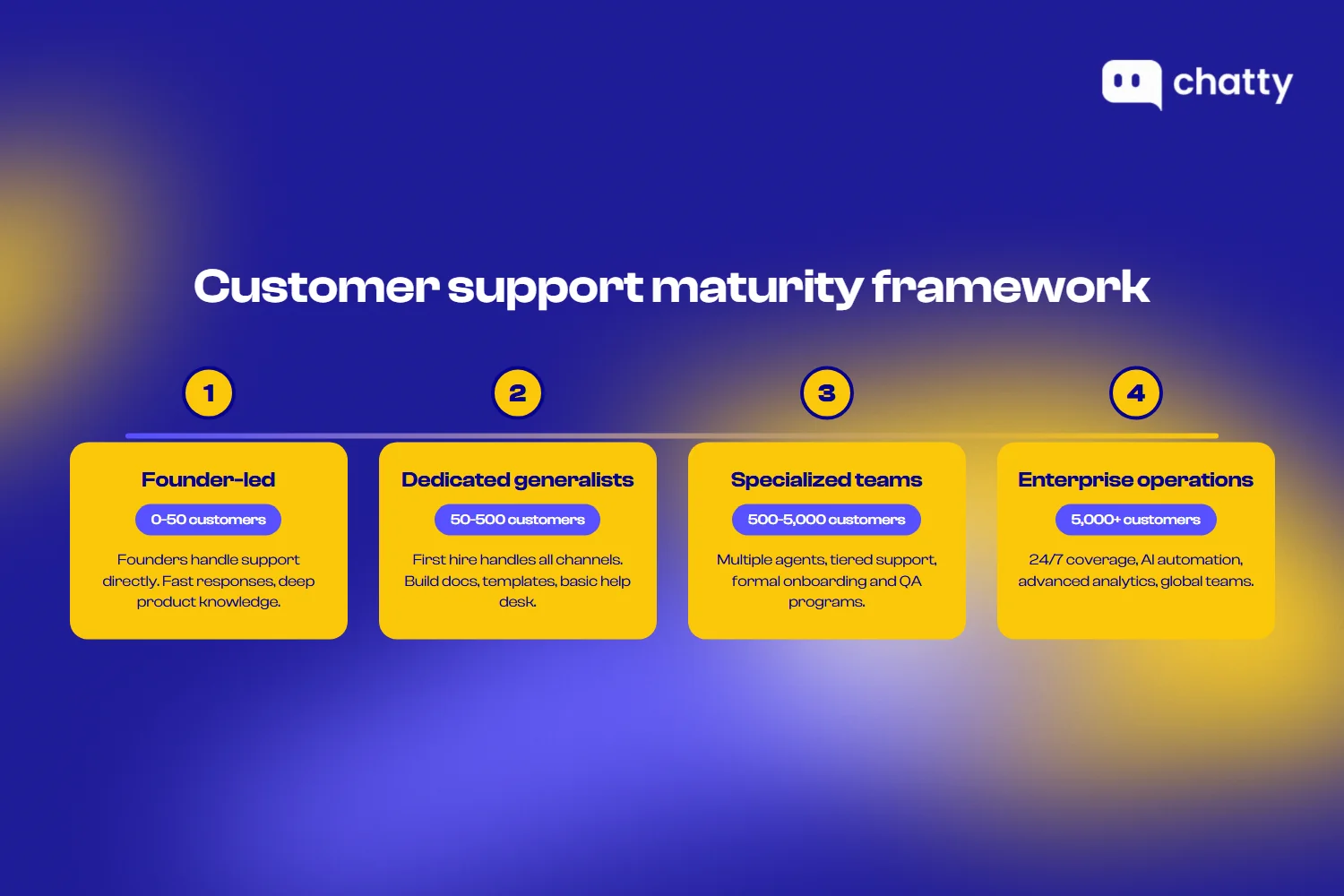
Stage 1: Founder-led support (0-50 customers)
At this stage, founders or early employees handle support directly. Response times are fast because there's no handoff. Quality is high because the people answering know the product deeply. There's no formal process because there doesn't need to be.
This stage works because every customer interaction is also product feedback. Founders learn what confuses people, what's missing, and what customers actually value.
Move to Stage 2 when support takes more than 10 hours per week from people who should be focused elsewhere, or when customers start waiting more than 24 hours for responses.
Stage 2: Dedicated generalists (50-500 customers)
The first dedicated support hire changes everything. This person handles all incoming requests across all channels. They become the voice of the customer internally, translating support trends into product priorities.
At this stage, invest in:
- A shared inbox or basic help desk (Front, Help Scout, Zendesk)
- A simple knowledge base with answers to the 20 most common questions
- Basic response templates for frequent issues
- A weekly sync between support and product
The danger at Stage 2 is treating support as purely reactive. Start building documentation habits now. Every time an agent answers a question that isn't in the knowledge base, they should add it to the knowledge base.
Stage 3: Specialized teams (500-5,000 customers)
This is where support becomes a real department. You'll have multiple agents, likely a team lead, and the first signs of specialization. Some agents might focus on technical issues while others handle billing. You might separate channels, with dedicated staff for phone versus chat.
Critical investments at this stage:
- Tiered support structure (L1 for common issues, L2 for complex ones)
- Formal onboarding program for new agents
- Quality assurance with regular ticket reviews
- Defined escalation paths for different issue types
- Performance metrics beyond just ticket count
Process documentation becomes essential. When you had two agents, they could align over lunch. With eight agents across shifts, written processes are the only way to ensure consistency.
Stage 4: Enterprise operations (5,000+ customers)
Enterprise-scale support is its own discipline. You'll likely have multiple teams, multiple managers, and potentially multiple locations or outsourcing partners. AI and automation aren't optional; they're necessary to handle volume efficiently.
Key characteristics of this stage:
- 24/7 coverage across time zones
- Dedicated workforce management and scheduling
- Advanced analytics and forecasting
- Formal quality assurance programs with calibration sessions
- Integration between support data and business intelligence
- AI handling a significant portion of routine inquiries
The challenge at Stage 4 is maintaining the human element. With layers of process and technology, it's easy to optimize for efficiency metrics while losing the connection that makes support actually helpful.
Here's a summary of transition triggers:
| From | To | Trigger signals |
|---|---|---|
| Stage 1 | Stage 2 | Support consuming >10 hours/week of founder time; response times >24 hours |
| Stage 2 | Stage 3 | Volume exceeding 50-100 tickets/day; single points of failure on the team |
| Stage 3 | Stage 4 | Global customer base; complex product requiring deep specialization; volume requiring AI |
Now that you know where you are in the maturity curve, let's build a strategy to get where you need to be.
12 proven strategies for scaling customer support
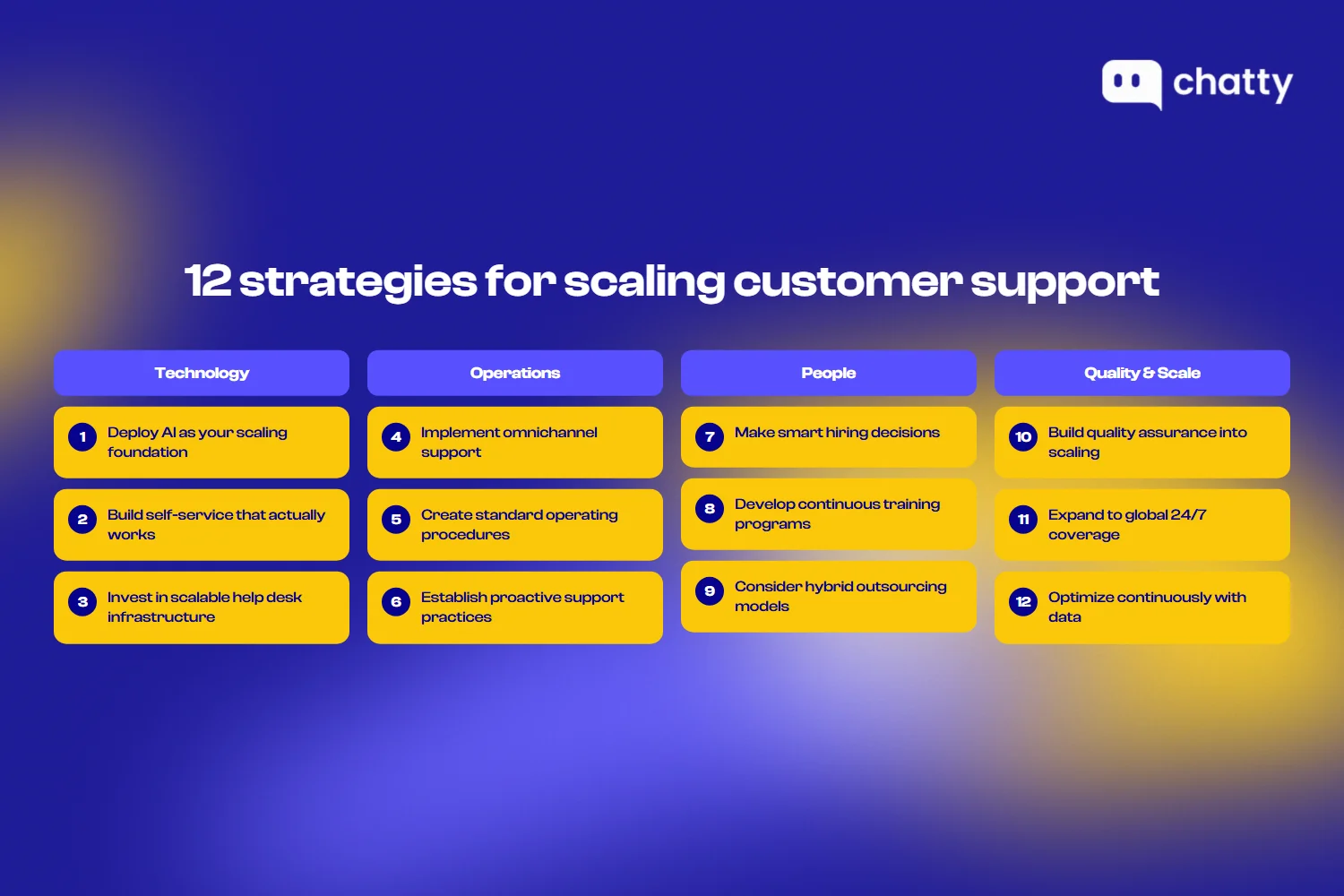
1. Deploy AI as your scaling foundation
AI isn't optional for scaling; it's the foundation. Here's why: hiring more agents adds cost linearly, but AI handles unlimited conversations at near-zero marginal cost.
Most teams still think of AI as a deflection tool – something that answers FAQs and routes tickets. That view is outdated.
Today's AI is smart enough to replace a sales agent. Beyond answering questions, AI now:
- Recommends products based on customer needs and browsing behavior
- Upsells and cross-sells at the right moment in the conversation
- Guides purchase decisions with personalized suggestions
- Recovers abandoned carts through proactive outreach
- Handles full post-purchase support (tracking, returns, exchanges)
This means AI doesn't just cut support costs, it actively drives revenue.
So, what still needs humans?
- Angry customers
- Complex troubleshooting
- High-stakes refund decisions
For e-commerce, Chatty goes beyond support; it's an AI sales agent that turns conversations into conversions 24/7.
2. Build self-service that actually works
The best support ticket is one that never gets created. Self-service scales infinitely at near-zero cost, but only if customers can actually find answers.
What works:
- Knowledge base organized by customer tasks ("How do I…"), not internal features
- Video tutorials under 3 minutes for visual learners
- In-app guides that walk users through processes
- FAQ sections powered by AI that learns from real queries
Track this: Deflection rate = visitors who find answers without opening a ticket. Target 20-40%. Below 15% means your content isn't solving real problems.
3. Invest in scalable help desk infrastructure
Your help desk is the foundation for everything else. Key requirements:
- Unified inbox. All channels in one place
- Automation capabilities. Rules, triggers, workflows
- Robust API. Integration with CRM and internal tools
- AI-ready. Native AI features or easy integration with AI tools like Chatty
Migration tip: Run old and new systems in parallel. Move team by team, not all at once.
4. Implement omnichannel support operations
Different customers prefer different channels. AI-powered platforms like Chatty can unify all channels into one inbox while automatically handling routine inquiries across chat, email, and social.
Common channel preferences:
- Email. Complex issues that require documentation, back-and-forth over time, or written records.
- Chat. Quick questions, real-time troubleshooting, or situations where customers are actively stuck.
- Phone. Urgent issues, emotional situations, or complex conversations where tone matters.
- Social. Public complaints or quick questions from customers are already on that platform.
The key to omnichannel is unified history. If a customer emails, then chats, then calls, each agent should see the full conversation. Nothing frustrates customers more than having to repeat themselves.
Set channel-specific SLAs based on customer expectations. Chat demands a response in minutes. Email gives you hours. The phone should be answered quickly or a call back promptly. Match your staffing to these expectations.
5. Create standard operating procedures
Consistency requires documentation. As your team grows, tribal knowledge stops working. New agents need written guides for how things work.
Essential SOPs to develop:
- Response templates. Starter text for common scenarios, with clear guidance on what to personalize. Templates accelerate response without feeling robotic.
- Escalation workflows. When to escalate, to whom, and what information to include. Remove ambiguity about what counts as "escalation-worthy."
- Edge case handling. How to handle refunds, exceptions, angry customers, and legal requests. The situations that don't fit normal processes.
- Tool procedures. How to use your help desk, CRM, and internal systems. Don't assume new hires will figure it out.
Update documentation on a regular cadence. Set a calendar reminder to review and refresh SOPs quarterly. Stale documentation is often worse than no documentation because it misleads people.
6. Establish proactive support practices
Reactive support waits for problems. Proactive support anticipates them. Proactive approaches reduce ticket volume and improve customer satisfaction simultaneously.
Proactive support tactics:
- Onboarding automation. Triggered messages that guide new customers through setup, highlighting common stumbling blocks before they become problems.
- Usage monitoring. Alerts when customer behavior suggests a struggle: repeated failed actions, declining usage, and features going unused after initial activity.
- Known issue notifications. When you identify a bug or outage, tell affected customers before they contact you. This reduces inbound volume and builds trust.
- Renewal preparation. Check in with customers before renewal to surface and resolve lingering issues while there's still time.
The investment in proactive support pays off through reduced reactive volume. Every issue prevented is a ticket that never gets created.
7. Make smart hiring decisions
Scaling support means hiring, and hiring well matters more than hiring fast. A bad hire costs months of productivity and can damage team morale.
What to look for in growth-stage support hires:
- Adaptability. Processes will change constantly. Hire people who thrive in ambiguity, not those who need rigid structure.
- Communication skills. Clear writing is non-negotiable. Test it in the interview process.
- Problem-solving ability. Can they figure things out without being told exactly what to do?
- Emotional resilience. Support involves difficult conversations. Look for evidence they can handle frustration without burning out.
- Cultural contribution. Not just "fit" but what unique perspective they bring to the team.
Start hiring before you're desperate. Rushed hiring leads to compromised standards. Build a pipeline of candidates so you can move quickly when you need to.
8. Develop continuous training programs
Training isn't a one-time onboarding event. Products change. Processes evolve. Skills need reinforcement. Build training into the ongoing rhythm of the team.
Training program components:
- Structured onboarding. New agents should reach full productivity within 30 to 60 days. Map out exactly what they learn each week.
- Product update sessions. When features change, train support before customers see them. Support should never learn about changes from customers.
- Soft skills development. De-escalation, empathy, clear communication. These skills improve with practice and coaching.
- Cross-training. Agents should be able to cover adjacent areas. This provides flexibility and reduces single points of failure.
Measure training effectiveness through quality scores before and after. If training doesn't improve performance, change the training.
9. Consider hybrid outsourcing models
Outsourcing isn't all or nothing. Many teams blend in-house and outsourced support strategically.
Good candidates for outsourcing:
- After-hours coverage. Extending to 24/7 without night shifts for your core team.
- Tier 1 triage. Initial response and basic issue resolution, with complex issues routed internally.
- Seasonal surge capacity. Extra hands during predictable busy periods.
- Specific channels. Some teams outsource phone while keeping email and chat in-house.
What to keep in-house:
- Complex product issues. Deep product knowledge is hard to transfer to an external team.
- High-value customers. Enterprise or VIP support where relationship continuity matters.
- Escalations. The hardest issues need your most experienced people.
If you outsource, invest heavily in quality control. Regular calibration sessions, shared quality rubrics, and mystery shopping help maintain standards.
10. Build quality assurance into scaling
Quality doesn't maintain itself during growth. Without deliberate QA, standards drift downward as volume pressure increases.
Components of a QA program:
- Scoring rubric. Define what "good" looks like across dimensions: accuracy, tone, resolution, process adherence.
- Regular reviews. Evaluate a sample of tickets per agent per week. Random selection prevents gaming.
- Calibration sessions. Have multiple reviewers score the same tickets and discuss differences. This builds consistency.
- Agent feedback loops. QA should improve performance, not just measure it. Share feedback promptly and constructively.
Use QA data to identify training needs. If multiple agents struggle with the same issue type, that's a training gap, not an individual performance problem.
11. Expand to global 24/7 coverage
Global coverage is a significant operational investment. AI tools like Chatty can provide instant 24/7 coverage while you build out human teams across time zones. Make sure you actually need it before committing.
Signs you need 24/7 support:
- Customer base spans multiple time zones and expects timely responses
- Product is critical infrastructure where downtime impacts customers immediately
- Competitors offer around-the-clock support and you're losing deals over it
The most common model is follow-the-sun: teams in different time zones hand off coverage as their workday ends. This avoids night shifts while providing continuous coverage.
Handoff protocols matter enormously. When one region ends their day:
- Open tickets need status updates and clear next steps
- Urgent issues need explicit escalation to the incoming team
- Context should be documented, not assumed
Follow-the-sun works best when each region is self-sufficient for most issues. If every complex ticket requires involvement from headquarters, you haven't actually scaled; you've just added a coordination layer.
12. Optimize continuously with data
Scaling isn't a project with an end date. It's an ongoing process of measurement and adjustment.
Key metrics to track on a dashboard:
- Volume. Total tickets, by channel and category.
- Response time. First response and full resolution.
- Resolution rate. First contact resolution and overall resolution rate.
- Customer satisfaction. CSAT or CES after interactions.
- Agent performance. Tickets handled, quality scores, schedule adherence.
- Efficiency. Cost per ticket, tickets per agent hour.
Review metrics weekly at the team level, monthly at the strategic level. Look for trends rather than reacting to daily fluctuations.
Experiment with changes. A/B test new response templates. Try different routing rules. Adjust staffing models. Measure the impact before rolling out broadly.
Budgeting for scaled customer support
How much should you spend on support? Here are the benchmarks:
| Industry | % of revenue | Where it goes |
|---|---|---|
| SaaS | 5-15% | 60-70% people, 20-30% technology, 10% overhead |
| E-commerce | 2-5% | Higher tech ratio due to automation focus |
| Enterprise software | 10-20% | More people for complex implementations |
The key metric to track: Cost per ticket = Total support cost ÷ Ticket volume. As you scale effectively, this number should go down—not up.
Even with the right budget, scaling can fail. Here's what goes wrong—and how to prevent it.
Common scaling mistakes and how to avoid them
Learning from other teams' failures saves you from repeating them:
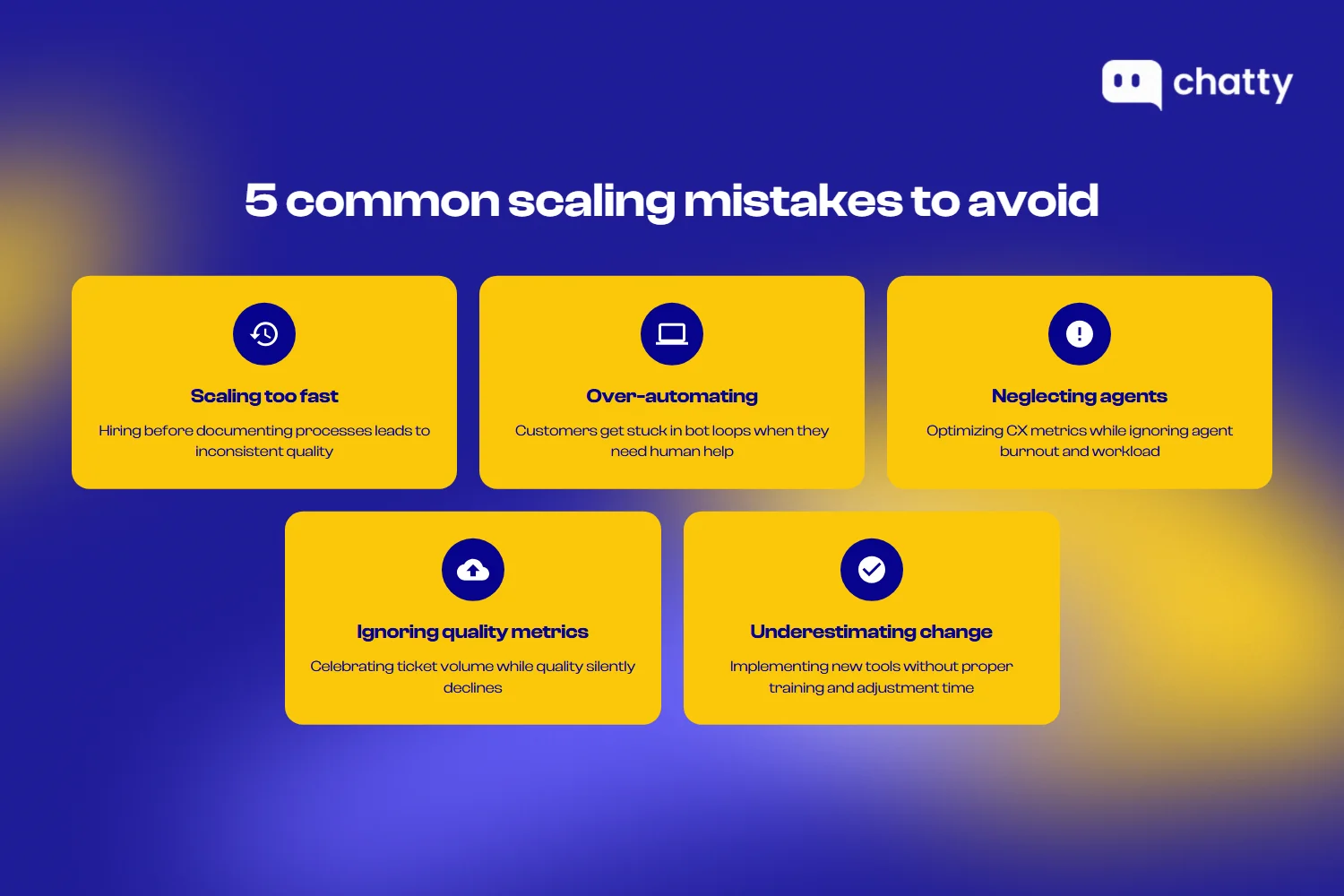
Scaling too fast without a process foundation
The mistake: hiring aggressively before documenting how things work. Result: every new agent learns a slightly different approach, quality becomes inconsistent, and fixing it later requires retraining everyone.
The prevention: build process documentation before you need to scale. Every new hire should be able to find written answers to common questions within their first week.
Over-automating human moments
The mistake: automating based on volume without considering context. Customers get stuck in bot loops when they need human help. Automation handles situations it shouldn't, creating worse outcomes than no automation at all.
The prevention: audit the customer experience from the outside. Map the moments that need human judgment and protect them from automation. Make human escalation easy and fast.
Neglecting agent experience while focusing on CX
The mistake: optimizing customer metrics while ignoring agent workload, tool quality, and job satisfaction. Short-term gains in efficiency come at the cost of burnout and turnover.
The prevention: measure agent experience alongside customer experience. Track satisfaction, tenure, and workload metrics. When agents are overwhelmed, customers eventually notice.
Ignoring quality metrics during rapid growth
The mistake: focusing on volume and response time while quality silently declines. Teams celebrate handling more tickets while actually delivering worse support.
The prevention: include quality metrics in your core dashboard. Make QA scores as visible as response time. Don't celebrate efficiency improvements that come with quality drops.
Underestimating change management needs
The mistake: implementing new tools or processes without proper communication, training, and time for adjustment. Teams resist changes they don't understand or weren't prepared for.
Prevention involves involving agents in decisions that affect them. Communicate the "why" behind changes. Allow time for adaptation and address concerns openly.
Watch for these warning signs that scaling is going wrong:
- Response times improving but CSAT declining
- Ticket volume down but repeat contacts up
- Agent productivity up but turnover increasing
- Automation deflection high but resolution rate low
- Costs down but customer complaints rising
Avoiding these mistakes requires getting your team on board. That brings us to the human side of scaling.
Managing the human side of scaling
Process and technology only work if people adopt them. Scaling is fundamentally a change management challenge:
Communicating changes to your team
Agents experience scaling as constant change: new tools, new processes, new teammates, new expectations. Communicate proactively to reduce uncertainty.
Effective communication practices:
- Advance notice. Tell people about changes before they happen, with enough time to prepare.
- Clear rationale. Explain why changes are happening, not just what's changing.
- Input opportunities. Let agents contribute to decisions where appropriate. They often know what's broken better than management.
- Regular updates. Weekly or biweekly all-hands keep everyone aligned during rapid change.
Maintaining culture during rapid growth
Culture doesn't scale automatically. What works with 5 people requires deliberate effort to maintain with 50.
Tactics that help:
- Document values explicitly. Write down what your team stands for and reference it in decisions.
- Hire for culture contribution. Each new person should strengthen the culture, not just fit it.
- Ritualize connection. Team meetings, celebrations, and traditions create shared experience.
- Protect what matters. Identify the cultural elements that truly define your team and fight to preserve them even when it's inconvenient.
Agent retention strategies
Turnover is expensive and disruptive. A retained agent is more productive than two new hires.
Retention tactics that work:
- Career paths. Show agents where they can grow. Promote from within when possible.
- Competitive compensation. Pay at or above market. Small savings on salary cost much more in turnover.
- Manageable workloads. Chronic overwork burns people out. Staff for sustainable pace, not constant sprints.
- Recognition programs. Acknowledge good work regularly, not just at annual reviews.
- Quality tools. Frustrating software makes every day harder. Invest in tools that agents actually like using.
Building leadership bench strength
As the team grows, you need more leaders. Build that pipeline intentionally.
Approaches to developing leaders:
- Identify potential early. Look for agents who naturally help others, take initiative, and think systemically.
- Create development opportunities. Let high performers lead projects, run training sessions, or mentor new hires.
- Invest in management training. Being a great agent doesn't automatically make someone a great manager. Provide the skills they need.
- Succession planning. Know who would step into each leadership role if needed. Don't let a single departure create a crisis.
Final thought
The teams that scale support most successfully aren't the ones with the best technology or the biggest budgets. They're the ones that treat scaling as a design problem rather than a volume problem.
Most teams approach scaling by asking, "How do we handle more?" The better question is "what should we stop doing?" Every ticket that doesn't need to happen, every process step that doesn't add value, every decision that doesn't need human judgment is an opportunity to simplify. The teams that scale well are relentlessly subtractive before they're additive.
This mindset shift matters because the alternative is exhausting. Adding more people, more tools, more processes to handle more volume is a treadmill. Eliminating the unnecessary makes the necessary easier to do well.
What's one thing your support team does today that customers don't actually need?
FAQ
It depends on your starting point and growth rate. Moving from Stage 1 to Stage 2 (founder-led to first dedicated hire) typically takes 2-3 months. Stage 2 to Stage 3 (generalists to specialized teams) usually requires 6-12 months of building process and hiring. Stage 3 to Stage 4 (specialized to enterprise operations) can take 1-2 years of sustained investment. Rushing any transition creates problems that take longer to fix than doing it right the first time.
There is no universal answer because complexity varies widely. SaaS products with complex implementations might need one agent per 200-400 customers. Simple e-commerce support might support one agent per 2,000-5,000 customers. Start by measuring your current ratio and tracking how it correlates with service quality. As you scale, the ratio should improve (more customers per agent) if you are building efficiency into the system.
Invest in AI first if your ticket mix is heavily weighted toward simple, repetitive questions with consistent answers. Hire first if your tickets require judgment, context, or relationship continuity. Most teams benefit from both, but the sequence matters. AI handles volume efficiently for routine issues, freeing agents to focus on complex problems where they add the most value.
Document your values explicitly and reference them in hiring, training, and decisions. Hire people who strengthen the culture, not just fit it. Create rituals and traditions that build shared experience. Protect the elements that truly define your team, even when growth creates pressure to compromise. Culture does not scale automatically; it requires deliberate effort.
Quality degradation that goes unnoticed until it is severe. During rapid growth, teams often focus on volume metrics (tickets handled, response time) while quality silently declines. Customers get faster but worse responses. Agents learn shortcuts instead of best practices. By the time NPS or churn data reveals the problem, you have spent months delivering subpar service and built bad habits into the team.
Yes, but the approach differs. Small businesses cannot outspend larger competitors, so they need to be smarter about where they invest. Focus on self-service that actually resolves issues, automation for truly routine tasks, and exceptional human support for the moments that matter most. A small team that does fewer things excellently beats a larger team that does everything mediocrely.
Connect support metrics to business outcomes. Show the cost of poor support in terms of churn, refunds, and reputation damage. Calculate the ROI of proposed investments based on retention improvement or efficiency gains. Use competitive benchmarks to demonstrate gaps. Frame support as revenue protection and customer lifetime value optimization, not just a cost center. Executives respond to business cases, not appeals to do the right thing.