











Imagine a customer tries to reach your help desk about a simple billing error. They wait on hold, get transferred three times, and finally receive an answer that doesn’t solve the issue. The result? Frustration, lost trust, and money left on the table
This is not rare, it is costly. Closer to home, in the US, businesses lose around $75 billion annually due to poor customer service, and nearly 59% of customers abandon a brand after a single negative experience.
That’s why this article exists. We’ll break down how great help desk management can be the difference between keeping lifelong customers and watching them walk away.
- Poor help desk management costs US businesses $75 billion every year. Nearly 59% of customers abandon a brand after just one negative support experience.
- A help desk is not the same as a service desk or technical support. Help desks handle immediate tactical issues, while service desks manage the full IT service lifecycle.
- Centralized ticket tracking turns chaotic support into a measurable system. Logging, monitoring, and routing every issue ensures nothing falls through the cracks.
- Automation handles the repetitive work so agents focus on complex problems. Routing tickets, triggering alerts, and applying SLA logic reduce manual effort and speed up resolution.
- Self-service portals and knowledge bases deflect tickets before they are created. AI-powered bots and FAQ articles let customers solve common issues independently.
What is help desk management?
Help desk management is a centralized framework designed to coordinate people, processes, and technology in handling user or customer concerns. Acting as the core operations hub, it ensures that every issue is systematically logged, monitored, and resolved in a timely manner.
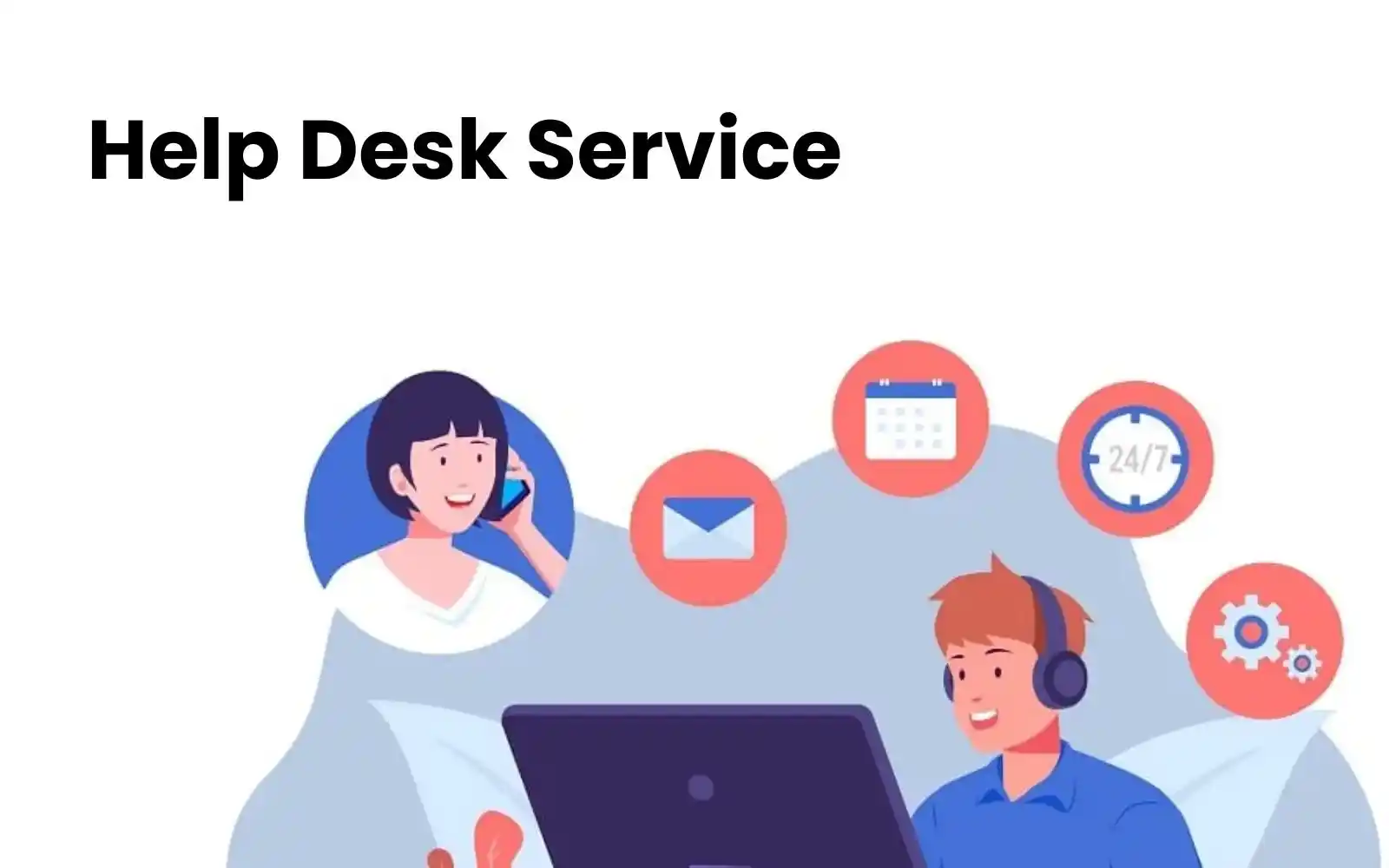
A help desk differs from related concepts like the service desk and technical support, with unique but interconnected roles in customer and IT support
| Function | Scope & Focus | Key Traits |
| Help desk | Frontline support for immediate, tactical issues | – Reactive and ticket-based – Handles simple problems like password resets, access issues, and software bugs – Focuses on quick fixes |
| Service desk | Broader, strategic approach to IT services | – Manages full IT service lifecycle – Covers incident, problem, and change management – Aligns IT services with business goals – Built on ITIL best practices |
| Technical support | Specialized product or hardware issue resolution | – Narrower focus on technical troubleshooting – Often tied to specific software/hardwareLess emphasis on processes or ticketing workflows – More in-depth technical expertise |
Benefits of effective help desk management
When your help desk runs smoothly, it doesn’t just put out fires; it actually helps the business grow. Here are the biggest wins you’ll see from effective help desk management:
- Improved customer satisfaction: With a well-managed help desk, issues are solved quickly and accurately, often within agreed service levels (SLAs). The result? Higher satisfaction scores, repeat purchases, and keep customers to yourself.
- Faster and smarter support: Automation takes care of the repetitive stuff, like password resets or common FAQs, so agents don’t have to. This can significantly reduce handling time and free up teams to focus on more complex problems.
- Remove unnecessary costs: Every time a ticket is resolved without escalation, you save money. Automation and intelligent routing reduce the need for additional staff while maintaining high quality.
- More productive teams: When agents spend less time on copy-paste replies, they can focus on meaningful work: troubleshooting real problems, guiding customers, and creating positive experiences.
- Better insights into user needs: Every support ticket is a clue. Analytics can reveal recurring complaints, interface pain points, or feature requests. These insights inform product roadmaps and prevent future problems before they arise.
Key aspects of help desk management
Building a practical help desk is about establishing a system where technology, people, and processes work together effectively. Below are the core aspects every business should focus on:
1. Knowledge management
A ticketing system is the backbone of help desk management. It collects all customer requests, from phone to social media, into a single, organized queue. Each request becomes a “ticket” that can be tracked, prioritized, and assigned to a specific individual.
Without ticketing, requests slip through the cracks. A centralized system ensures nothing gets lost, agents know what’s pending, and customers get consistent updates.
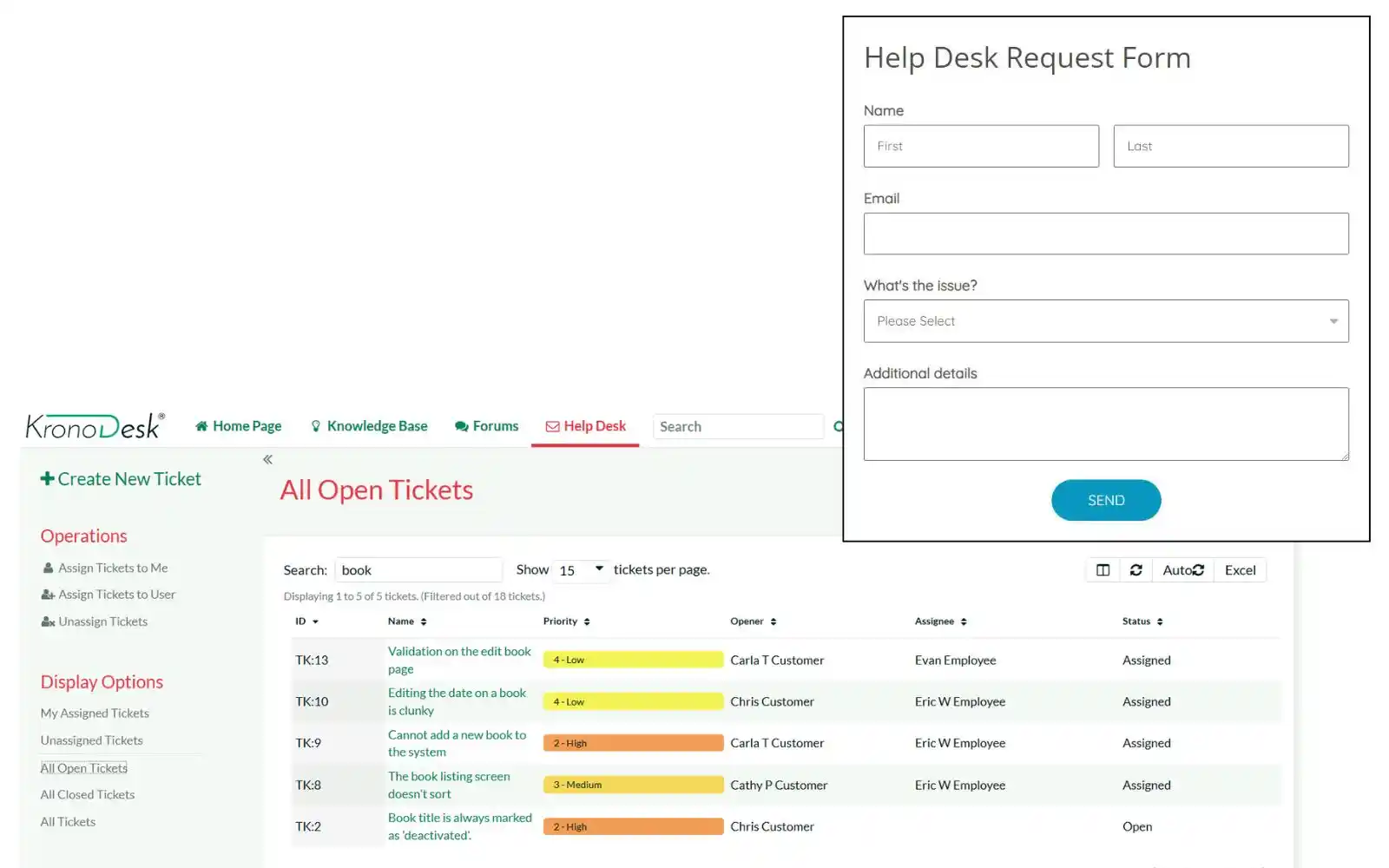
A brief process to set up a ticketing system is
- Adopt a platform such as Zendesk, Freshdesk, or Jira Service Management.
- Set up automated ticket routing to ensure tickets are assigned to the correct agent or team based on category or workload.
- Define priorities by adding tags (urgent, high, normal, low) to help manage response times.
- Enable automated updates so customers receive notifications when tickets are opened, in progress, or resolved.
- Create a knowledge base or FAQ portal to let users solve common issues without raising a ticket.
- Integrate communication channels (email, chat, social media, phone) so all requests flow into one system.
- Configure SLAs to ensure tickets are handled within set timeframes and escalate if missed.
- Use reporting and dashboards to track KPIs like first response time, resolution time, and customer satisfaction.
2. Knowledge management
Knowledge management involves creating a comprehensive library of articles, FAQs, and troubleshooting guides that both agents and customers can utilize.
When customers can resolve simple problems on their own, they don’t need to contact support. At the same time, agents have access to a shared knowledge base, enabling them to resolve issues faster and avoid inconsistent answers.
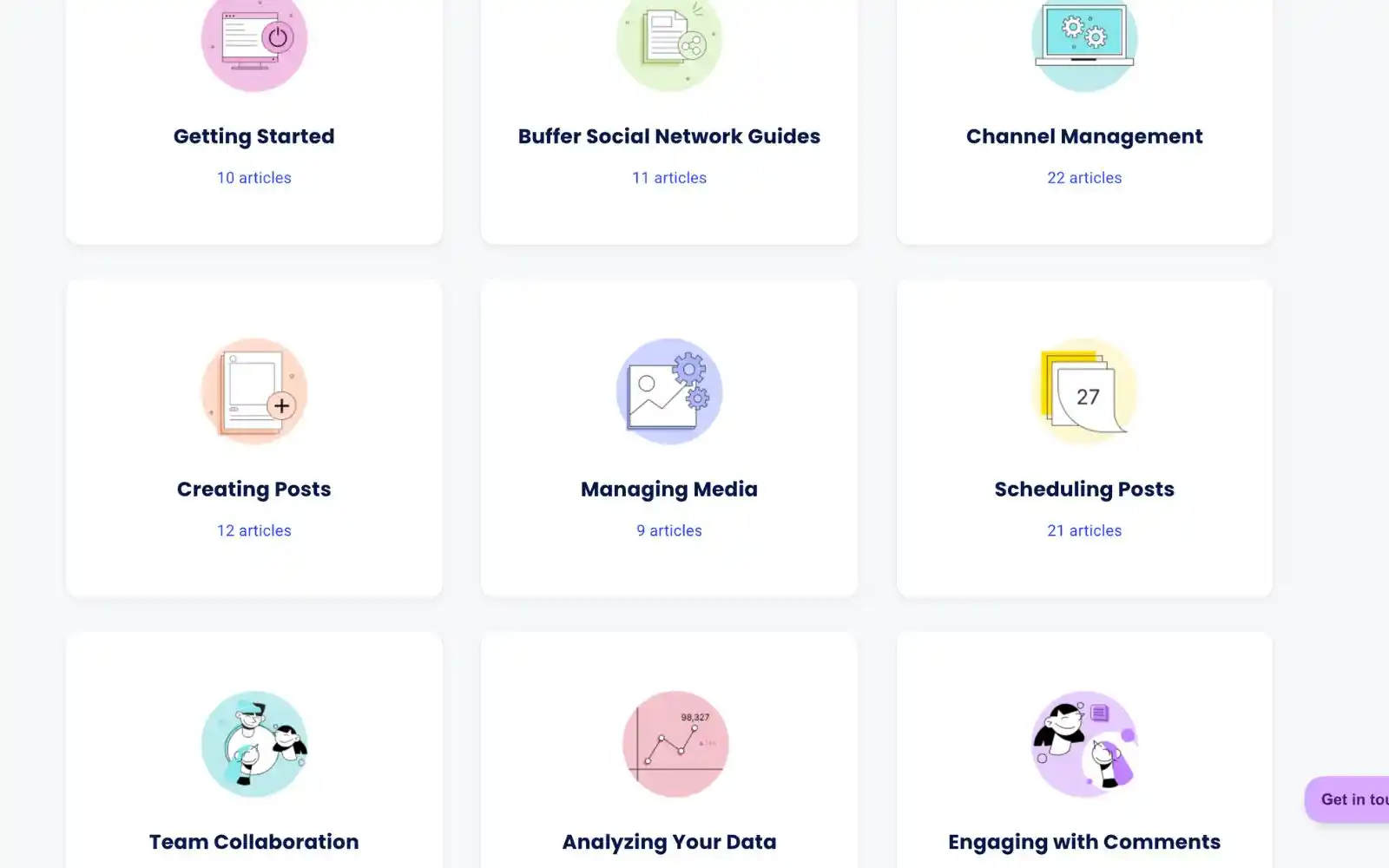
To implement it, simply follow:
- Set up two knowledge bases: one for internal use and one for public-facing self-help.
- Use platforms like Zendesk Guide or Notion that support tagging, search, and content versioning.
- Create content templates (e.g., steps, troubleshooting flowcharts, article metadata).
- Establish an editorial process: review tickets weekly to surface new content needs.
- Appoint content owners responsible for accuracy, tone, and updates.
- Leverage analytics: track article views, search queries, and deflection rates to guide updates.
3. Performance monitoring
Performance monitoring involves tracking KPIs like First Response Time, Resolution Time, Customer Satisfaction (CSAT), and Ticket Volume Trends.
Data gives visibility. By identifying bottlenecks, high wait times, or recurring issues, managers can allocate resources more effectively and enhance workflows.
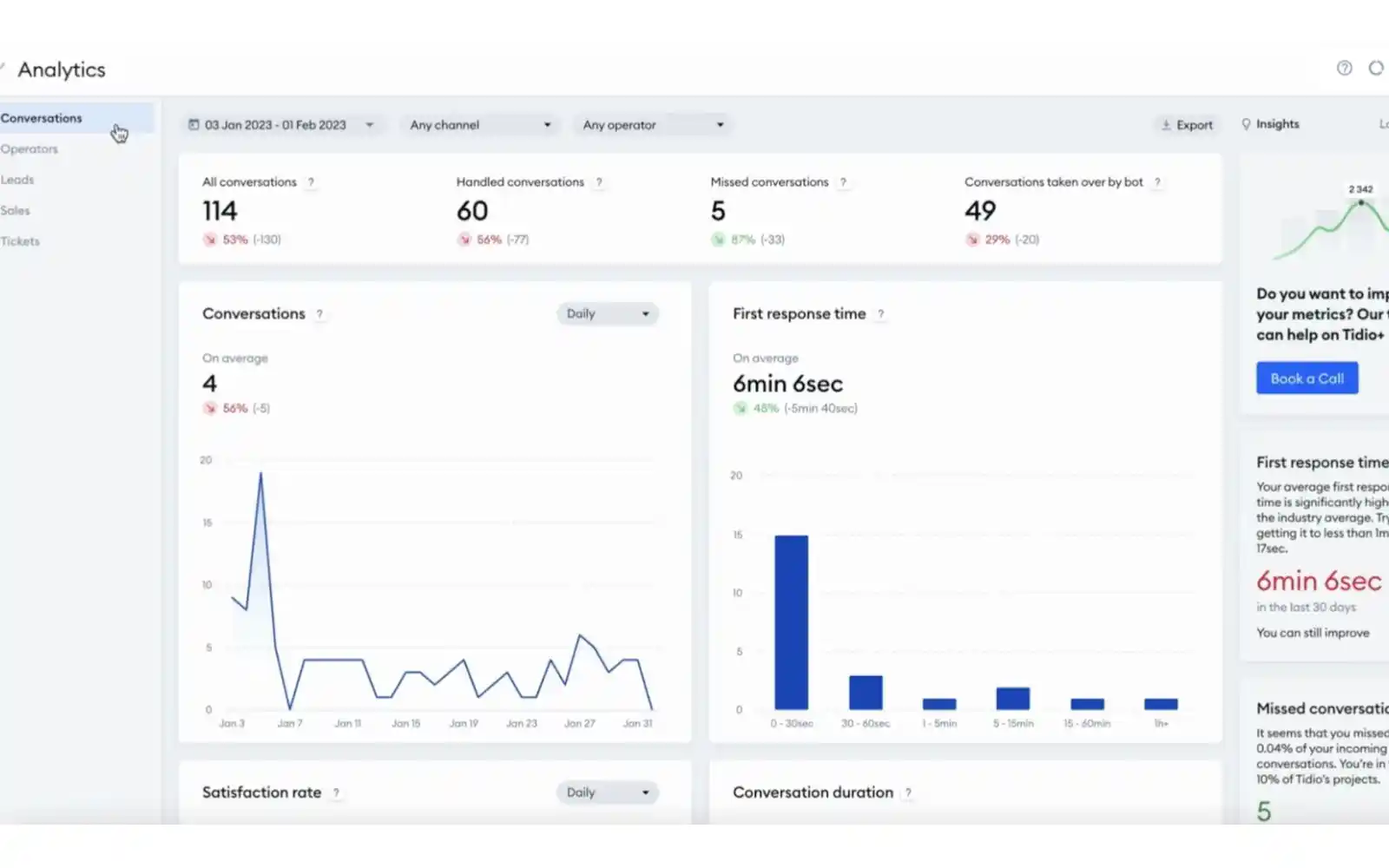
All you have to do are:
- Use built-in analytics tools (e.g., Zendesk Explore, Freshdesk Analytics) or integrate with third-party tools.
- Create dashboards tailored to different roles, including agents, team leads, and managers.
- Set targets (e.g., first response under 1 hour, CSAT > 90%) and track weekly.
- Configure alerts for SLA breaches or unusual surges in tickets.
- Run trend analyses, daily volume by channel, repeat issues, and peak time forecasting.
- Conduct monthly reviews to identify patterns and make course corrections operationally.
4. Team coordination
Team coordination involves how agents collaborate internally through effective communication tools, precise role definitions, and established workflows.
Support requests often involve multiple departments. Without smooth collaboration, handoffs become delays, and customers get frustrated.
To achieve the most effective teamwork, try to:
- Integrate your help desk with chat platforms like Slack or Microsoft Teams for real-time updates.
- Define roles clearly: frontline agent, technical specialist, and escalation manager.
- Use internal ticket notes rather than external chats, ensuring context remains centralized.
- Establish protocols for escalations, including criteria for escalation, the person to escalate to, and expected response times.
- Run regular stand-ups or sync meetings to discuss tricky cases or recurring issues.
- Conduct postmortems for critical incidents to reinforce collaboration patterns.
5. Automation and AI
Automation handles repetitive tasks, while AI enhances decision-making by suggesting responses, routing tickets, or resolving simple issues instantly.A study has shown that AI can reduce handling time by up to 40%, allowing agents to focus on complex problems that truly require human intervention. Automation also reduces costs by automating routine requests, eliminating the need for human effort.
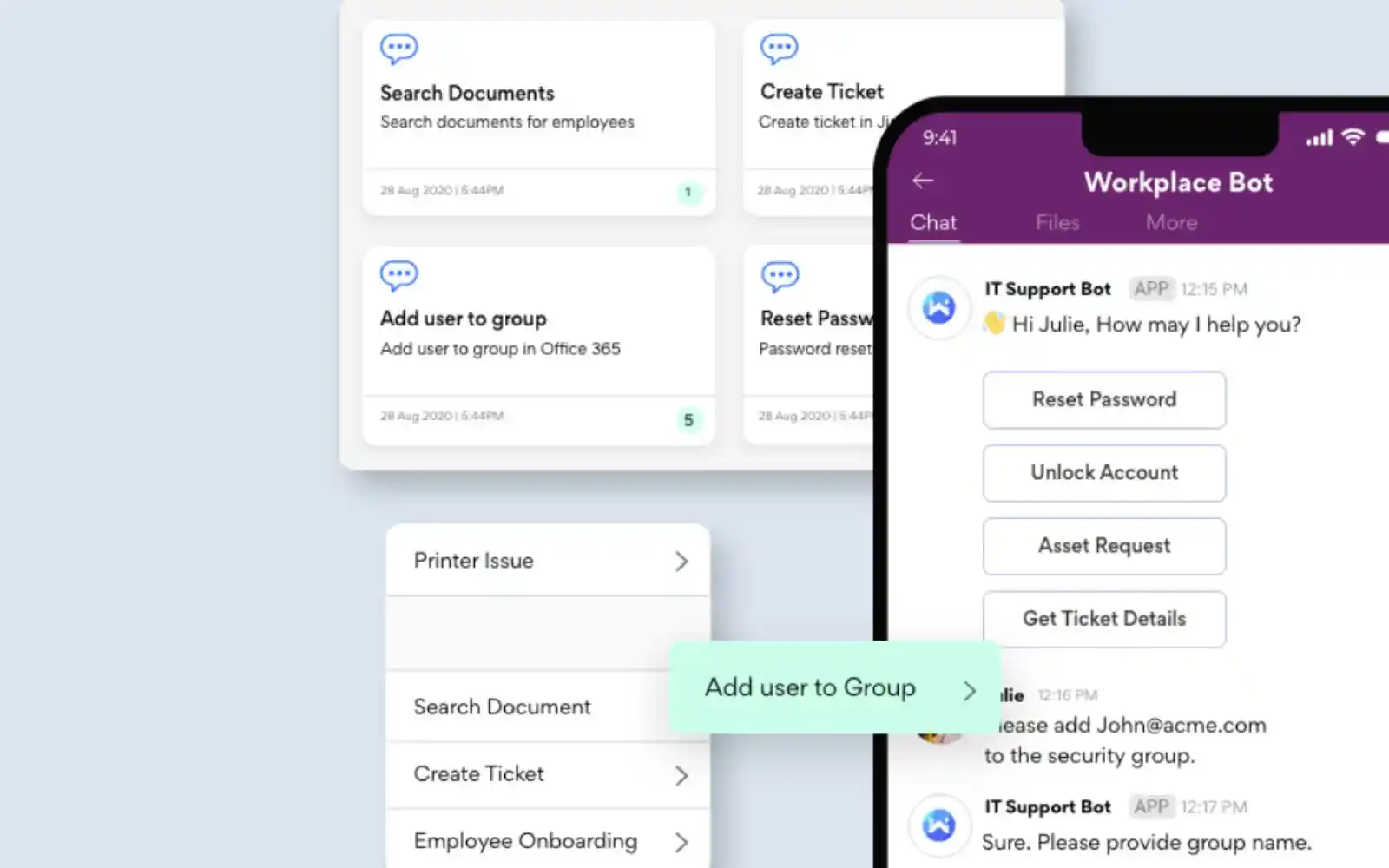
Here is a comprehensive guide to consider implementing those:
- Set up auto-routing rules based on ticket tags, keywords, or customer segments.
- Automate status changes, SLA escalations, and follow-up reminders.
- Deploy chatbots to handle basic queries (e.g., password resets, status lookups).
- Use AI-powered suggestions for responses, such as Zendesk AI or Freshdesk Freddy.
- Pilot these features with the top 3–5 most common request types.
- Measure results via deflection rates, resolution times, and CSAT differences.
- Iterate: refine AI training data and automate more triggers as effectiveness improves.
6. Self-service portals
Self-service portals provide customers with 24/7 access to FAQs, guides, and community forums, enabling them to troubleshoot independently.
According to Zendesk, 69% of consumers try to fix problems on their own first, but fewer than one-third of businesses actually provide self-service resources like a knowledge base.
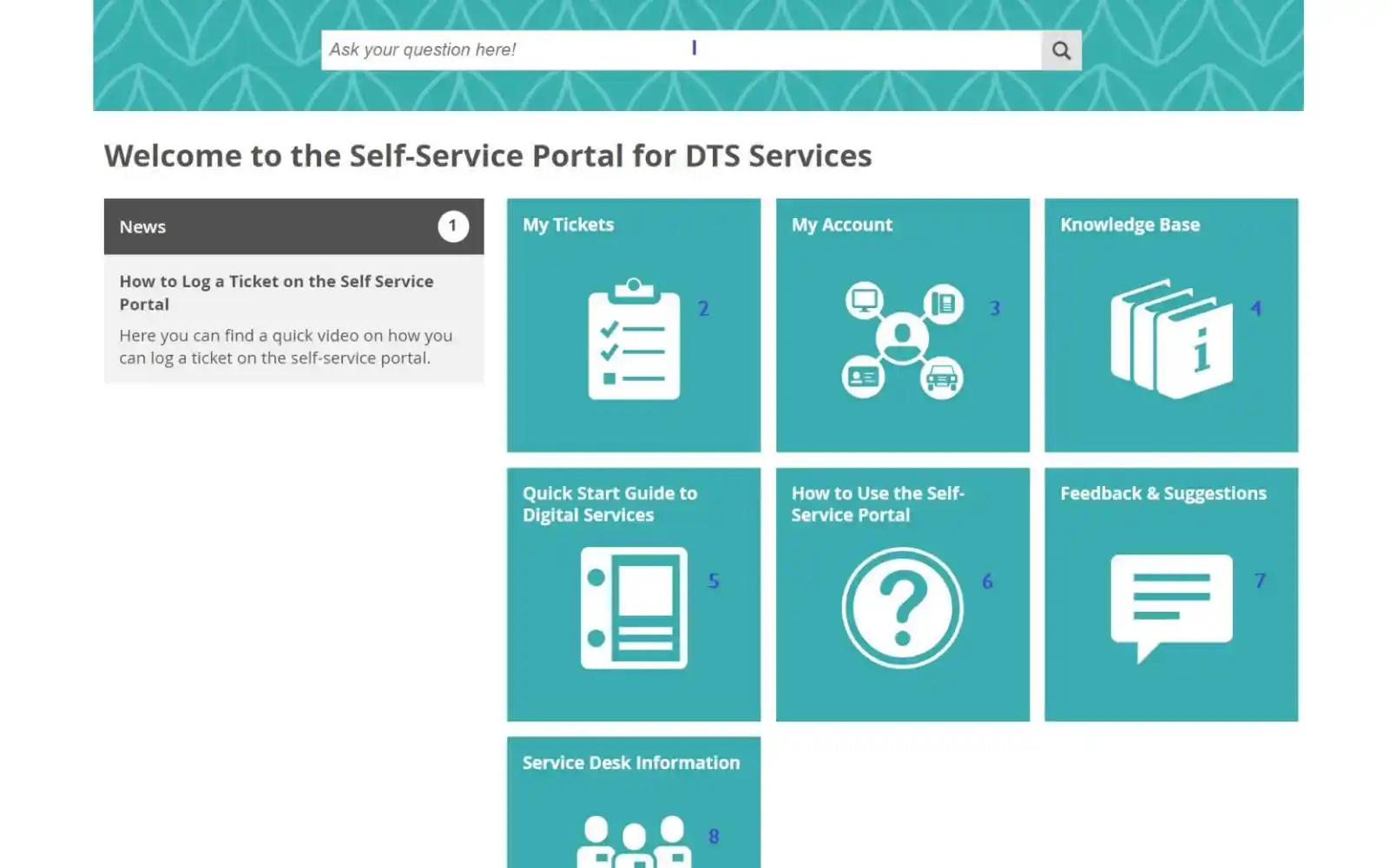
Thus, to avoid it, it is crucial to have a solid foundation of self-service portals:
- Build a portal with an intuitive search function and clear, well-organized categories.
- Include multimedia formats: text, screenshots, video walkthroughs
- Create user forums or community discussion boards if appropriate
- Promote the portal through ticket autoresponses, chatbot links, and marketing
- Track user engagement: views, searches, failed searches
- Update content regularly based on analytics and emerging support trends.
7. Service level agreements (SLAs)
SLA is essentially a promise or an agreed set of standards that define how quickly your team will respond to and resolve different types of issues.
E.g., A critical system outage might have a one-hour response window, while a routine question about billing might allow up to 24 hours.
SLAs take the guesswork out of support. Customers know exactly what to expect, which builds confidence and trust in your brand. At the same time, SLAs give your support team clear goals, helping avoid delays, frustration, or misaligned priorities.
A clear roadmap to set up a service level agreement:
- Define SLA tiers (e.g., Critical: respond within 1 hour, resolve within 4; Standard: respond within 24, resolve within 72).
- Configure SLA policies and timers in the ticketing system.
- Enable automated escalations and breach alerts.
- Monitor SLA compliance via dashboards.
- Regularly audit SLA performance and adjust thresholds or staffing to improve results.
- Publicly (or transparently within contracts) communicate SLA commitments to set clear expectations.
6 Helpdesk management best practices in 2026
- Customer-centric focus
Elevate your support by training agents to actively listen, empathize, and take ownership of each issue. Empathy isn't just a soft skill but it lays the foundation for trust and resolution. Encourage agents to mirror customers' concerns before guiding them toward solutions.
- Standardize processes with clear SOPs
- Consistency is key: develop and document standard operating procedures (SOPs) for every stage of ticket handling, from triage and escalation to resolution and follow-up.
- Define clear ticket categories, priorities, routing rules, and escalation paths.
- Implement automated alerts to flag tickets that linger in the “open” status for too long and automatically reroute inquiries to the relevant teams. This uniformity minimizes missteps
- Promote proactive support
Don't wait for the customer to reach out-anticipate needs and offer help before issues become problems.
Monitor for repeated failed logins, frequent "how-to" requests, or system anomalies. Proactive outreach (e.g., “I noticed you’ve had login trouble—can I help?”) demonstrates attentiveness and dramatically improves satisfaction
- Leverage self-service and knowledge sharing
- Empower users and relieve your team by building a robust, easily navigable knowledge base with FAQs, step-by-step guides, and troubleshooting articles.
- Keep this repository up to date and link related content for seamless discovery.
- Embed multimedia like infographics or videos for added clarity. This strategy deflects routine queries and accelerates resolution
- Adopting Knowledge-Centered Service (KCS) principles further ensures that knowledge evolves and grows organically from actual ticket resolutions
- Ensure multichannel accessibility
- Support users through their preferred channels- be it email, chat, phone, web portal, or social media.
- Unified ticketing across all streams ensures agents have full context, avoids duplication, and maintains a consistent service experience
- Foster a feedback culture (Internal and external)
- Gather insights not only from customers via surveys or follow-up outreach but also from your team.
- Regular feedback helps uncover friction points, whether in tools, workflows, or training, and sparks constructive enhancements
Metrics and KPIs for help desk performance
- Customer experience metrics
- CSAT (Customer Satisfaction Score): Aim for a score above 70%, reflecting intense post-resolution satisfaction. Industry “good” levels generally start at ~80 % or higher.
- NPS (Net Promoter Score): A target of +50 indicates exceptional loyalty and referral potential. Recent sources identify +45 as excellent, with +50 as top-tier.
- CES (Customer Effort Score): Keeping CES under 2 (on a 1–7 scale) signals a frictionless support journey; the industry emphasizes minimizing effort as a core CX principle.
- Operational metrics
- First response time: Best-in-class teams respond within 1 hour; the general industry average ranges from 3.5 to 4.7 hours.
- Resolution time: A mean resolution time of under 24 hours aligns with enterprise benchmarks (average drop at 24 hours; top performers aim under 8 hours)
- Backlog management: Strive for “minimal backlog”- a low number of overdue or unresolved tickets is vital to smooth operations
3. Quality assurance
- SLA Compliance: Track the percentage of tickets meeting service level agreements; aim for 85–95% compliance, as cited for enterprise IT support targets.
- Agent performance reviews: Regular evaluations help align performance with standards; key guidance includes monitoring resolution efficiency and CSAT.
How to leverage AI and automation in help desk management?
In today's fast-paced support environments, using AI and automation is transformational. By integrating intelligent tools throughout your help desk, you can significantly enhance speed and precision.
Here’s how:
1. AI-Powered ticket triage
Advanced tools now automatically categorize, tag, and assign incoming tickets. Consider systems like TaDaa, which utilize deep learning and transformer models to rapidly match issues with the appropriate teams, achieving over 95% accuracy in suggesting the right groups and 79% accuracy in assigning individual resolvers. This results in faster routing and more efficient service delivery.
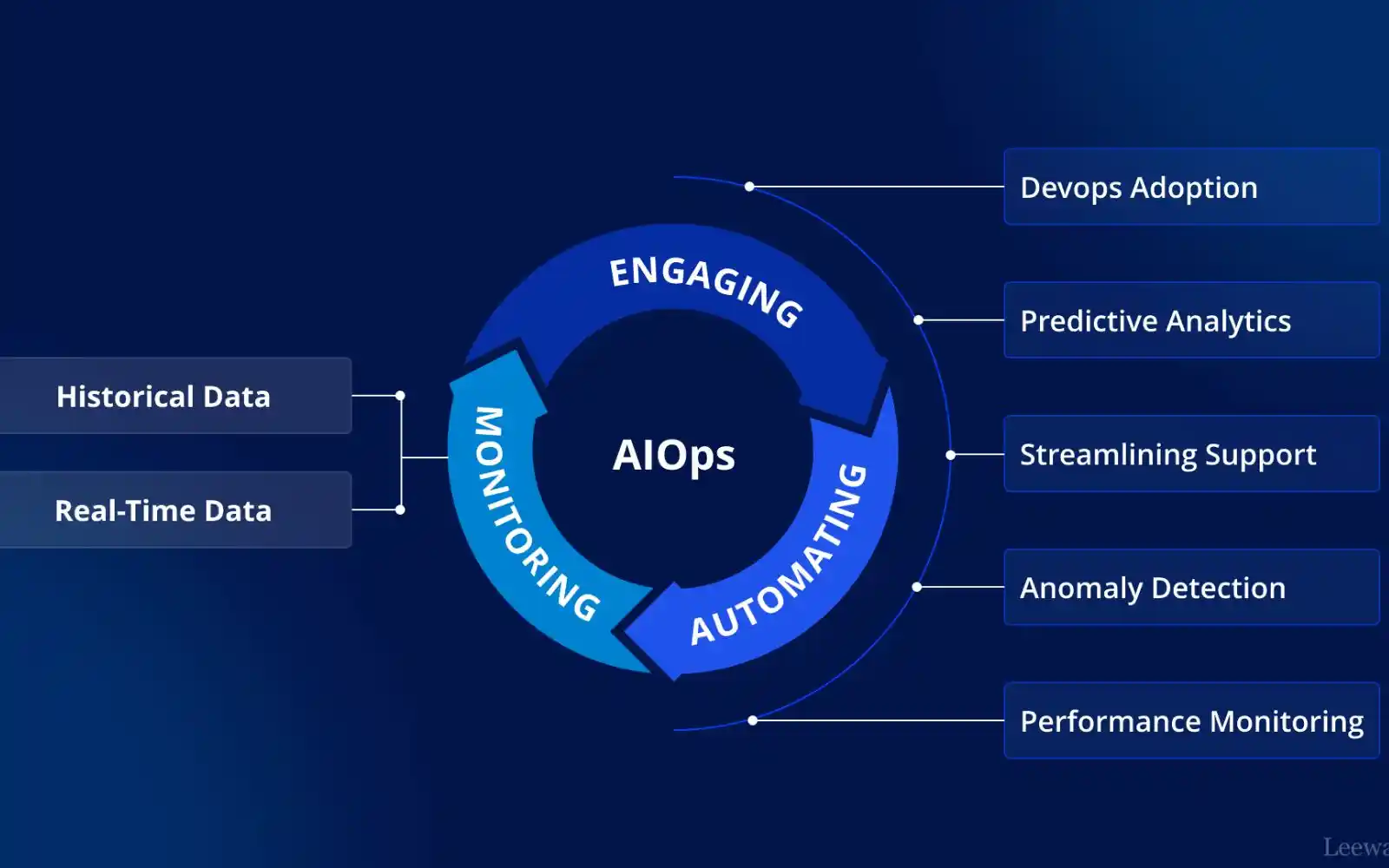
- Similarly, Artificial Intelligence for IT Operations (AIOps) frameworks combine machine learning and analytics to proactively manage IT operations, including ticket prioritization and incident detection.
2. Intelligent knowledge base suggestions
AI is turning passive knowledge repositories into active helpers.
- Through semantic/NLP-powered search, systems understand user intent, even when it is phrased conversationally, ensuring that relevant articles surface effortlessly.
- Some platforms take it a step further with AI Assist, which suggests relevant solutions, auto-summarizes tickets, and even drafts replies for agents.
These tools not only streamline resolution but also actively reduce effort, empowering both users and agents alike.
3. Predictive analytics for proactive engagement
Rather than waiting for user complaints, leading help desks now anticipate issues using predictive insights. By analyzing ticket trends and operational data, AI models can forecast spikes, whether tied to product launches, seasonal peaks, or recurring technical glitches, and highlight patterns before they grow into crises. AIOps platforms excel at aggregating data from logs, events, and past tickets to drive this predictive visibility.
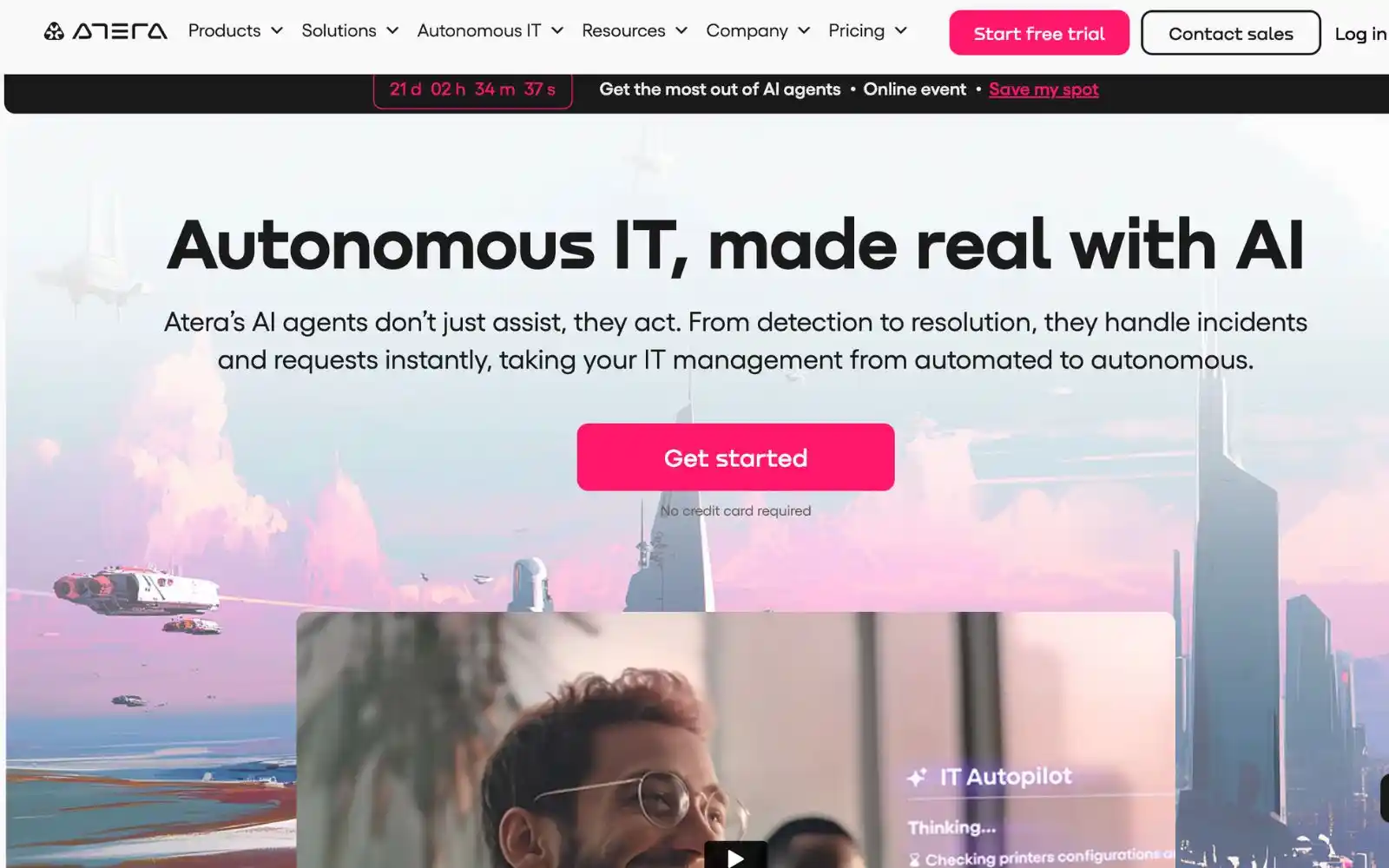
Additionally, companies like Atera Networks use AI to predict IT system failures and automate low-risk remediations, like password resets, before users even report issues.
FAQ
What is a helpdesk manager?
A helpdesk manager is a professional responsible for overseeing the daily operations of a company’s helpdesk or service desk. Or else, he acts as both a leader for the support team and a bridge between customer service operations and business objectives.
Their role involves:
Who manages a team of helpdesk workers?
Typically, a helpdesk manager directly manages a team of helpdesk workers.
Can small businesses run a help desk effectively with limited resources?
Yes, if you keep it simple. Cloud-based tools like Freshdesk or Zoho Desk are affordable and easy to set up. Moreover, you need to:
How many agents do I need for my help desk?
There’s no one-size-fits-all answer; it depends on the workload, complexity, and level of automation. Multiple models help guide decisions:
Final thought
Your help desk has the power to be more than a problem-solver; it can be a growth engine that delights customers and keeps operations running smoothly. The difference comes down to smart practices, clear metrics, and the right dose of automation.
Don’t wait for the perfect setup. Pick one area to refine today and let those quick wins spark lasting transformation in your help desk.
A helpdesk manager is a professional responsible for overseeing the daily operations of a company’s helpdesk or service desk. Or else, he acts as both a leader for the support team and a bridge between customer service operations and business objectives.
Their role involves:
Typically, a helpdesk manager directly manages a team of helpdesk workers.
Yes, if you keep it simple. Cloud-based tools like Freshdesk or Zoho Desk are affordable and easy to set up. Moreover, you need to:
There’s no one-size-fits-all answer; it depends on the workload, complexity, and level of automation. Multiple models help guide decisions: