













Salesforce’s report revealed 77% of customers expect an instant reply when they reach out to a company, and 86% of service professionals agree that customer expectations are higher than they used to be. In this context, slow, confusing, or useless first responses can frustrate them and increase churn.
This guide shows you practical ways to measure and improve first reply time without sacrificing quality. You will learn strategies that help your team meet customer expectations and increase satisfaction.
- Seventy-seven percent of customers expect an instant reply when they contact a company. With 86% of service professionals confirming expectations are higher than before, slow first replies are now a measurable churn driver rather than a minor inconvenience.
- First reply time is the gap between a customer's first message and the agent's first response. This single metric captures the moment of maximum customer anxiety and directly predicts whether the interaction will escalate or resolve smoothly.
- Reducing FRT requires both process redesign and tooling changes, not effort alone. Routing rules, canned response libraries, and AI-assisted drafting consistently outperform manual speed improvements that rely on agents working faster under pressure.
- Channel selection has a larger impact on FRT benchmarks than team size. Live chat and messaging channels carry sub-minute expectations, while email customers tolerate hours; mixing these benchmarks produces misleading aggregate performance data.
- Improving first reply time without maintaining quality creates a new problem rather than solving one. Fast replies that fail to address the customer's actual question increase total conversation length and escalation rates, negating the speed improvement entirely.
What is first reply time?
First reply time (FRT), or first response time, is a metric that measures how long it takes a service agent to respond after the customer initiates contact.
In simple terms, it’s the gap between when a customer sends their first message and when they get your first reply. FRT applies across all channels, including email, live chat, social media, and support tickets.
It’s important to note that FRT definitions can vary between platforms. Different tools use different rules for what counts as a “first response.” Some factor in business hours. Some count automated messages. Some don’t.
Review how FRT is defined and calculated within your specific reporting system to ensure accurate measurement and meaningful performance analysis.
Why is first reply time important in customer success?
First reply time plays a critical role in customer success because it shapes customers’ perceptions of your brand from the very first interaction.
Sets the First Impression:
The first response signals whether a customer feels valued or ignored. According to HubSpot’s survey, 90% of customers consider an immediate response to be important or very important when seeking support. In customer success, a fast first reply sends a clear message: “We value your time and respect your needs.”
Reduces Customer Frustration and Uncertainty:
When customers encounter issues or have questions, uncertainty can quickly turn into frustration, especially if they receive no acknowledgment. A fast, meaningful first response immediately reassures customers that their request has been received and is actively being handled.
Even before a solution is delivered, this early confirmation matters. By signaling that the issue is recognized rather than ignored, a fast first reply lowers anxiety and creates a more positive support experience overall.
Impacts Customer Satisfaction and Retention:
Salesforce reported 88% of customers say that good customer service makes them more likely to purchase again. A fast first reply demonstrates attentiveness and reliability, which helps build trust early in the interaction.
How to calculate first reply time
You can calculate FRT over any time period – hourly, daily, weekly, or monthly – as long as the same rules are applied consistently.
First reply time (FRT) formula
Basic First Reply Time Formula:
At the simplest, to measure FRT, take the time when the first agent response is sent, then subtract the time when the customer first contacted support.

Example:
If a customer submits a request (by email, chat, or message) at 9:01 AM and receives the first reply from an agent at 9:15 AM, the first reply time (FRT) is 14 minutes.
Average First Reply Time Formula:
To measure performance across many tickets, calculate the average first reply time. Average first reply time represents the typical amount of time customers wait to receive their first response across all support tickets within a given period.

To calculate AFRT, sum the first reply times for each ticket, then divide that total by the number of tickets.
Example:
If four tickets have first reply times of 5, 10, 15, and 20 minutes, the total FRT is 50 minutes. Dividing 50 minutes by 4 tickets results in an AFRT of 12 minutes and 30 seconds.
AFRT is commonly used to assess overall support responsiveness and to track performance against service level agreements (SLAs).
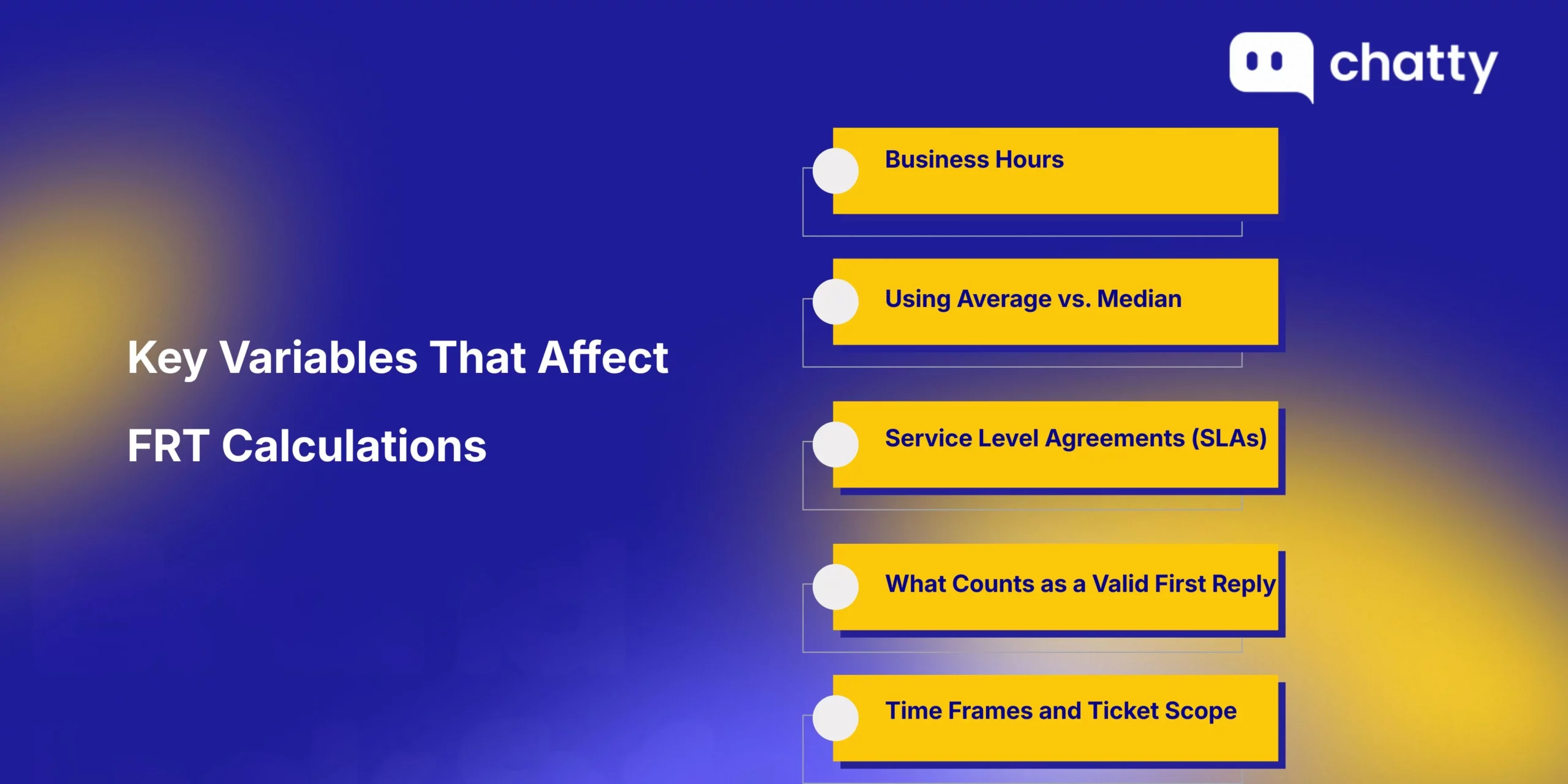
Key Variables That Affect FRT Calculations
First Reply Time is only one metric and should be considered alongside business hours, median values, and other customer service metrics to deliver an overall good customer experience.
Business hours
In reality, customers expect responses when the team is actually available and working, so calculating FRT based on business hours, clearly communicated to customers, is the more accurate method.
Example:
- Business hours: 9:00 AM–6:00 PM, Monday–Friday
- Customer inquiry sent: Friday at 5:45 PM
- First reply sent: Monday at 9:15 AM
How to calculate FRT:
- From 5:45 PM to 6:00 PM on Friday: 15 working minutes
- Weekend: Not counted
- From 9:00 AM to 9:15 AM on Monday: 15 working minutes
Therefore, the FRT is 30 minutes, not two days.
Using average vs. median
Average First Reply Time is calculated by adding up the first reply times for all tickets and dividing by the total number of tickets. Because average FRT counts every value, even a single very slow reply can inflate the average.
Median First Reply Time represents what most customers experience when they contact support because it ignores extreme values. To find the median, sort all first reply times from fastest to slowest, and select the middle value.
Example:
FRTs = [5 min, 8 min, 11 min, 13 min, 4 hours]
- Average FRT = 55 minutes and 24 seconds (The 4-hour response time heavily skews the average, so it appears customers wait much longer than most actually do.)
- Median FRT = 10 minutes (This shows what customers typically experience.)
In short, you can use the median for stable, customer-focused reporting and SLA tracking, and use the average to understand the impact of outliers, high-volume periods, and workload spikes on your support operations.
Service Level Agreements (SLAs)
SLAs define the expected first reply time based on factors such as support channel, ticket priority, business hours, and customer type. This ensures FRT is measured under agreed and realistic service conditions.
Instead of measuring speed alone, SLAs establish the rules and context that make FRT meaningful and actionable.
What counts as a valid first reply
To measure first reply time accurately, clearly define what qualifies as a reply for your team.
What is normally considered a valid first reply is:
- A public, customer-visible response sent by a support agent
- A meaningful, human-written reply that addresses the customer’s inquiry or concern
- A message that acknowledges the issue and moves the conversation forward
Automated responses, including chatbots and virtual assistants, system-generated acknowledgments, such as “We’ve received your request” or “Your ticket has been created,” typically do not qualify as a first reply for FRT measurement purposes, unless your organization explicitly includes these in its reporting rules.
Excluding automated messages and counting only human or meaningful replies, where an agent acknowledges the issue or provides context, is more common. It more accurately reflects true team responsiveness.
Time frames and ticket scope
First Reply Time can be measured in different ways, depending on what you want to measure.
In many cases, your team can measure FRT using only resolved tickets to evaluate how well agents handle requests from start to finish. Other times, you can include all incoming requests, even those that are still open or pending, to see how quickly the team is responding right now and the current workload.
What is a good first reply time for your team?
First response time varies by channel and context. Here are the reply time expectations and benchmarks. This helps you set your response goals more effectively.
Good first reply time based on customer expectations
What are customers’ first reply time expectations?
The following are based on research and surveys that reveal how quickly customers expect support teams to respond:
- 82% of customers expect customer service agents to resolve their issues immediately. (Source: HubSpot)
Customer expectations change depending on the channel and situation:
- Live chat: 66% of people want a reply from support within 5 minutes. (Source: HubSpot)
- Social media: Nearly 75% of consumers expect a response within 24 hours or less. (Source: Sprout Social)
- Email: Responding within one hour satisfies the expectations of 88% of customers. (Source: Toister Performance Solutions)
Table: Good first reply time by support channel
| Channel | Best FRT | Good FRT | Tolerance Threshold |
|---|---|---|---|
| Live chat | 40 seconds or less | 1 minute or less | 5 minutes |
| Social Media | 1 hour or less | 2 hours or less | 24 hours |
| 1 hour or less | 4 hours or less | 24 hours |
(Reference: Chatty, Sprout Social, HubSpot, Toister Performance Solutions, Call Centre Helper, McKinsey & Company)
Do note that first reply time expectations also vary by industry, business model, support coverage, and ticket volume. For instance:
- For B2C and e-commerce, urgency is high, and tolerance is rather low. Then, customers often expect quick responses, particularly on social channels. B2B SaaS typically handles complex issues, making customers more forgiving of longer reply times.
- In many cases, SMB customers can accept longer response times. Enterprise customers usually require faster replies supported by formal SLAs.
What makes a good first reply?
First reply time is only one component of service quality, alongside reliability, clarity, and problem resolution. A “super fast but useless” reply often creates more frustration than waiting a few extra minutes for a thoughtful, accurate response.
In practice, a good first response does not need to solve the entire problem. Often, it only needs to do these things:
- Acknowledge clearly that the request has been received
- Ask for the relevant information, not a generic response
- Provide transparent next steps or expectations so customers know what will happen next
After a certain point, reducing response time further adds little to customer satisfaction, while operational costs increase sharply due to higher staffing levels, 24/7 coverage, and overly aggressive SLAs. The goal is not to endlessly minimize response time, but to meet or slightly exceed customer expectations in a sustainable way.
Expectations are what matter most. Customers who wait longer than expected tend to become slightly less satisfied, while customers who are served faster than expected experience a significant increase in satisfaction.
When FRT is aligned with customer expectations and operational reality, satisfaction increases without sacrificing team well-being or service outcomes.
How to monitor and report first reply time
Tracking FRT does not require complex setup or custom calculations. Most customer support platforms automatically calculate FRT using ticket timestamps, exclude auto-acknowledgments, and apply business hours and SLA rules.
FRT is typically available across multiple reporting layers, depending on how teams monitor performance:
- Real-time dashboards show live FRT averages by agent, team, or channel.
- Weekly or monthly reports highlight trends, SLA compliance, and performance against targets.
- Custom exports allow deeper analysis by priority, issue complexity, or customer tier.
How to improve first reply time for boosting customer satisfaction
Let’s explore practical ways to improve FRT and adjust your processes, tools, and workflows to meet customer expectations across channels. The goal isn’t to reply instantly at all costs, but to respond more quickly, clearly, and consistently so customers feel acknowledged and confident their issue is being handled.

1. Start by measuring the first reply time correctly
Before improving first reply time, ensure your team consistently and accurately measures it. Customer support platforms typically measure FRT automatically as part of their standard analytics, making it easy for teams to monitor and report on responsiveness over time.
2. Track your current first reply time
You need a clear picture of where response delays occur. Review FRT by hour of day and day of week to quickly reveal when response times slow down.
The key is to observe and understand existing patterns before optimizing. When teams understand why delays occur, improvements become targeted and effective.
3. Set your FRT improvement goals
Aims for realistic, data-driven goals.
- Use your existing FRT data: When establishing initial targets, look to industry benchmarks for inspiration, such as keeping average social media response times below 2 hours. Still, if your current social FRT is 4 hours, an initial goal of within 3 hours is more realistic. The main idea is to measure progress against your own baseline and set goals that match your ticket volume, issue complexity, and support coverage.
- Separate short-term and long-term goals: Set achievable short-term goals (e.g., reducing peak-hour delays for the Facebook channel) and define longer-term targets that may require changes in staffing, training, or tools.
- Align goals with expectations and capacity: Your FRT targets should match customer expectations by channel and priority. Additionally, involve team leads and agents when setting goals so capacity, workload, and morale are considered alongside customer needs.
- Track progress with the right metrics: In many cases, use median FRT instead of averages to better reflect the typical customer experience. Use this along with the percentage of tickets meeting SLA to ensure improvements are consistent and meaningful.
4. Upgrade the first reply
Establish a clear standard so that every agent knows what a “good” first response looks like for your team.
- One thing is that every first reply should confirm that the issue is understood and explain what will happen next. Let customers know whether the case needs investigation, escalation, or additional information.
- Messages like “We are looking into this” without context do not help. They increase workload by prompting customers to ask again. Encourage agents to include a brief summary of the issue and a clear next step, even when a full solution is not yet available.
Customers do not simply want faster replies – they want to feel acknowledged. Psychologically, the first reply serves as confirmation that the customer is being heard. This helps them feel less worried, prevents additional follow-up questions or issues, and gives the support team time to resolve the issue properly.
5. Train agents to respond fast with accurate and consistent answers
Train agents to be efficient, confident problem-solvers to prevent poor service outcomes. Make sure support teams deeply understand the product, company policies, and service standards, so they can address customer questions faster and make better judgment calls.
In addition, coach agents on prioritization and triage. They should know how to identify urgent, high-impact tickets at a glance and route or escalate them without delay.
6. Build a knowledge base
A strong knowledge base gives support agents instant access to the information they need, from product details to policies and procedures. When information is centralized in an easy-to-use internal system, agents spend less time searching for answers and more time fixing customer issues.
Similarly, with 61% of customers preferring self-service for simple issues, tools such as knowledge-based help centers and customer portals play an important role in customer support. When customers can self-serve through external knowledge bases, many questions are resolved without ever becoming support tickets. Fewer incoming requests allow agents to focus on more complex cases and respond more quickly when human support is needed.
A well-designed knowledge base should be searchable, easy to navigate, and cover common topics such as products, shipping, returns, and account changes.
Ultimately, by reducing ticket volume and improving agent efficiency, a comprehensive knowledge base directly contributes to faster first responses and better overall service.
7. Use macros and saved replies
Although agents already know how to resolve an issue, composing a clear and helpful response still takes time. Macros and saved replies help teams respond faster by removing repetitive typing while keeping answers consistent.
Create templates for your most common topics, such as shipping questions, returns, refunds, or order changes. Write them in a natural, conversational tone and leave room for agents to adapt the message when needed. Each template should include personalization fields, like the customer’s name, order number, or product details, so replies feel relevant and human.
8. Improve routing and prioritization with clear rules
- Auto tag tickets by intent and urgency: Use simple rules to tag tickets based on keywords, order status, or issue type. Clear tagging reduces manual sorting and prevents tickets from sitting unassigned.
- Route by skill set and language proficiency: Send tickets directly to agents with the right product knowledge or language skills to shorten response time and improve accuracy in the first reply.
- Create priority lanes for time-sensitive issues: Define fast lanes for issues like payment failures or VIP customers. Priority queues ensure critical tickets are answered quickly without overwhelming the rest of the team.
9. Provide omnichannel support
Omnichannel support creates a consistent, low-friction customer experience across every touchpoint. Unified customer data and intelligent routing reduce handoffs, repetitive questions, and handling time.
- Unify conversations so customers don’t have to repeat themselves when moving between channels like email, chat, or social. A shared conversation history provides agents with immediate context, enabling faster, more accurate first replies.
- Move conversations to the most appropriate channel when needed. For example, a complex issue can be moved from chat to email or to a phone call. Guide customers with clear calls to action and give them control over how and where the conversation continues.
- Set clear, channel-specific response expectations. Customers expect near-instant replies on live chat, but allow more time for email. Align staffing models and SLAs with these realities instead of applying a single response target across every channel.
10. Use AI in a smart and safe way
AI can help teams improve first reply time when it supports agents. Automated messages should never count toward FRT, but AI can still reduce delays by handling the work around the reply.
Use AI to route incoming tickets by intent, urgency, and language so conversations reach the right agent faster.
AI can also draft reply suggestions, allowing agents to respond quickly while retaining full control through human review and approval. When conversations are lengthy, AI-generated summaries help agents understand context instantly.
To protect response quality, build safeguards into every AI workflow. Require human review for customer-facing messages, limit AI to approved knowledge sources, and regularly monitor accuracy.
11. Reduce ticket volume with proactive support
One of the fastest ways to improve FRT is to prevent unnecessary tickets from reaching your inbox in the first place. With fewer repetitive tickets in the queue, agents can deliver faster first replies, higher-quality responses, and a calmer, more positive support operation.
- Send clear, automatic notifications for shipping updates, delivery confirmations, and order changes. When customers are kept informed, they are less likely to contact support to request updates, and ticket volume drops immediately.
- Additionally, provide self-service tools such as order tracking, returns, and refund portals to help customers resolve routine requests on their own.
12. Protect speed and quality
When agents are overloaded, burnout rises – and with it, slower replies, higher error rates, and inconsistent customer experiences. Speed gains that come at the expense of people are rarely stable.
Faster responses generally increase customer satisfaction, but only up to the point where expectations are met. Customers are more dissatisfied with a super-fast but useless reply than with a slightly slower response that solves the problem. What matters most is acknowledgment, clarity, and a next step.
How to balance response speed and quality:
- Operationally, reduce unnecessary context switching. Use clear queues by channel, priority, and issue type to keep agents focused.
- Align schedules with real ticket-volume patterns and reserve focus time for complex or high-risk tickets that require careful handling.
- Set targets by channel and priority, not one universal SLA. Then validate those targets against workload reality: staffing levels, ticket complexity, and business hours. Track performance using percent of tickets meeting SLA, alongside median FRT, to ensure consistency without rewarding rushed behavior.
First reply time works best when evaluated in context, as one piece of a larger service system designed for reliability, resolution, and sustainability.
13. Review first reply time regularly
Regular monitoring ensures your team maintains fast, quality, reliable responses.
- Review FRT frequently, like weekly, breaking it down by channel, priority, and ticket type. This makes it easier to spot trends, identify slow points, and improve.
- Tackle one bottleneck at a time. Implement a single change or experiment over a certain period, then measure its impact before introducing the next adjustment.
- Keep in mind to evaluate FRT alongside other key metrics, such as CSAT, average handle time, recontact rate, and escalation rate. Fast replies are valuable, but only if they meet customer needs and resolve issues efficiently.
Common first reply time mistakes
Understanding pitfalls when tracking FRT is also necessary for building an effective customer support strategy.
Focusing only on speed
Speed is important, but focusing on responding too quickly is likely to produce a shallow, unhelpful response. This increases follow-ups, recontacts, and escalations, ultimately lowering customer satisfaction.
Don’t only prioritize rapid replies at all costs. FRT should align with customer expectations, balancing responsiveness with meaningful, problem-solving communication.
Setting unrealistic SLAs
Blindly copying industry benchmarks or competitor targets without accounting for team size, ticket volume, and coverage creates undue pressure. Overly aggressive FRT goals often lead to agent fatigue and inconsistent service quality.
Ignoring customer expectations
For example, a 4-hour email response may be acceptable, while the same delay on live chat feels unacceptably slow. Teams that fail to align FRT targets with context-specific expectations risk frustrating customers.
First reply time vs other customer support metrics
First reply time vs average response time
FRT measures the time from a customer’s initial message to your team’s first response, whereas Average response time tracks the time between a customer message and any reply across the entire ticket lifecycle.
While FRT focuses only on the first interaction and reflects the speed of acknowledgment, ART gives insight into overall responsiveness throughout an ongoing conversation.
First reply time vs next reply time
Next reply time measures the time between the oldest unanswered customer message and the next agent response. This metric helps teams monitor ongoing engagement and responsiveness on active tickets, highlighting delays in follow-ups.
First reply time vs resolution time
Resolution time tracks the total time a customer spends interacting with customer support before their issue is fully resolved. This includes FRT and all subsequent responses, reflecting end-to-end efficiency and service effectiveness. Resolution time shows how long it takes to resolve their problem completely.
Conclusion
Improving first reply time is about more than speed. It’s about giving timely, thoughtful answers that meet customer expectations, without burning out your team. By accurately measuring and monitoring FRT, you can reduce delays and boost overall customer satisfaction.