











The biggest issue with most businesses' data is that it is all over the place. Critical responses have been buried in archaic PDFs, lost in the sands of Google Docs, or hidden in the support manager's head. In cases when your AI cannot find the truth anywhere, it will not give answers to even simple questions, and automation will become a liability.
The answer to this is to keep a chatbot knowledge base in a proper state and place all your rules in a single library to which your AI can call at any time. This article specifically dissects how to build that knowledge to make the chatbot a reliable, consistent support resource.
- Scattered data is the silent killer of chatbot reliability and trust. When critical answers are buried in PDFs or someone's memory, AI fails even the simplest customer questions.
- A knowledge base is not just a FAQ list — it handles real complexity. Unlike static FAQs, a proper knowledge base supports conditional logic, step-by-step workflows, and exception handling for nuanced queries.
- 51% of customers already prefer bots when they need immediate answers. Zendesk data confirms that speed is now a baseline expectation, making a well-stocked knowledge base a competitive necessity.
- Repeat tickets disappear when customers can resolve issues themselves instantly. A knowledge base converts repetitive contacts into self-serve resolutions, freeing agents to handle edge cases that require human judgment.
- The quality of your chatbot's answers is only as good as your content. Modern LLMs generate context-aware responses on the spot, but accuracy depends entirely on how complete and well-organized your knowledge base is.
What is a chatbot with a knowledge base?
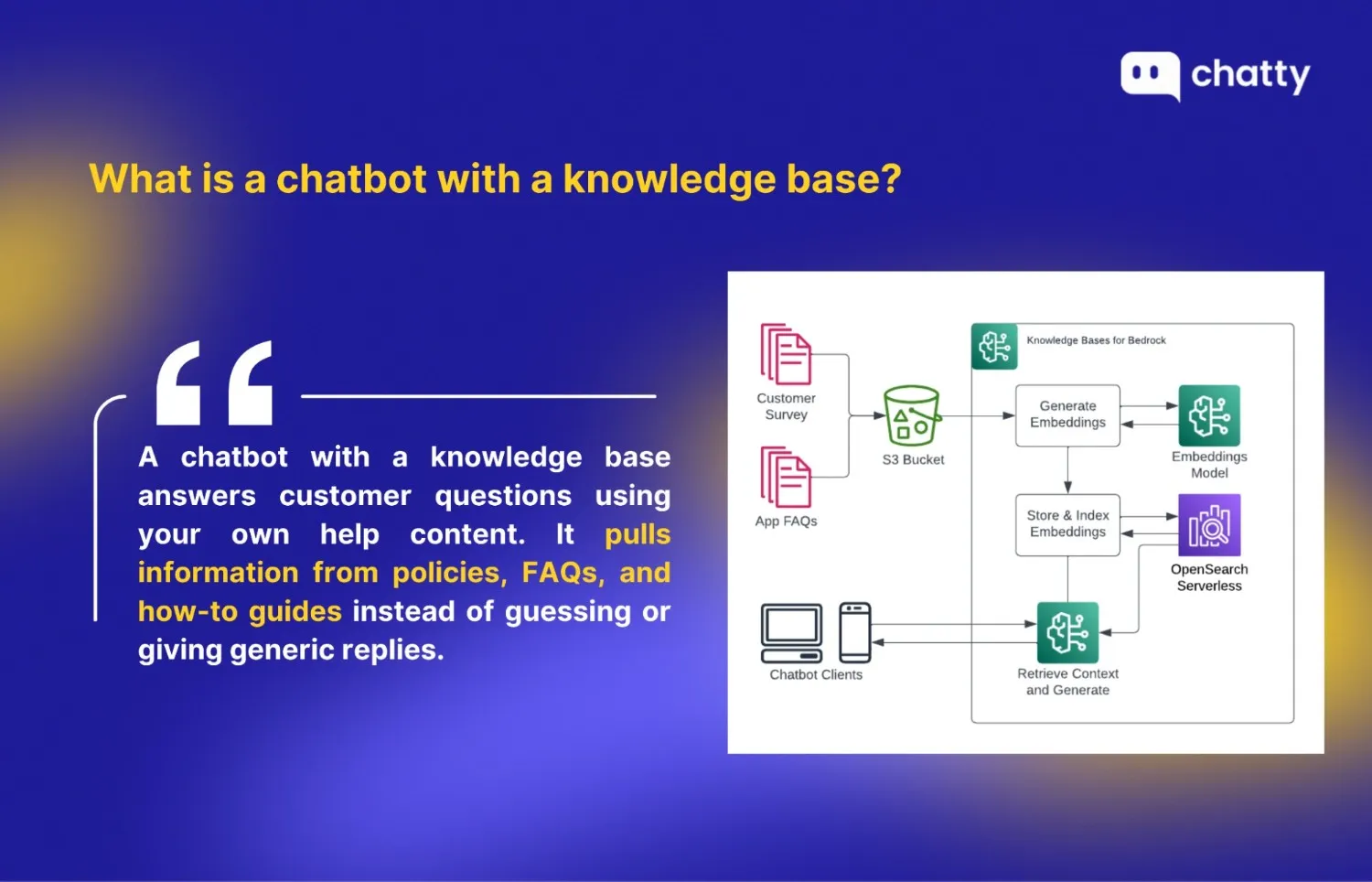
A chatbot with a knowledge base is an AI assistant that answers questions by pulling information from a structured library of company content, rather than relying solely on pre-written replies or generic AI responses.
The chatbot acts as the front-end channel: it reads the user's question, understands the context, and uses that content to build a clear, context-aware response on the spot. With modern LLMs, the quality of what the chatbot says depends heavily on how complete, accurate, and well-organized the knowledge base content is.
A strong knowledge base for chatbot use typically includes:
- Company policies (refund, privacy, cancellation, terms)
- How-to guides (setup, usage, configuration, best practices)
- Frequently asked questions (FAQ) with clear, concise answers
- Troubleshooting steps and known error solutions
- Shipping, delivery, and return procedures
- Accepted payment methods and restrictions
- Size, fit, and compatibility guides (for products)
- Product specifications, features, and limitations
Compared to a simple FAQ list, a knowledge base is more detailed and flexible. FAQs are usually short, one-condition answers meant for quick lookup. A knowledge base, by contrast, can include conditional logic, step-by-step workflows, exceptions, and links to related documents or policies. This lets the chatbot handle more complex questions and give more tailored, accurate answers instead of a one-size-fits-all reply.
Benefits of a chatbot with a knowledge base
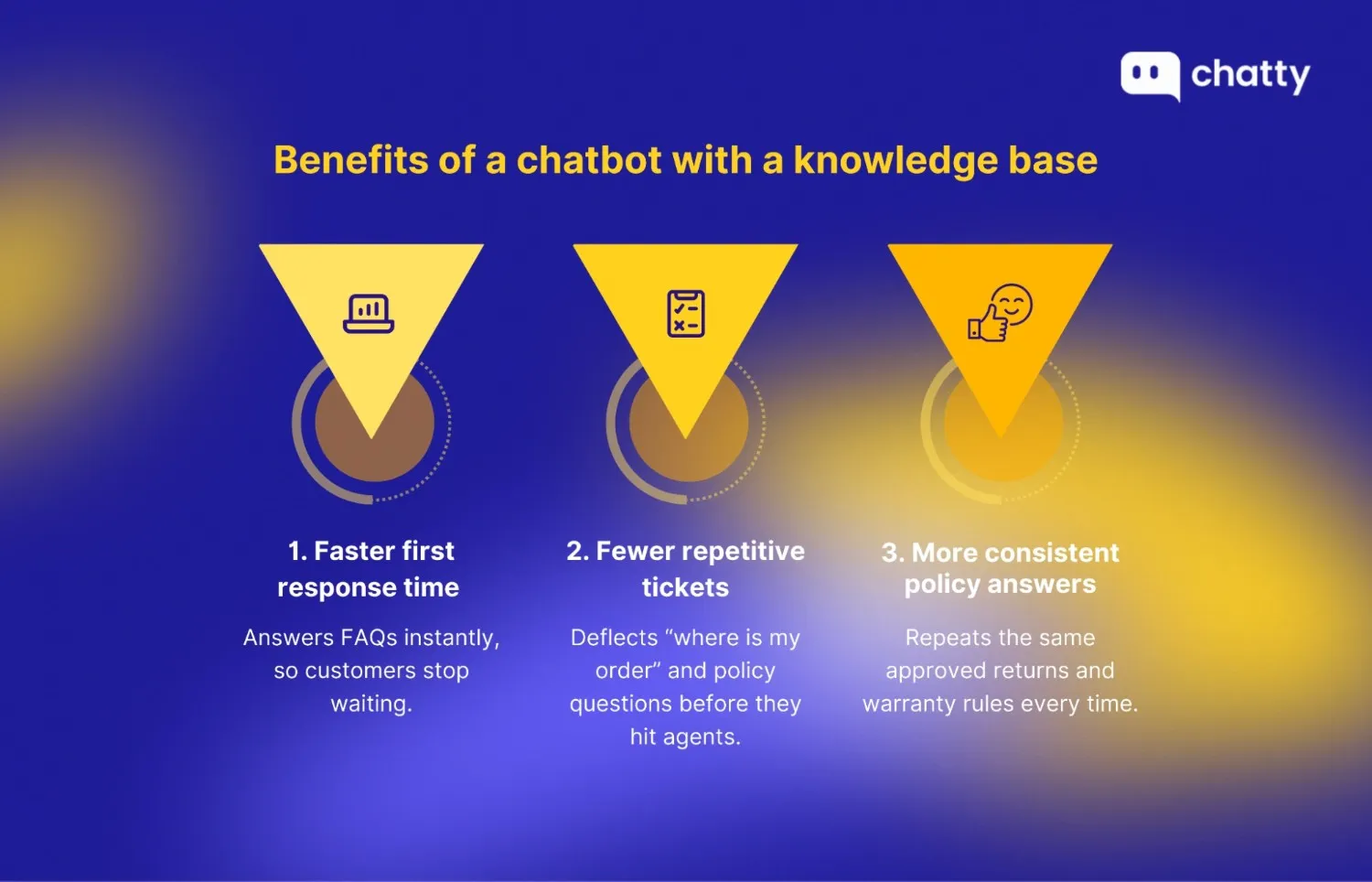
Faster answers and shorter first response time (FRT)
Speed is now a baseline expectation. Zendesk reports that 51% of customers prefer interacting with bots when they want immediate service, mainly because bots can respond right away.
When your bot can instantly answer common questions like "Where is my order?", return windows, or tracking steps from your knowledge base, customers get an answer without waiting for an agent. The practical result is lower FRT and fewer "just checking" follow-ups that inflate your queue.
Fewer repetitive tickets and less agent workload
A knowledge base turns repeat contacts into self-serve resolutions. That frees agents to focus on edge cases where judgment matters, like exceptions, fraud risk, or complex troubleshooting. McKinsey estimates that applying generative AI to customer care could deliver 30% to 45% in productivity gains, largely by automating and assisting with routine work.
This is also where improving customer journeys with AI-powered chatbots becomes practical, because it ties instant answers to fewer handoffs throughout the support flow, not just to faster replies.
More consistent policy answers
Consistency is a trust problem. Zendesk notes that 68% of consumers believe chatbots should match the expertise and quality of highly skilled agents, so wrong or drifting policy answers can backfire fast.
A single source of truth knowledge base reduces "agent A said X, agent B said Y," and helps the bot repeat the same approved returns, refunds, and warranty logic every time. That raises resolution accuracy and typically reduces escalations caused by conflicting answers.
How to build a chatbot knowledge base (step by step)
Step 1: Choose a chatbot knowledge base
Start with a platform that centralizes conversations and learns from the right sources, not one that just sounds smart.
What to decide before you pick:
- Can it pull messages into one inbox across channels, so humans see full context before replying?
- Can it train the AI from your real data sources, instead of guessing?
- Does it support a clean transfer from bot to human when needed?
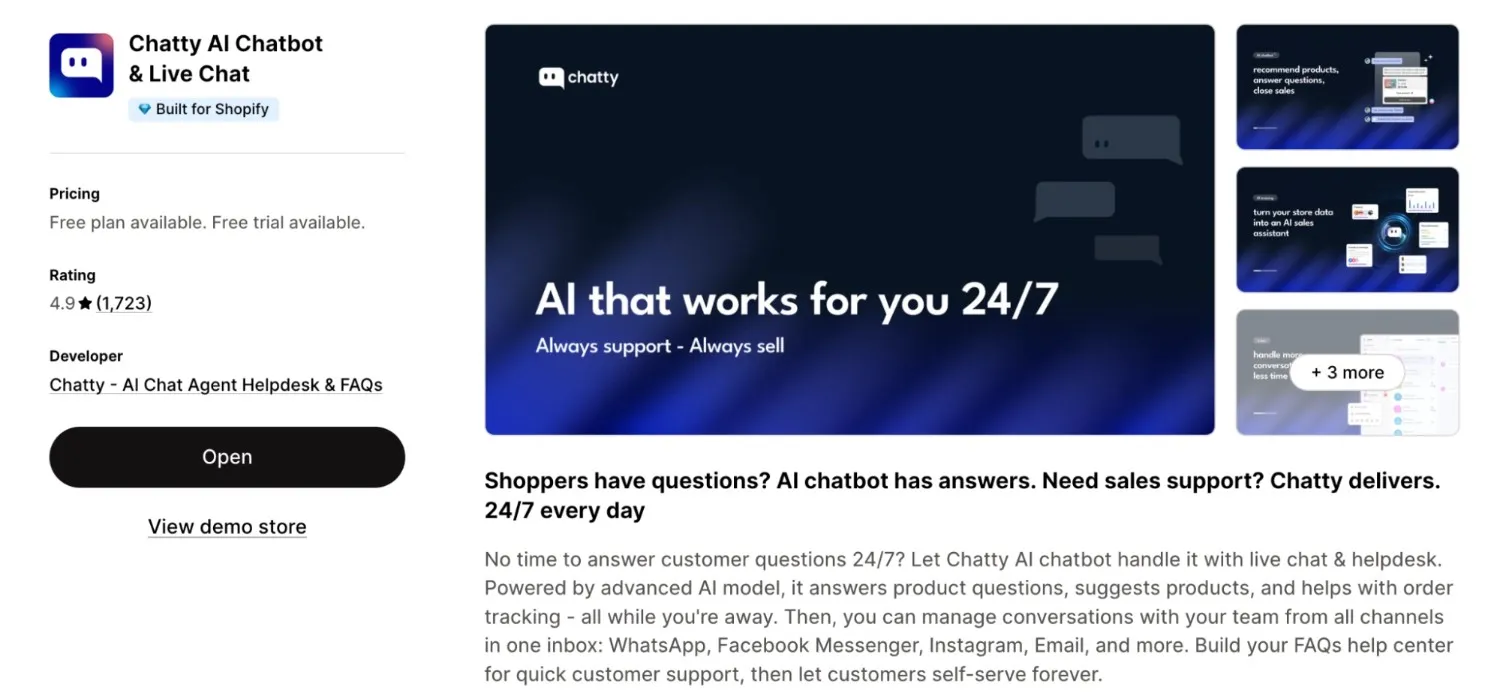
If you run on Shopify, Chatty is a strong pick. That's because it streamlines live chat and an AI assistant in one place, then lets you train that AI on your product and policy knowledge so answers stay consistent during peak load. The following steps will be deployed using this app.
Step 2: Plan what your bot should answer first
If you try to cover everything, you will publish lots of content that nobody asks for. Start with 10-15 high-volume questions, then expand after the bot proves it can answer reliably.
A simple workflow that stays maintainable:
- List your top questions from tickets, DMs, and live chat transcripts. Focus on topics like shipping ETA, order tracking, return window, refund timing, and discount rules.
- Group them into 4-6 categories so updates do not scatter. Chatty's own training structure maps well to categories like shipping, returns, product info, store info, and special scenarios such as promo rules or holiday deadlines.
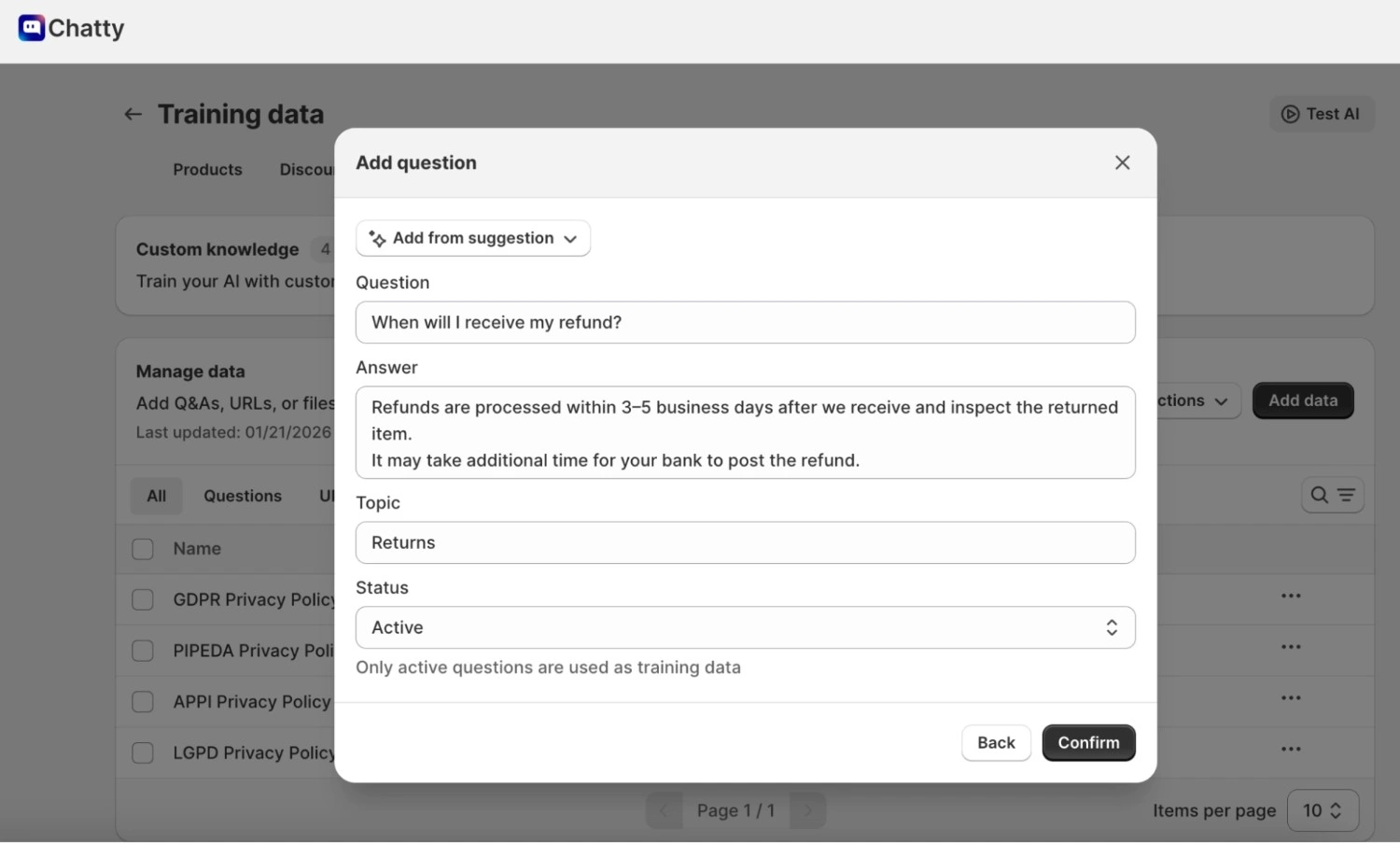
- Assign one owner per category. One person updates Returns, one person updates Shipping. This prevents silent policy drift.
Step 3: Add reliable knowledge sources (so the bot doesn't guess)
LLM-style chatbots can produce fluent answers even when the source content is missing or conflicting. Your job is to clean the source content, then feed it in.
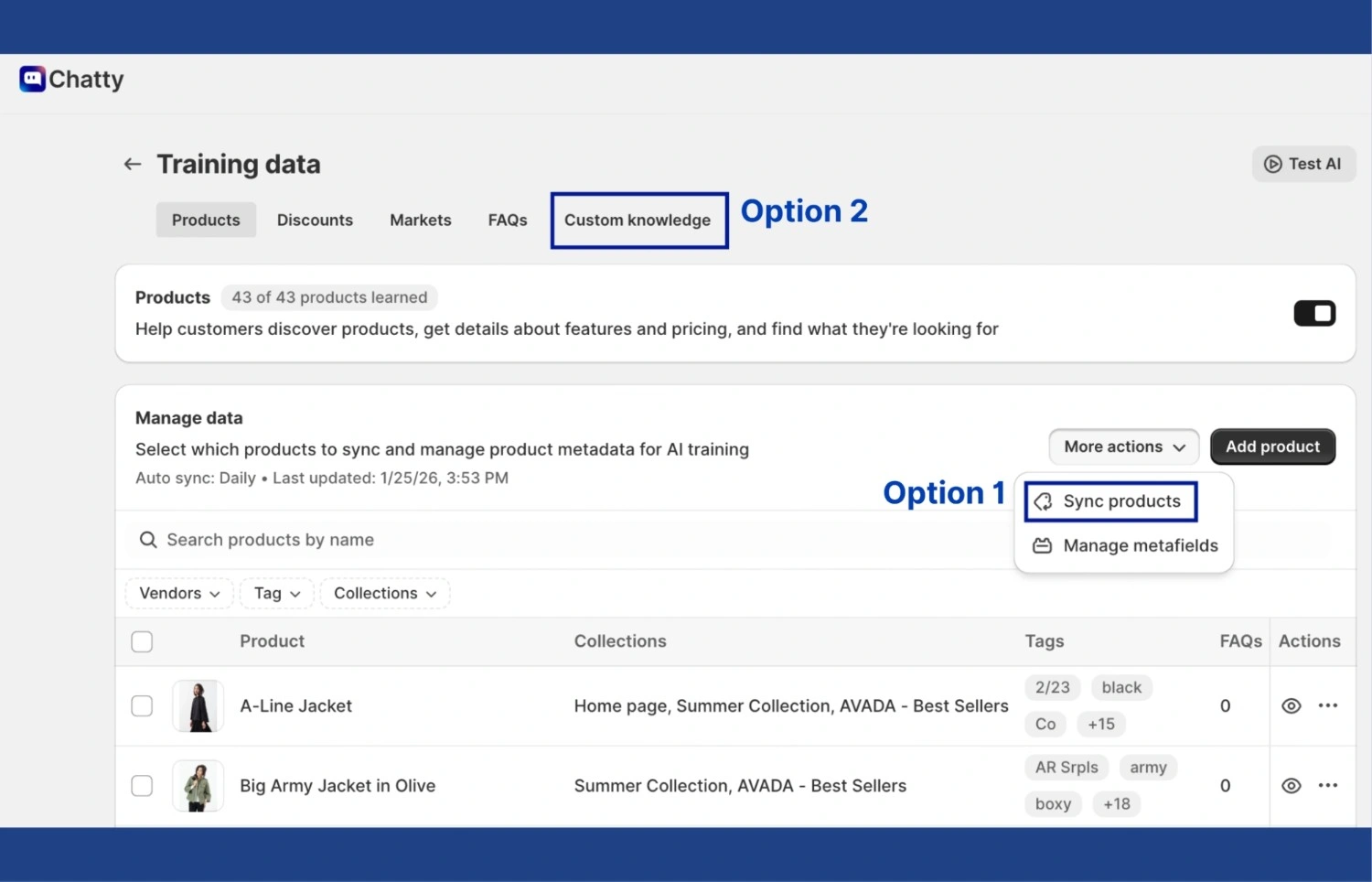
In Chatty, you generally build training data in 2 layers:
- Auto-synced store data such as products and FAQs. This connection not only answers stock questions but also enables the bot to suggest items via AI-powered product recommendations, turning support chats into sales opportunities.
- Custom data trained that you add yourself: single questions, URLs, and files.
Practical rules that prevent wrong answers:
- Write "condition first" policy entries. Example: "Refund timing depends on payment method" before listing timelines.
- Add special scenarios on purpose. Promo rules, shipping cutoffs, location location-specific restrictions are the cases that trigger escalations when the bot guesses.
- Use files carefully. Chatty supports adding files like JSON, TXT, PDF, CSV, with a 2MB limit per file, and it notes that images and PDFs with tables are not supported yet. So convert table-heavy PDFs into clean text before uploading.
Step 4: Set tone rules, so answers sound consistent
Tone breaks trust faster than most teams expect. Set your tone rules once, then keep them stable.
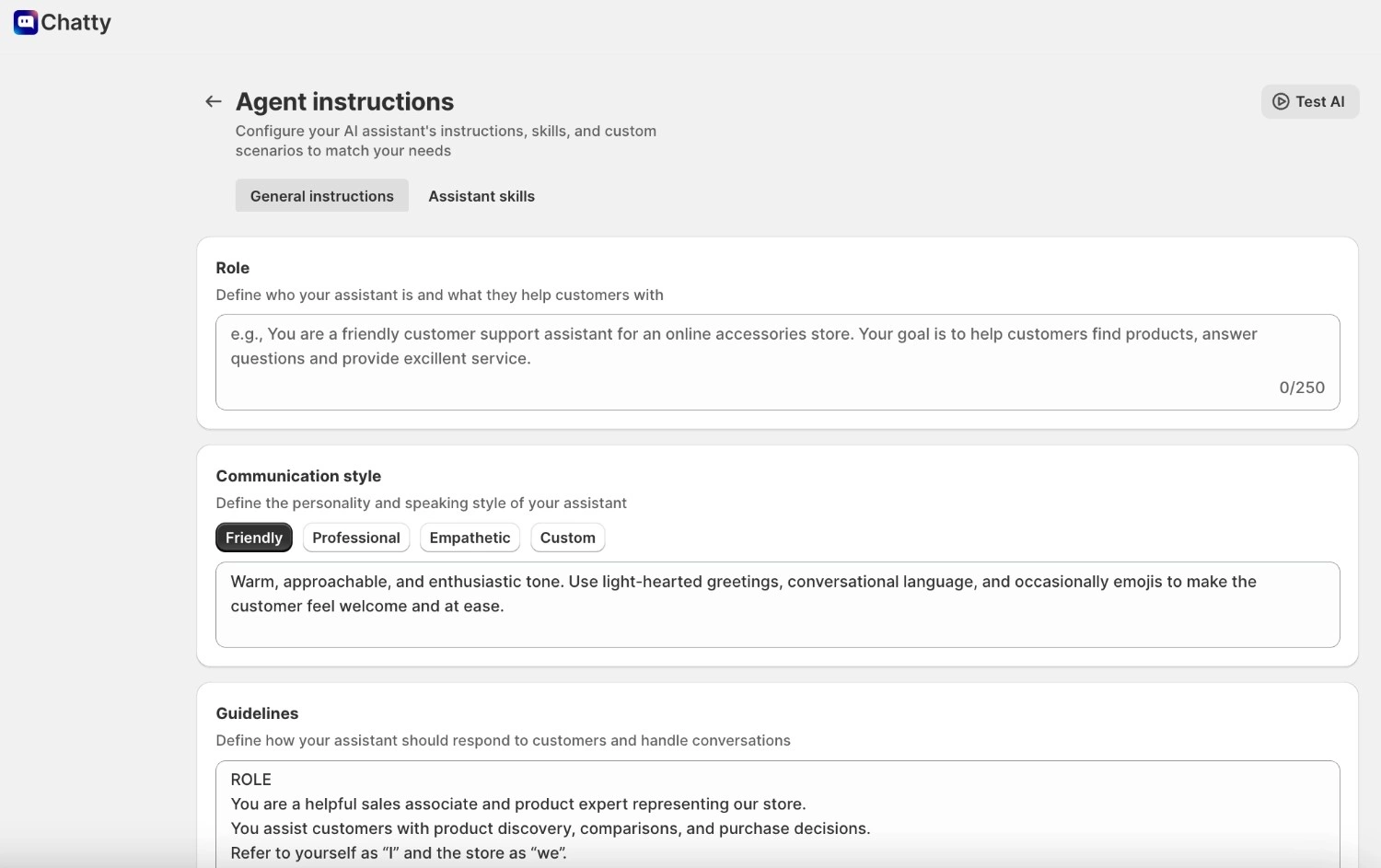
In the Chatty AI assistant's instructions, it explicitly calls out adding custom instructions for tone, voice, and answer length before you test. When you write tone instructions, follow 3 rules from the help guidance: be specific, structure instructions clearly, and define boundaries for what the AI should not do.
A tight tone pack usually includes:
- How long should an answer be for common questions
- Whether the bot should ask a clarifying question or offer steps first
- What the bot must never promise, for example, delivery dates it cannot verify
Step 5: Set channels and handoff rules (where the bot replies, where humans take over)
Your knowledge base is only "real" when it works across channels without resets.
Chatty's Inbox is designed as a central hub to manage conversations across live chat, email, and connected channels, with filters and search so agents can pull context fast.
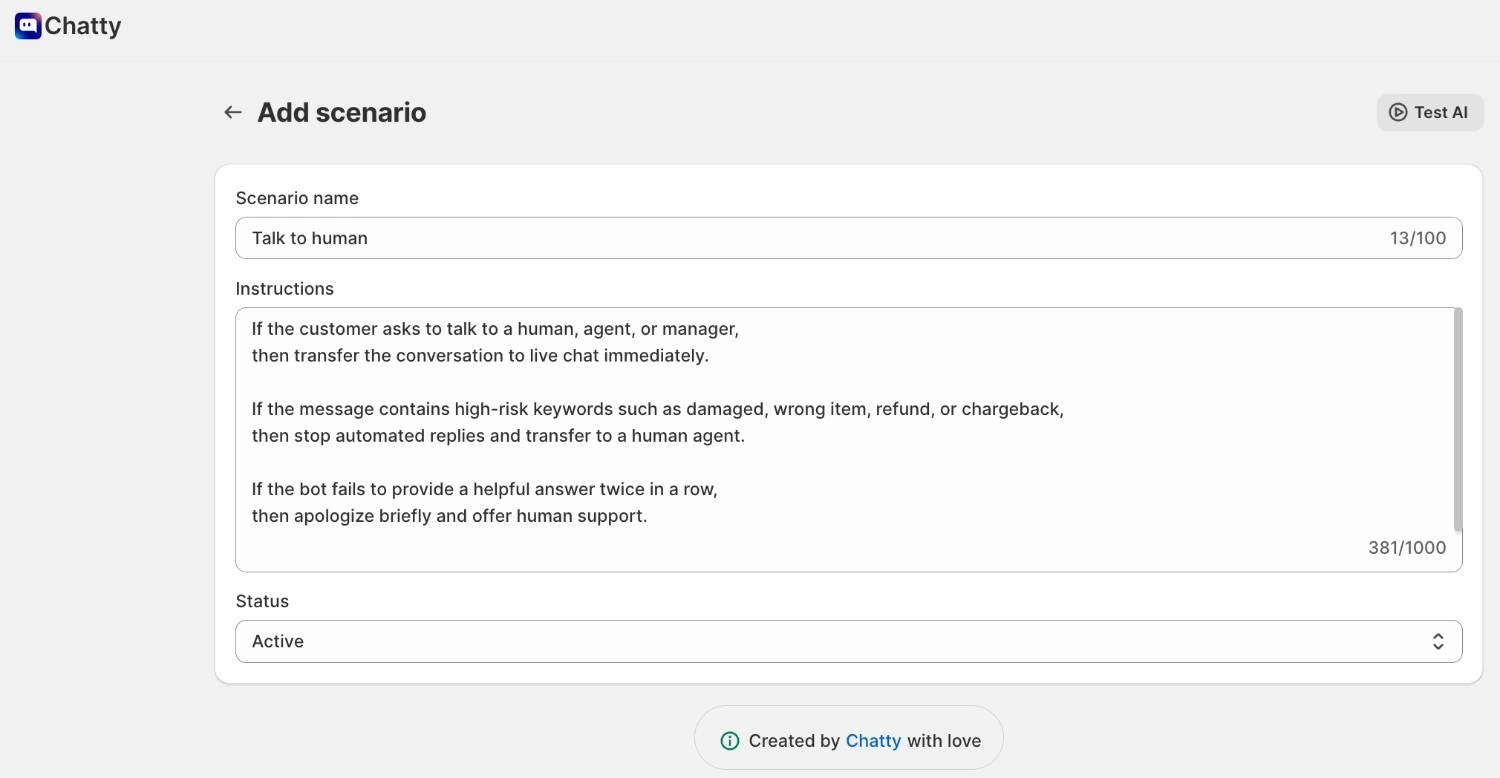
For bot-to-human handoff, Chatty supports a default transfer scenario triggered by phrases like "talk to human," frustration, or requests for a manager, then routes the conversation based on your transfer behavior settings.
Set two handoff rules that prevent escalation of chaos:
- Always transfer on high-risk keywords like damaged, wrong item, refund, and chargeback.
- Transfer after two failed attempts. If the bot cannot answer twice, it should stop looping and offer human support.
Step 6: Test and improve using real questions
Do not test with "perfect" questions. Test with messy customer wording.
Chatty's AI test zone is built for this: it lets you simulate customer interactions before going live, review answers, and even see what data sources the AI used.
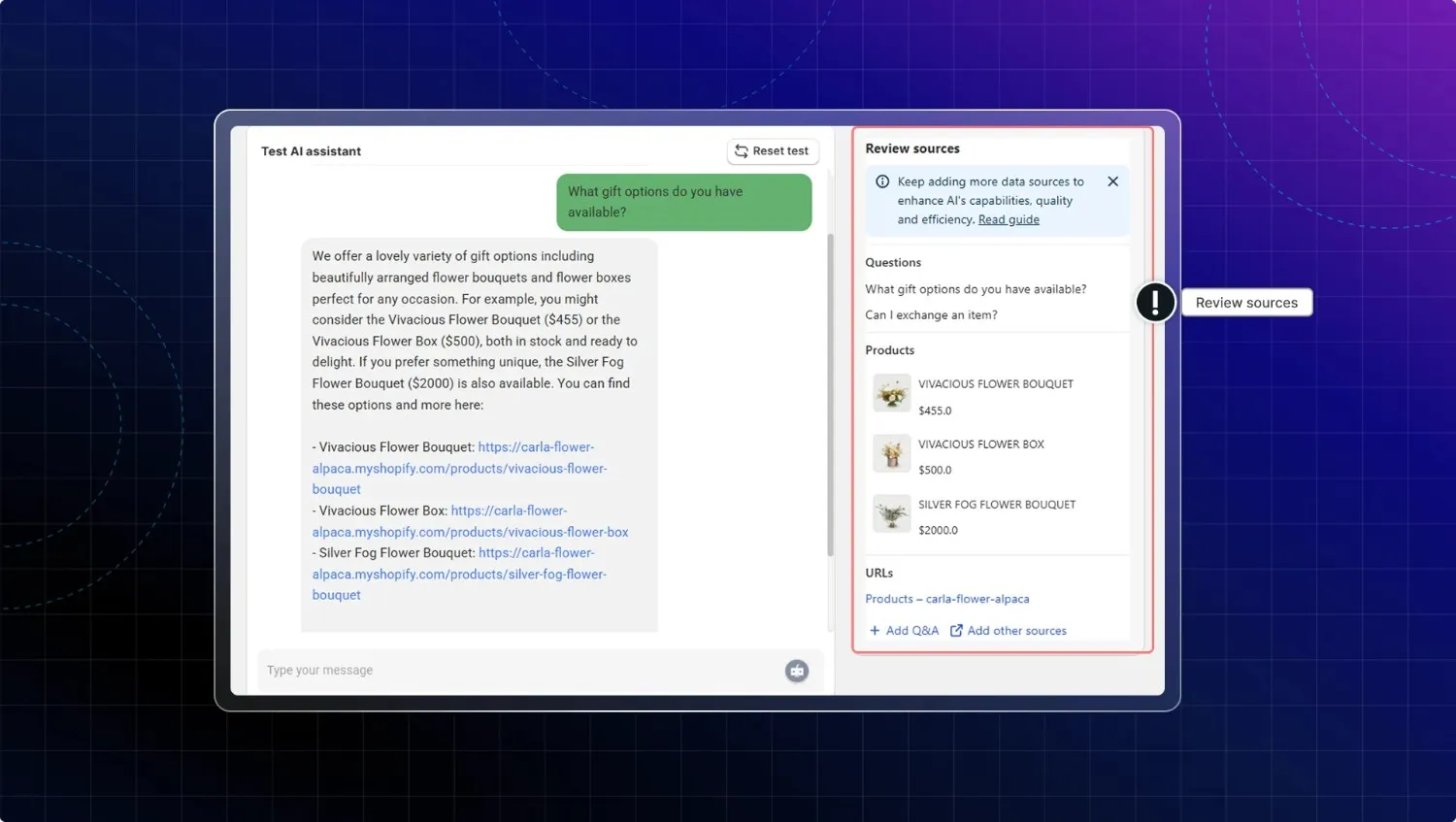
Run this quick loop:
- Pull 15-20 real customer questions.
- Ask the bot each question in 2 phrasings.
- Check 3 things: matches policy, includes key conditions, avoids overpromising.
- Fix the source content, then retest.
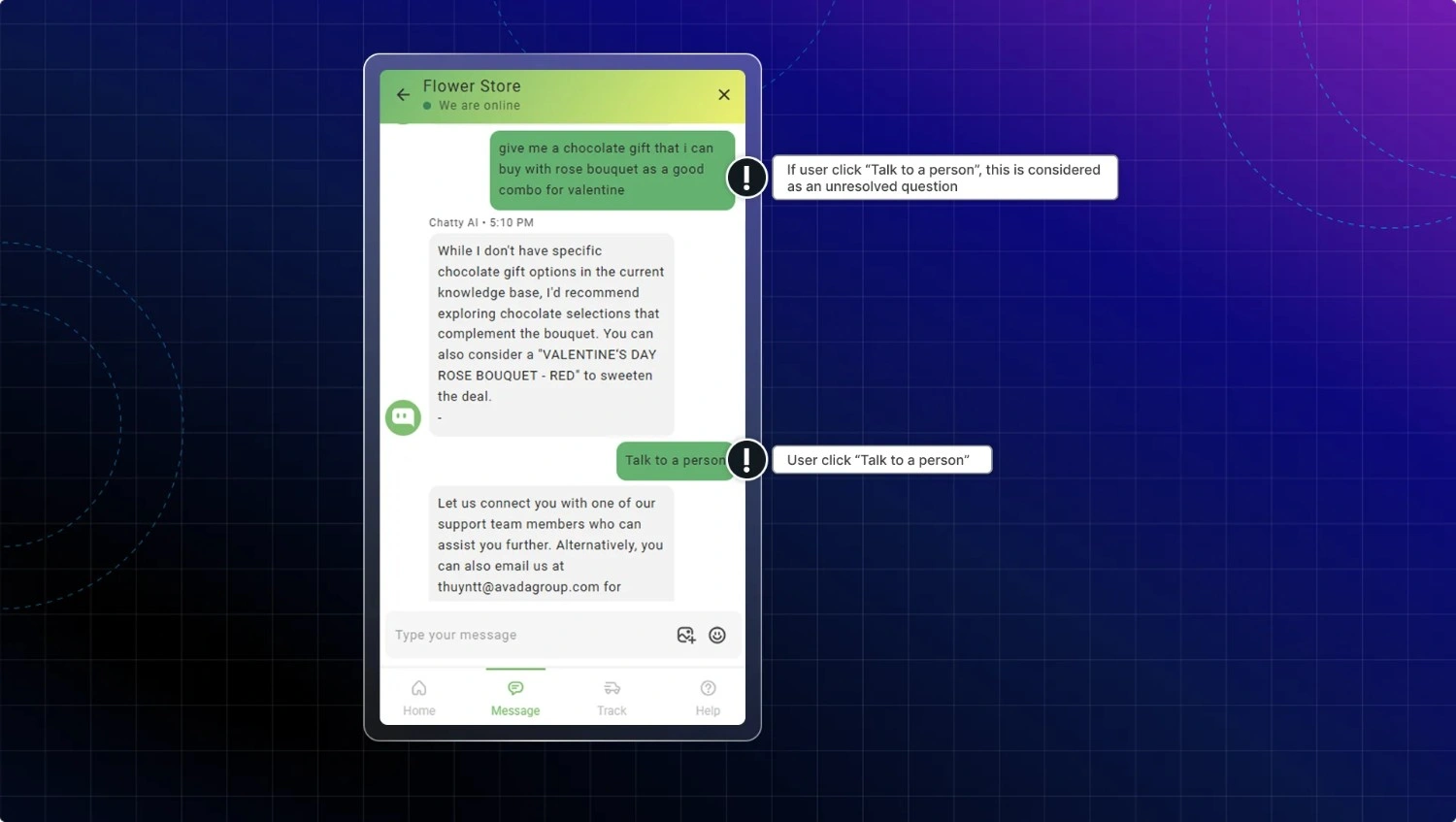
Chatty also logs Unresolved questions when users click "Talk to a person," so you can group patterns, add answers directly, and test again.
When do you actually need a chatbot knowledge base? (and when you don't)
You probably need a chatbot knowledge base if:
- Many support messages are repeated questions (tracking, returns, shipping time, payment methods).
- Agents give noticeably different answers to the same policy question.
- Customers still ask about topics that are already clearly explained in help pages.
- You want to answer common questions instantly, day or night.
- You already have a help center and want to make it more conversational and easier to search via chat.
In these cases, a chatbot that pulls answers from a well-organized knowledge base can reduce repetitive work, improve consistency, and give faster, more reliable answers.
You should fix your help content first if:
- Policies change often, but help articles are not updated after each change.
- The same topic is explained differently in different places, causing confusion.
- Help content is scattered (random docs, old PDFs, wikis) instead of one central place.
- Articles are vague, outdated, or hard for both humans and AI to understand.
Here, it's better to clean up and structure your help content first, then connect it to a chatbot.
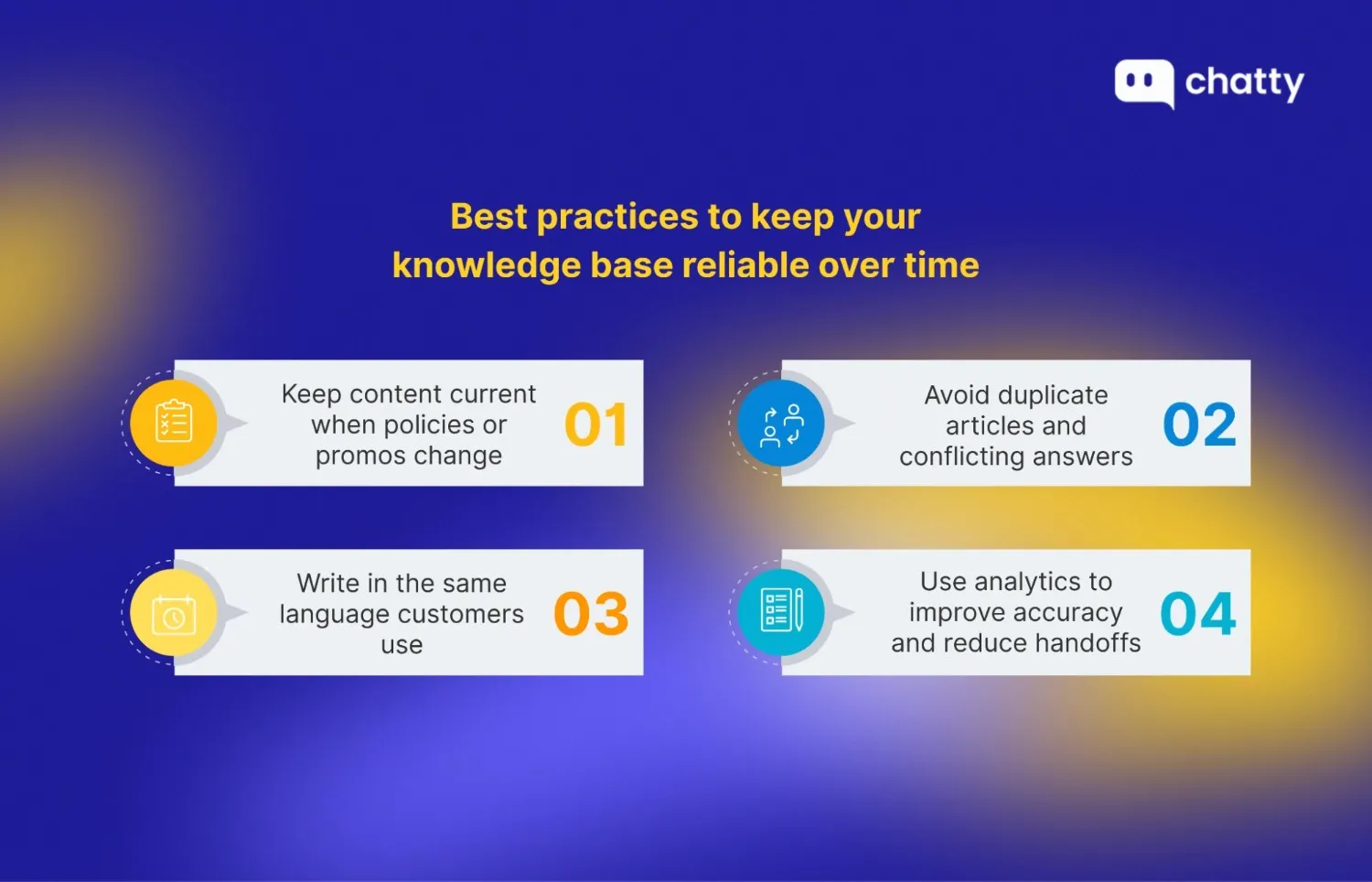
Best practices to keep your knowledge base reliable over time
A knowledge base remains useful only if you treat it as a living system, not a one-time project. The practices below help you keep answers accurate through promo spikes, policy changes, and new hires.
Keep content current when policies or promos change
Same-day updates are super important for returns, refunds, shipping cutoffs, and promo rules. It's highly recommended that you keep internal knowledge up to date and assign clear owners to prevent content from drifting.
Practical habits that work:
- Add a "last updated" line at the top of every policy article
- Keep one change log note at the bottom so agents know what changed
- Let agents flag articles as out of date during live tickets, then route them to the owner
Avoid duplicate articles and conflicting answers
Dupes create silent contradictions. A unified knowledge base is critical because fragmented or missing knowledge creates gaps that slow agents and frustrate customers.
Keep it clean, such as:
- One main policy page per topic (returns, refunds, shipping)
- Supporting articles link back to the main policy page for the final rule
- Archive older versions instead of leaving both live
Write in the same language customers use (keywords + synonyms)
Customers search with their words, not your internal naming. To make your knowledge base easier to find and easier for a bot to retrieve, write titles and keywords the way customers actually type them.
Use these practical rules when you create or refresh articles:
- Include phrasing variations, such as "cancel subscription" and "end membership."
- Use short, conversational headings that mirror common questions, such as "How do I change my delivery address?"
- Replace internal jargon with plain terms customers use, such as "refund timing" instead of "settlement timeline."
Use analytics to improve accuracy and reduce handoffs
Analytics tells you where your content fails in the real world. Let's review:
- Top searches and "no results" searches to find missing articles
- Articles that trigger the most follow-up tickets, which signal unclear conditions
- Bot conversations that end in human handoff, then add the missing rule or exception
Final thought
To wrap things up, building a chatbot knowledge base is less about AI hype and more about disciplined content. We believe the real win comes from turning scattered help docs into a single source of truth that customers can actually use. When that happens, support gets faster, answers get better, and trust goes up.
FAQ
No. You can start without a "full" help center, but you do need a clean set of core articles for your top questions, because most knowledge-based bots answer from your existing help content. If that content is thin or outdated, the bot will still respond, but accuracy can drift.
Update the same day whenever policies or promo rules change, since stale rules can quickly lead to incorrect answers. Then set a review cadence (often monthly or quarterly) to verify, refresh, and archive older content.
Yes, if it is connected to your order data through an integration or API. For example, Shopify order-status actions commonly let the bot display status after the shopper provides identifiers such as the order ID and postal code, and Shopify also exposes order-status-related APIs for extensions on the order status page.
It should never handle or request sensitive credentials or payment secrets, such as passwords or full card details, because chatbots can be targeted for data theft and privacy leakage. It should also not make claims it cannot verify, such as guaranteed delivery outcomes, and should route security, billing disputes, and sensitive cases to a human.
In many support setups, yes. A knowledge-based chatbot covers instant answers from your help content, while live chat handles exceptions, emotional situations, and complex troubleshooting that need human judgment.